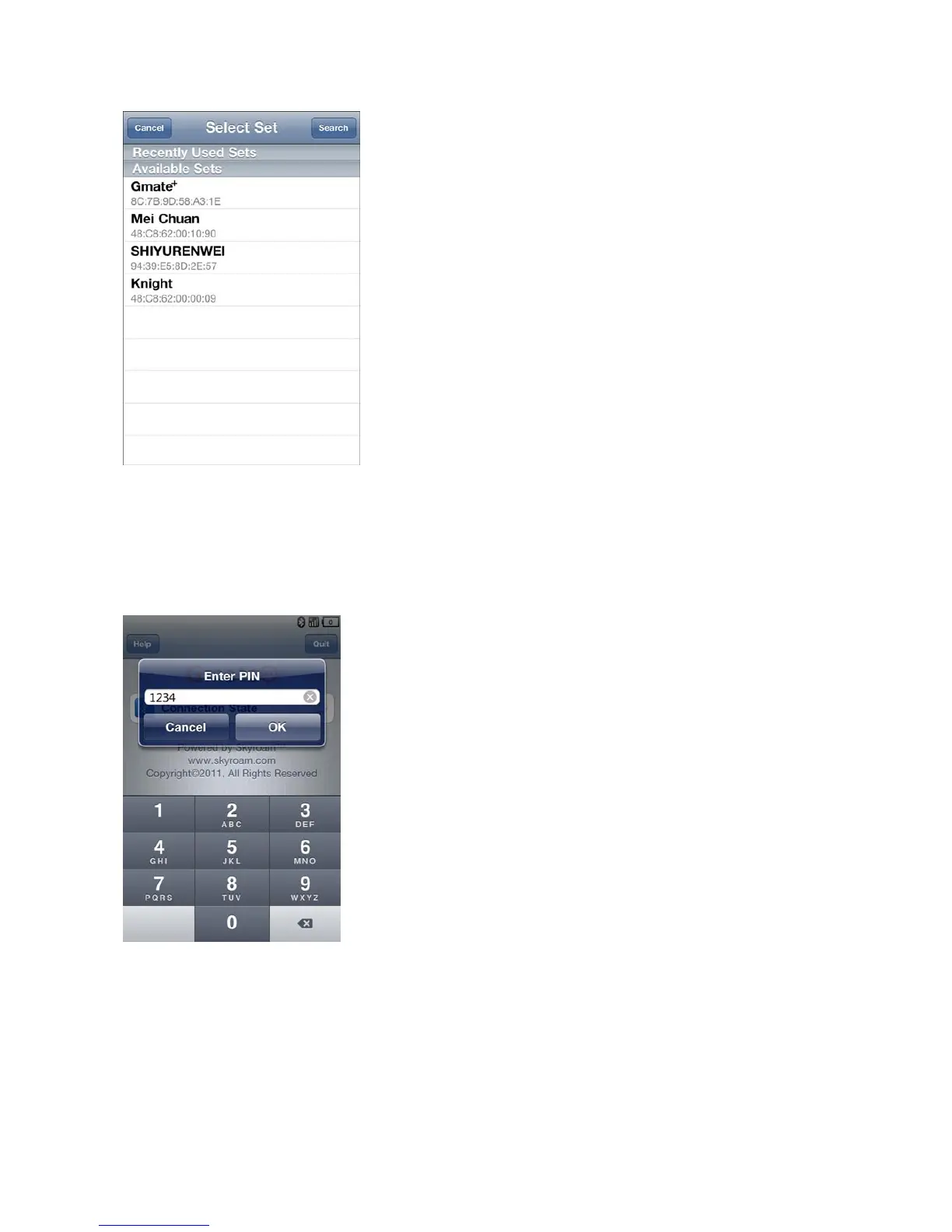
B)From the list of Available Sets, select Gmate+ to connect, and enter the Bluetooth PIN (Default
PIN is 1234) to complete device connection (as shown below).
Note:If unable to locate Gmate+ by device name, please refer to the Bluetooth address located
under the battery. For security reasons, we suggest changing the Change PIN and Gmate Name
through Settings Gmate Setting.
Voice Calling
A) Making Calls: Select Keypad on the client’s main interface, and enters the phone number to call out (As
shown in Fig.1 below), or select an existing contact from Contacts list on the client’s main interface.
B) Receiving Calls: When receiving an incoming call, the client will ring and remind the user of a new coming
call (As shown in Fig.2 below), the Gmate+ device will vibrate as well.



 To Next Page