Page5
O. FLAME MODE
Thisremotewilloperatetheame,allowingfor(6)differentameheight
levels.PresstheMODE/SETbutton.TheFLAMEiconwillappearonthe
LCDscreen.PresstheFLAMEicononthenscreen,thenressUP or DOWN
buttonstoselectdesiredamelevel.PresstheMODE/SETbuttontosetor
wait15secondsandthecontrolwillautomaticallyacceptthenewsetting,
exitfunctionsettingmodeandLCD display will return to normal view.
P. THERMO (THERMOSTATE) MODE
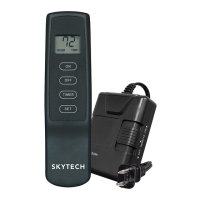
Thisremotefeatureallowsyoutothermostaticallycontrolthereplacewhenhandheld
remote is set to THERMO mode.
SetTemperatureRange:45˚F(7˚C)to90˚F(32˚C).
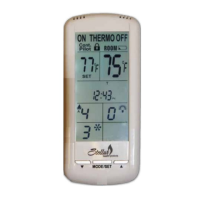
SetremotetoTHERMO modebypressingMODE/SETbuttontwice."ON THERMO"
willappearontheLCDscreen.TouchtheSETTEMPZONEonthescreen,thenpress
theUPorDOWNARROWbuttonstothedesiredtemperature.Within5secondsreplace
will operate to that set temperature.
Set temperature will only appear when THERMOSTAT MODE is activated, but is
implemented in all MODES with the exception of MANUAL MODE.
To exit THERMO mode, press the MODE/SET button. This also shuts the replace
OFF.
IMPORTANT NOTE
When in THERMO mode the replace will not turn on until room temperature falls below SET TEMPERATURE.
IMPORTANT NOTE
The replace will initially light at the highest level. After 5 seconds the ame will adjust to last chosen level before replace was turned
OFF. This applies to MANUAL and THERMO modes
.
IMPORTANT NOTE
The ame height can adjust up to (6) different height levels according to amount of heat required. This range however is dictated by the
Flame Level setting (see previous page). When desired temperature is met, the replace will shut off until more heat is required.
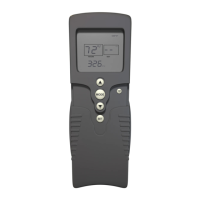
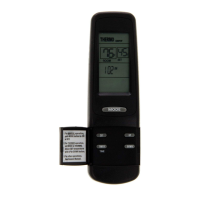
Figure 17O
Figure 17P
17 - REMOTE RECEIVER INFORMATION


 To Next Page