Si5338-RM
Skyworks Solutions, Inc. • Phone [781] 376-3000 • Fax [781] 376-3100 • sales@skyworksinc.com • www.skyworksinc.com 19
Rev. 1.4 • Skyworks Proprietary Information • Products and Product Information are Subject to Change Without Notice • 2021
8. Configuring Spread Spectrum
Spread spectrum is available on each of the clock outputs. The device can be set up in down- or center-spread
mode. The Si5338 supports spread spectrum under the following conditions:
1. MultiSynth output frequencies >
5 MHz and < f
vco
/8
2. Spreading rates from 31.5 to 63 kHz
3. Down spread from 0.1 to 5% in 0.01% steps
4. Center spread from ±0.1 to ±2.5% in .01% steps
If your spread spectrum requirements are outside of these parameters, contact Skyworks Solutions.
8.1. Down Spread
To configure down spread, use the following equations:
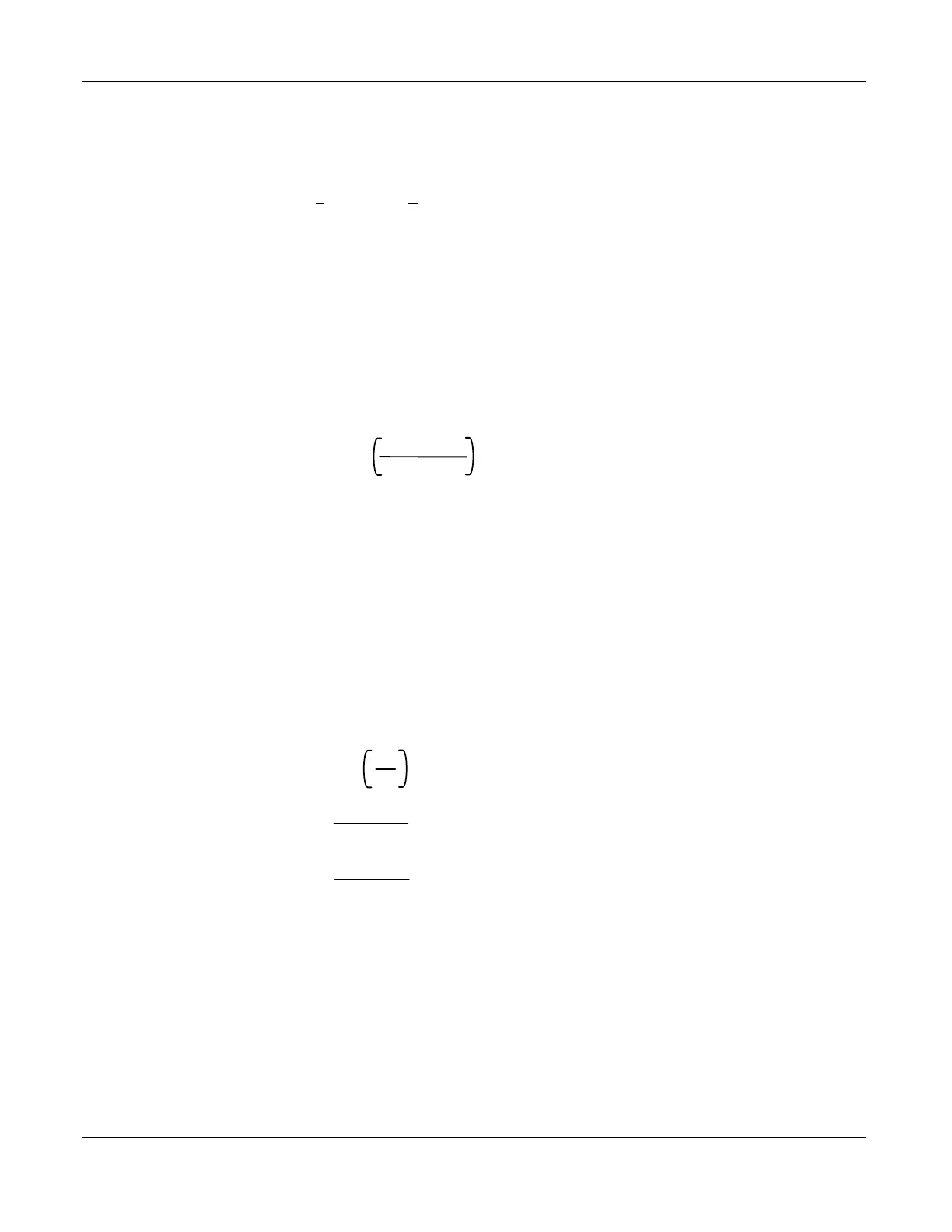
Equation 6. SSC Down-Spread Equations
MSx_SSUDP1 =
F
out
4 x sscFreq
Floor
MSx_SSUPP1 = 0
MSx_SSUPP2 = 0
MSx_SSUPP3 = 1
Let x and y be defined as:
x = Floor(1e12 x (64 x sscAmp x (a + b/c)))
y = Floor(1e12 x (1 – sscAmp) x MSx_SSUDP1)
MSx_SSDNP1 =
Floor
x
y
Down Parameters:
Up Parameters:
Up/Down Parameter:
where
sscAmp = spread amplitude (e.g, for 1.3 % down spread, sscAmp = .013)
a +b/c is the MultiSynth divider ratio from section 5
MSx_SSDNP2 =
Mod(x,y)
GCD (x, y)
GCD (x,y) returns the greatest common
denominator of x and y
Mod(x,y) returns the remainder of x/y
MSx_SSDNP3 =
GCD (x, y)
y
where
Fout = MultiSynthx output frequency in Hz)
sscFreq = spreading frequency in Hz



 To Next Page