6 / 16
Copyright (c) 2009-2013 RoboPeak Team
Copyright (c) 2013-2023 Shanghai Slamtec Co., Ltd.
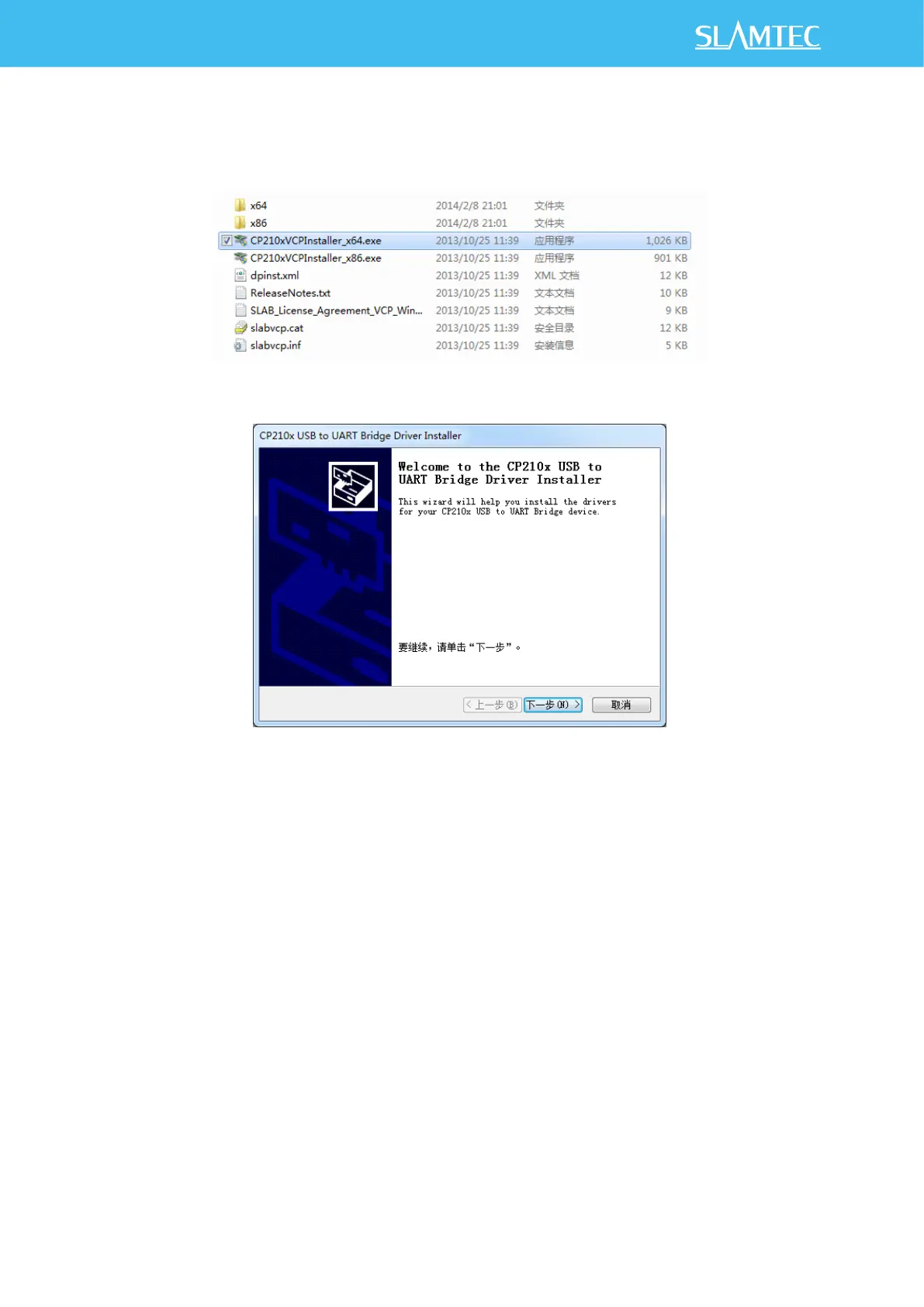
Here’s the installation steps in Windows: after connecting the RPLIDAR with PC,
please find the driver file “CP210x VCP Windows” and choose correct operating
system version accordingly: x86 for 32-bit OS and x64 for 64-bit OS.
Figure 2-3 Choose USB cable Driver for Installation
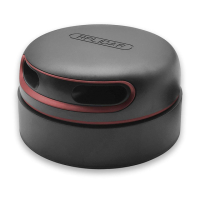
Figure 2-4 Start Page of USB cable Driver Installation
After Installing the driver according to the above installation steps, you will see
corresponding serial port name in the [Control Panel] -> [Device and Printers].
Please refer to the below figure.


 To Next Page