7 / 16
Copyright (c) 2009-2013 RoboPeak Team
Copyright (c) 2013-2023 Shanghai Slamtec Co., Ltd.
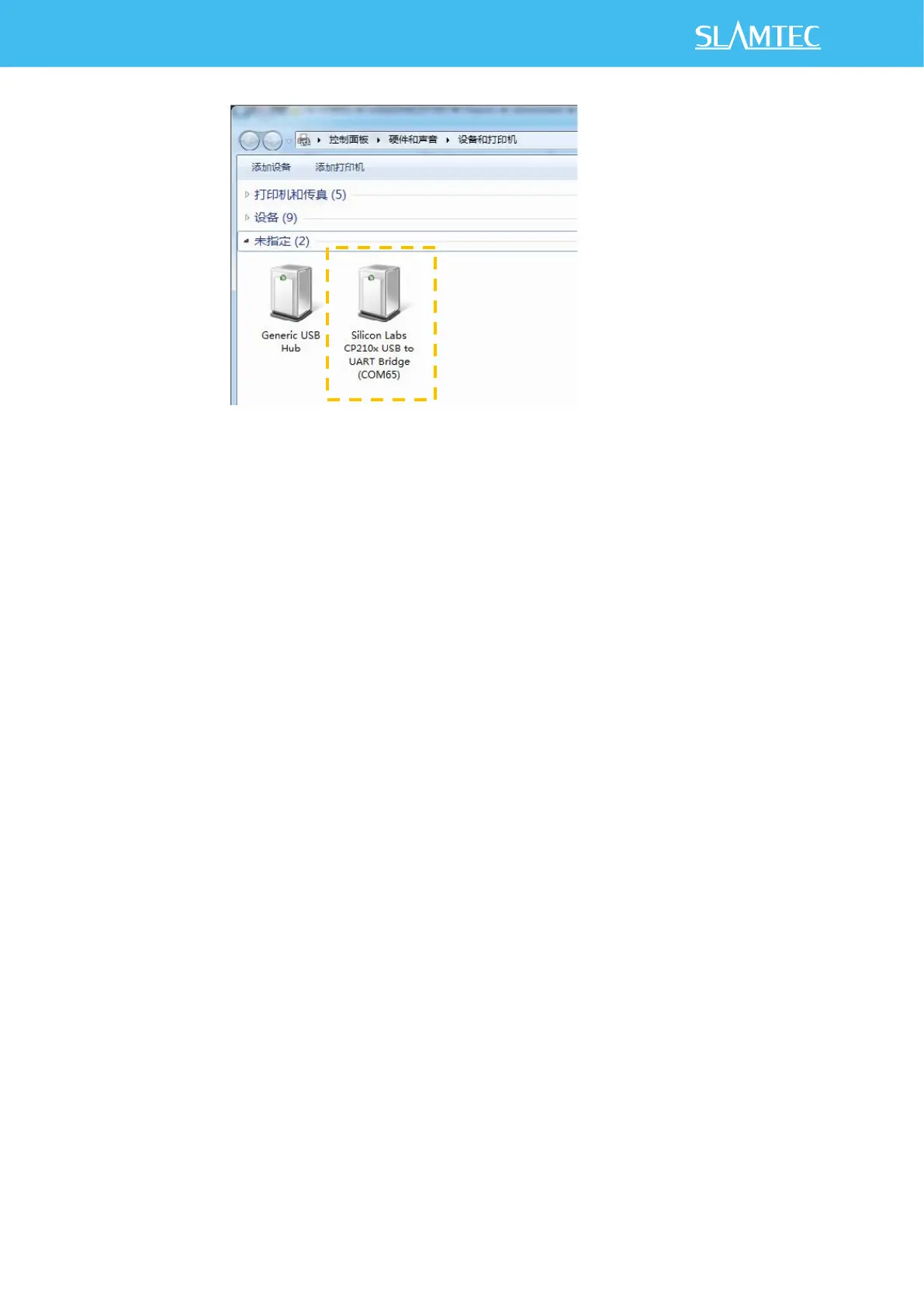
Figure 2-5 Recognized Serial Port Name Matched with the USB cable
Run Demo Application
SLAMTEC provides a Lidars plugin in RoboStudio for users in test and evaluation.
You can view the scan result directly in the UI and save the scan result to files for
further processing.
This GUI demo can only run under Windows. For Linux and MacOS users, please
refer to the other simple demo provided in the SDK.
Please make sure you have connected RPLIDAR to PC by using USB cable and
installed the device driver correctly before running the demo application in
RoboStudio. Launch RoboStudio and log in.


 To Next Page