5 / 16
Copyright (c) 2009-2013 RoboPeak Team
Copyright (c) 2013-2023 Shanghai Slamtec Co., Ltd.
Connection
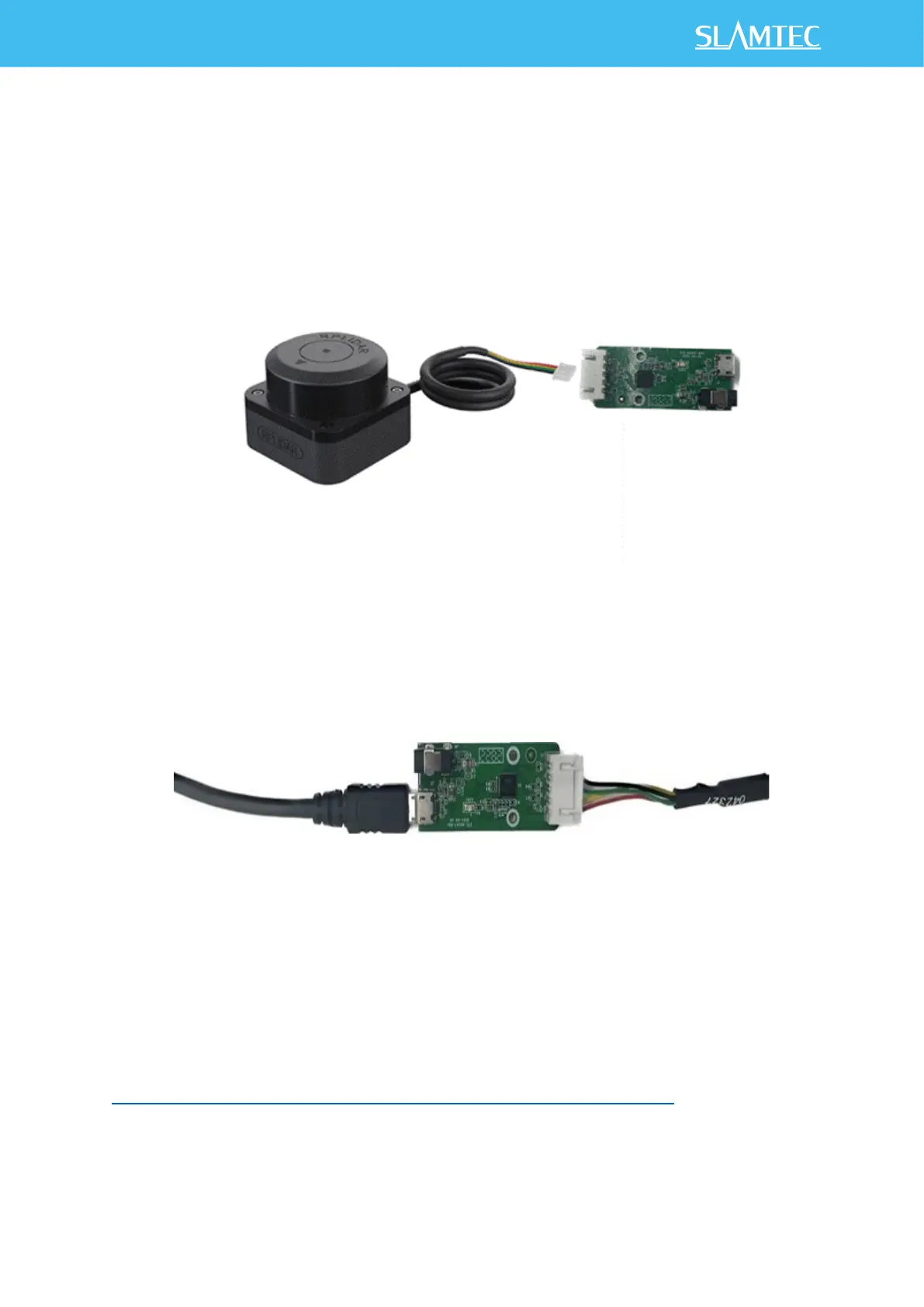
RPLIDAR C1 can be easily connected to PC according to the following steps.
1) Connect RPLIDAR C1 with the USB cable.
Figure 2-1 Connect RPLIDAR C1 and USB cable
2) Connect the USB cable to your PC via the Micro-USB cable. If the PC is on,
after connecting the USB cable to your PC, the indicator light of the USB
will light up but the RPLIDAR will not start scanning.
Figure 2-2 Connect the USB cable to PC via Micro-USB Cable
Install Driver for the USB cable
The USB cable converts UART to USB by using CP2102 chip. You need to install
the device driver for the chip. The driver can be found in the provided SDK
package or downloaded from Silicon Labs’ official website:
http://www.silabs.com/products/mcu/Pages/USBtoUARTBridgeVCPDrivers.aspx


 To Next Page