Chapter 5
Maintaining the interactivewhiteboard
smarttech.com/kb/171660 25
l If ink is accidentally used on your interactive whiteboard, remove the ink as soon as possible. Ink
becomes more difficult to remove the longer it stays on the whiteboard’s screen.
CAUTION
Do not use harsh chemicals or abrasive cleaners.
IMPORTANT
l Before you clean your interactive whiteboard, disconnect its USB cable.
l To view dirt or streaks more easily, set your projector to standby (lamp off) mode.
To learn more, see the knowledge base article, How to clean SMART Board surfaces and accessories.
Transporting your interactive whiteboard
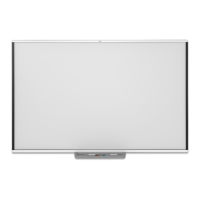
Save the original SMARTBoard M700 or M700V series interactive whiteboard packaging so that it’s
available if you need to transport the interactive whiteboard. When required, repack the interactive
whiteboard with the original packaging. This packaging was designed with optimal shock and vibration
protection. If the original packaging is no longer available, you can purchase the same packaging directly
from your authorized SMARTreseller (smarttech.com/wheretobuy).


 To Next Page
 Loading...