Chapter 6
smarttech.com/kb/171660 26
Chapter 6: Troubleshooting
Tips for resolving issues with general behavior 27
Adjusting the projected image 27
Resetting your interactive whiteboard 27
Preventing USB cable issues 27
Resolving common issues 28
No image is projected on the interactive screen, or a “No Input” message appears 28
The projected image is blurry or not the same size as the interactive whiteboard’s projection surface 28
The interactive screen doesn’t respond to touch 29
Touch or ink alignment is inaccurate, the pointer moves erratically, or gaps appear when you draw or
write 29
The SMARTsoftware icon doesn’t appear in the notification area 30
A small red × appears on the SMARTsoftware icon 30
The orientation procedure doesn’t proceed to the second point 31
Using the connection wizard 32
Using SMART Diagnostics 32
Contacting SMART Support 32
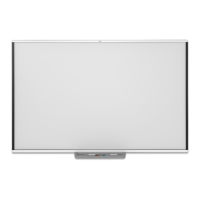
This chapter explains how to troubleshoot a variety of common issues with SMARTBoard M700 and M700V
series interactive whiteboards. If you’re experiencing and issue that’s not listed or the solutions don’t work,
check out the following resources:
Resource Description
Communities discussions Search the communities discussion forums for an answer, or post a
description of the issue. SMART Support and other SMART Product users
regularly monitor the forums, so it’s a great place to find answers to help
resolve the issue.
Knowledge base
(Communities articles)
The knowledge base contains articles to help with advanced
troubleshooting. Search for the issue to see if an article offers a solution.


 To Next Page
 Loading...