Chapter 1
Welcome
smarttech.com/kb/171660 8
NOTE
SMART Product Drivers must be installed on your Windows, Mac, or Linux® computer to enable all features
in SMART software. For supported versions, see Computer requirements below
Multitouch capabilities
Support for up to 20 simultaneous touches enables up to two users to interact with the interactive
whiteboard by using the included pens or other objects, or by using their fingers to perform gestures. They
can also use their palms to erase.
Pen tray and pen ledge
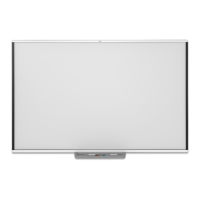
SMARTBoard M700 series interactive whiteboards include a pen tray. Use the color select buttons to
change digital ink colors. The on-screen keyboard, the right-click and the orient features are also accessible
with pen tray buttons.
SMARTBoard M700V series interactive whiteboards include a pen ledge. The durable pen ledge holds the
two included pens.
Durable surface
The interactive screen is scratch-resistant, dent-resistant and optimized for projection.
Computer requirements
To successfully power a SMART Board M700 or M700V series interactive whiteboard and run
SMARTProductDrivers (see Installing SMARTProductDrivers and Ink on page12), your computer must
meet certain minimum requirements. SMART Board M700 and M700V series interactive whiteboards are
supported on computers with Windows®, macOS, or Linux operating systems.
See the release notes for a complete list of computer requirements:
l SMART Notebook 20 software for Windows and Mac
l SMART Notebook 11.1 software for Linux (smarttech.com/kb/171706)

 To Next Page
 Loading...