CHAPTER 2
MOUNTING YOUR INTERACTIVE FLAT PANEL
4 smarttech.com/kb/170534
Choosing a mounting location
Consider the following when you select a location for the interactive flat panel:
l The wall must be strong enough to support the interactive flat panel and the mounting
equipment. The interactive flat panel weighs 169.8 lb. (77 kg).
l Select a wall with a flat, regular surface and sufficient clearance to accommodate your
interactive flat panel. Mount the interactive flat panel in a location that’s central to your
audience’s viewing direction.
l Choose a location for the interactive flat panel that’s far from bright light sources, such as
windows and strong overhead lighting. IR lighting can cause issues with the performance of
the cameras and can lead to unintentional or missed touches.
For mobile or adjustable installation options, contact your authorized SMART reseller
(smarttech.com/where).
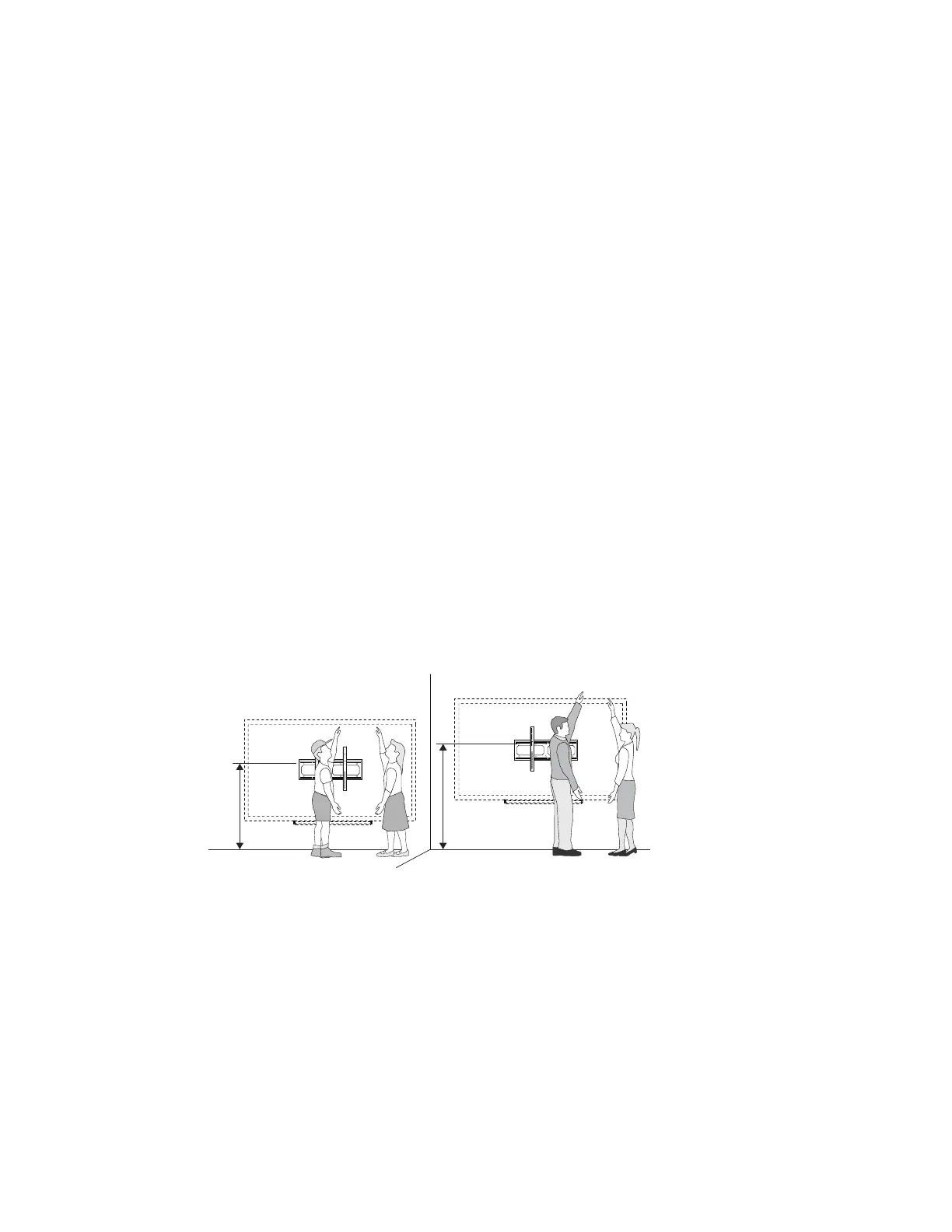
Choosing a mounting height
Consider the general height of the user community when you choose the height for the interactive
flat panel.
The flat panel height is based on the midpoint between the reach of the students and the teacher.
Cable management
When you connect cables to the interactive flat panel from a computer and other peripheral
devices, ensure that the cables aren’t a trip hazard. Use channels and raceways to safely secure
and hide cables. Contact your authorized SMART reseller for these accessories.



 To Next Page