CHAPTER 2
USING THE DISPLAY
19 smarttech.com/kb/171166
Using touch
You can do everything on the display that you can do at your computer—open and close
applications, meet with others, create new documents or edit existing ones, visit websites, play
and manipulate videos, and so on—by touching the display’s surface.
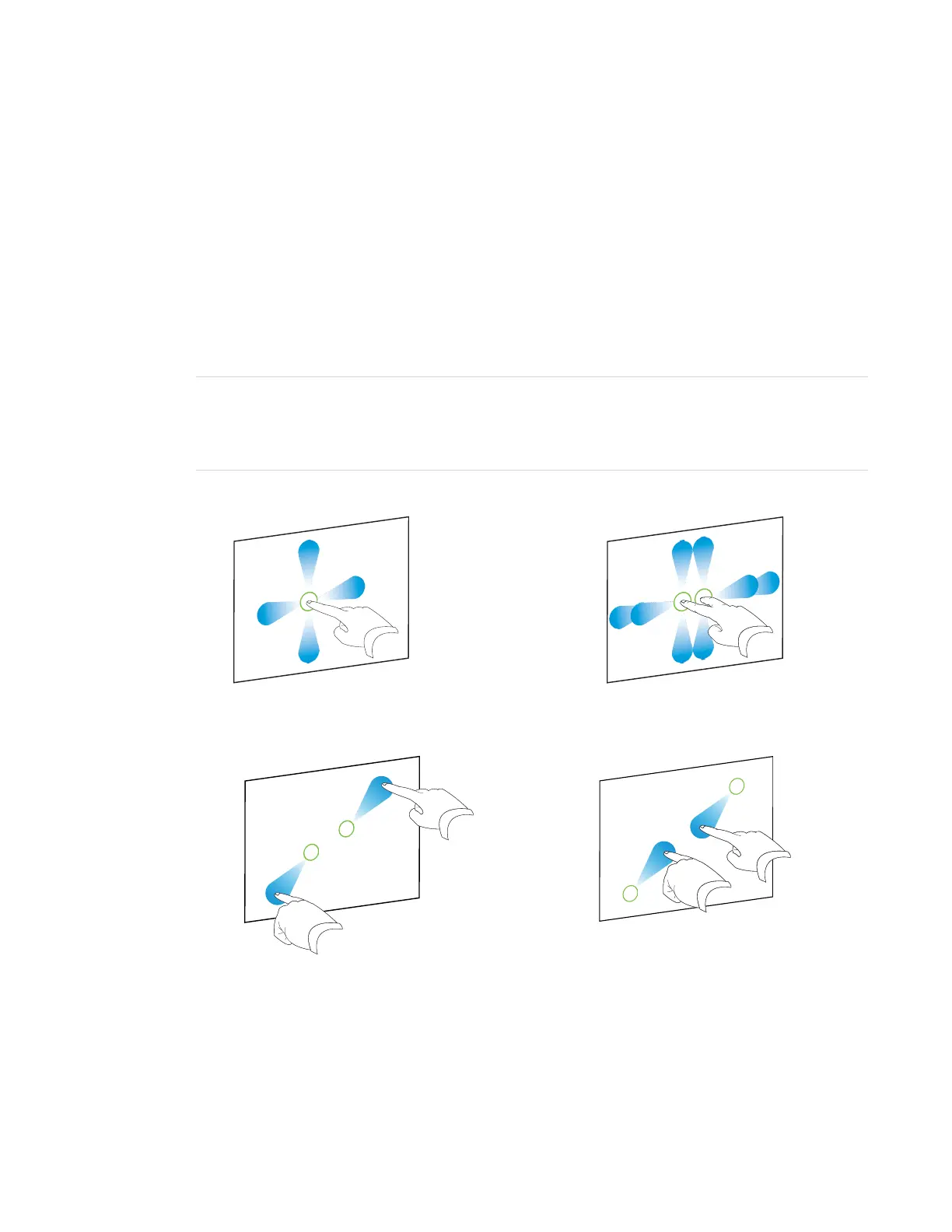
You can use an array of gestures within applications, including panning, scaling, rotating and
zooming in and out.
You can also use gestures within applications.
NOTE
Not all gestures work in all applications. Refer to an application’s documentation to learn which
gestures it supports.
Pan (one finger) Pan (two fingers) / scroll
Pinch to zoom in / scale (enlarge) Pinch to zoom out / scale (reduce)


 To Next Page