CHAPTER 2
USING THE DISPLAY
26 smarttech.com/kb/171166
If possible, set any connected computers to these resolutions and refresh rates. See the
connected computers’ operating system documentation for instructions.
Connecting computers to the display
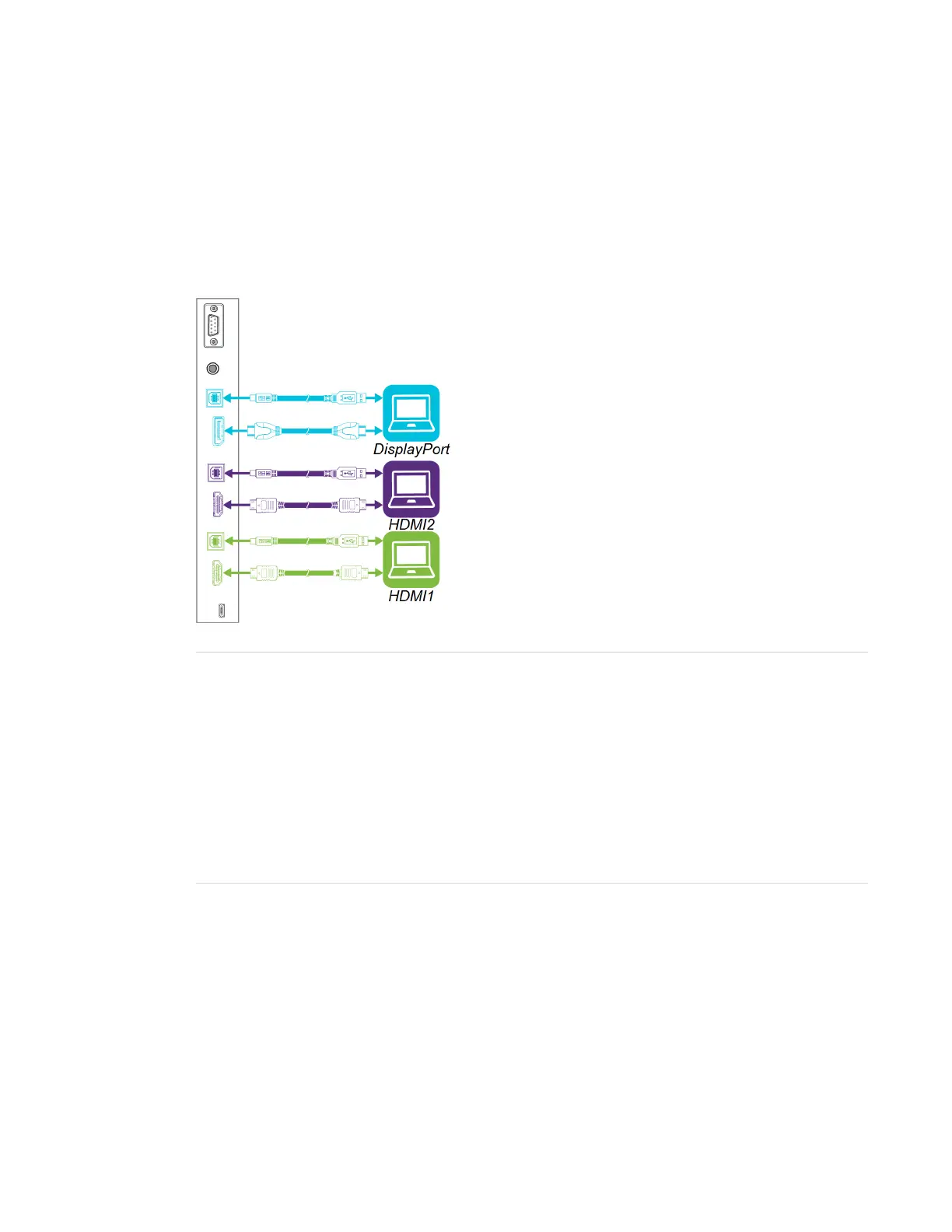
You can connect computers with SMARTLearning Suite to the display (as shown below) and then
view the computers’ input on the display.
NOTES
l To interact with content, connect a USB cable to the appropriate USB Type-B receptacle on
the connector panel (as shown in the above diagram).
l Your organization’s installers might have connected cables to the display and run the cables
behind a wall or under the floor to a desk or table where you can place your computer.
l If you have an older model iQ appliance (AM30), you can connect a computer to the
appliance and use the Input app to view the computer’s input. For more information on the
Input app, see Using the iQ experience on page21.
Viewing a connected computer’s input
Use the Input app to view a connected computer’s input on the display.



 To Next Page