Chapter 1
Welcome
smarttech.com/kb/171554 9
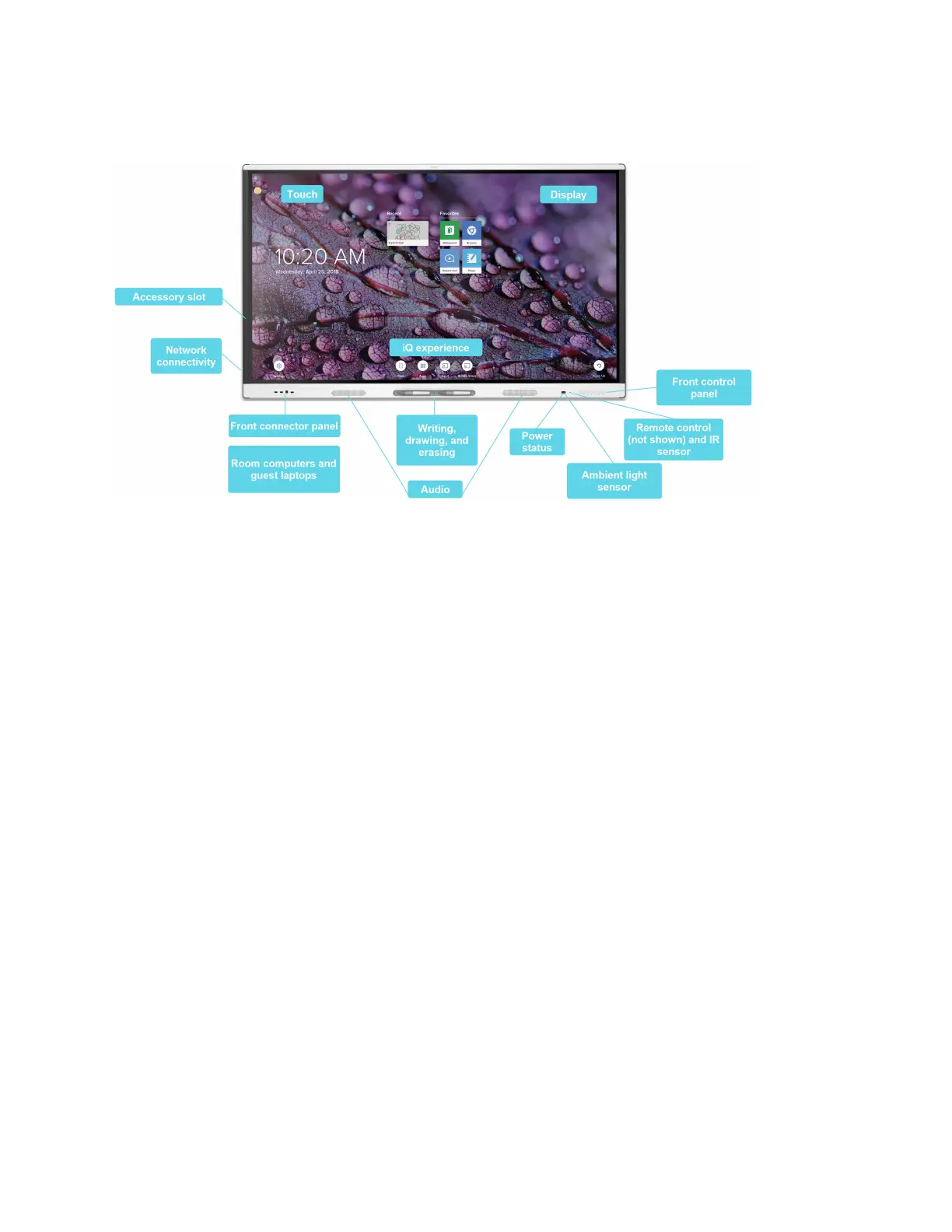
The display includes an extensive set of features and components:
Touch
You can do everything on the display that you can do at your computer—open and close applications, meet
with others, create new documents or edit existing ones, visit websites, play and manipulate videos, and so
on—by touching the display’s surface.
You can use an array of gestures within applications, including panning, scaling, rotating, and zooming in
and out.
For more information, see Using touch on page21.
Writing, drawing, and erasing
The display comes with two pens, which you can use to write or draw on the screen.
Use your fist or palm to erase digital ink on the screen.
With Object Awareness™, the display responds automatically to the tool or object you’re using, whether it’s a
pen, finger, or palm. The display’s Simultaneous Tool Differentiation technologies allow two people to write
independently and simultaneously.
For more information, see Writing, drawing, and erasing on page23.



 To Next Page
 Loading...






