4. IMAGO Record®
4.1 Introduction
IMAGO® is a LabVIEW® based program developed at the University of Freiburg for data acquisition
and processing. The cycling lab (Radlabor®) out a lot of effort into the development of this software.
The PowerTec® measurement device and the IMAGO® software are developed parallel and are
therefore well concerted.
Besides force measurements, any other analogue channel can be recorded in IMAGO®. The program
also includes a processing routine. The data output from this routine is a MS Excel (2003) sheet
containing the mean of all recorded channels resampled to 360 data points (1° steps). It was
developed for movement analysis with the PowerTec® pedal force measurement system and EMG
recordings. For training and training studies the program provides an online feedback.
This feature, called “Cycle Plot” simplifies the data stream in a circular graph, to enable any athlete
to work with feedback without previous knowledge.
As the program has many more features used at the University, which are not available in your
version, there might be a few buttons and other options, which have no further relevance for pedal
force measurements. But as far as possible, they are hidden or deleted.
If you have any further questions, please contact the Radlabor®.
4.2 First start and setup
Start IMAGO Records by clicking on the Icon on your desktop.
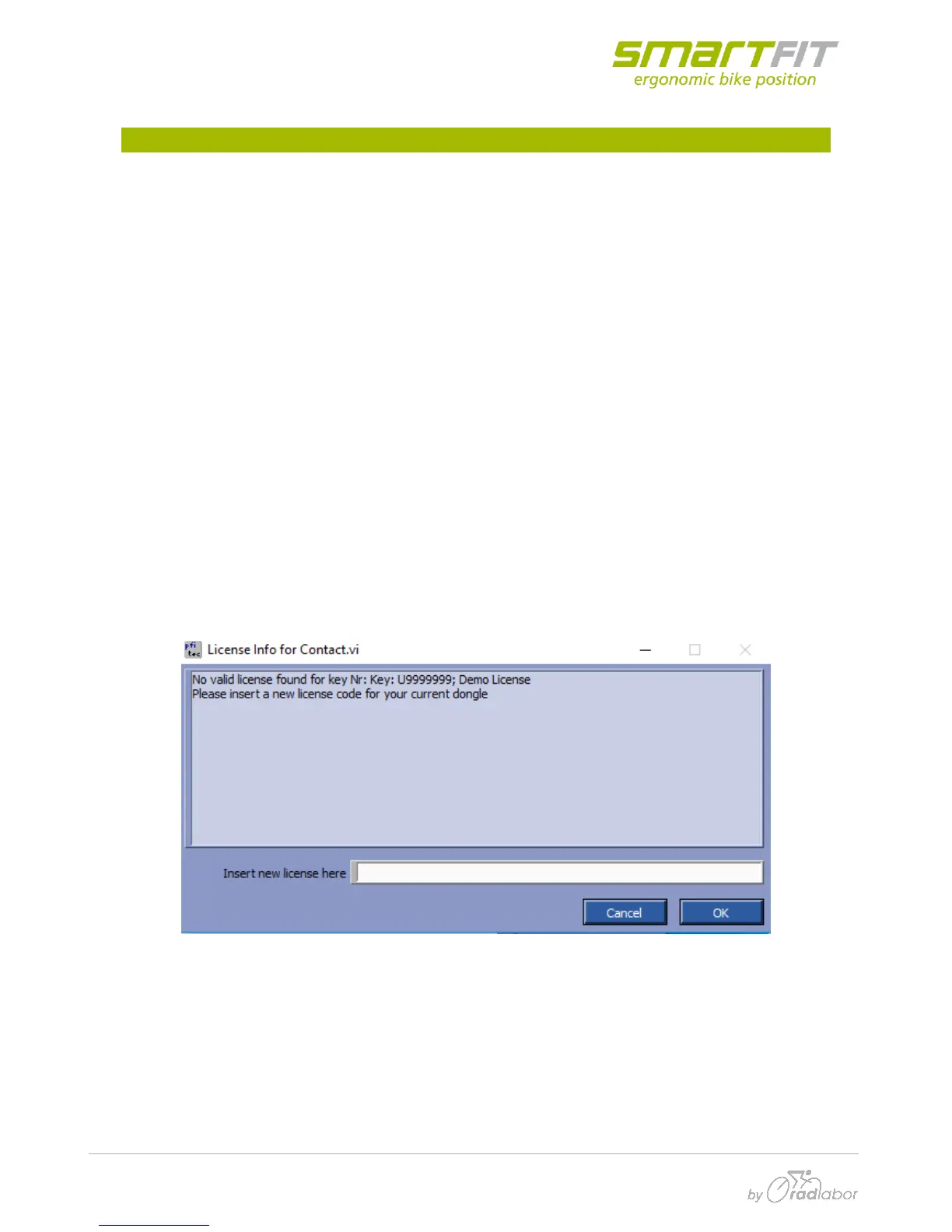
Make sure, the USB-license dongle is in your PC, otherwise this error message may occur:
In this case close the program, insert the right dongle and restart IMAGO Records.
Your system firewall might want to block the application. You should allow the “Imago record.exe”
to pass the firewall.



 To Next Page