4.3 Description of IMAGO®
The following chapters describe some of the most common functions in the analyze software
IMAGO Recors.
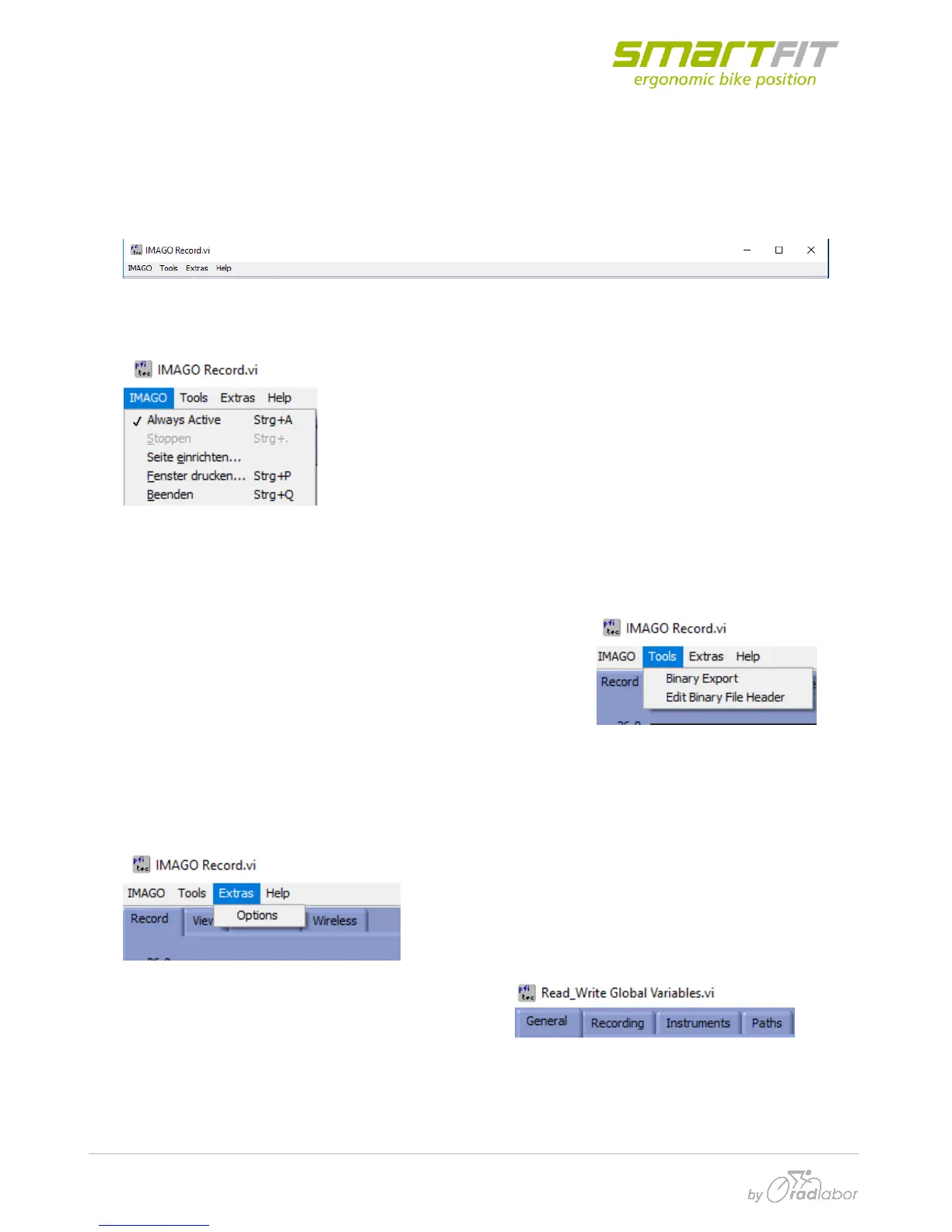
4.3.1 Main Menu
IMAGO
In this Tab, you are able to select the point, that IMAGO is always
selected. During the processing routine, some settings need to be
confirmed. But you can also let the system confirm most of the
automatically. To stop this automatism, you need to switch the
“Always Active” option.
Further here is the setting the page and for printing the actual window.
“Beenden” means to close IMAGO.
Tools
Via the Tab “Tools” you can do the Binary Export. You need this
binary export to transform your binary data in an excel readable
file format, e.g. for analyzing the separated force channels or the
acceleration channels.
Extras
Here you can select further options. If you click on it,
a window appears with four different index tabs.
In the tab “General” you can select your decimal separator, which is set to your Excel version. This
setting is dependent on your country and the way MS Excel reads decimal numbers.



 To Next Page