Radlabor GmbH | Heinrich-von-Stephan-Str. 5c | 79100 Freiburg | Germany
www.smartfit.bike | www.radlabor.de
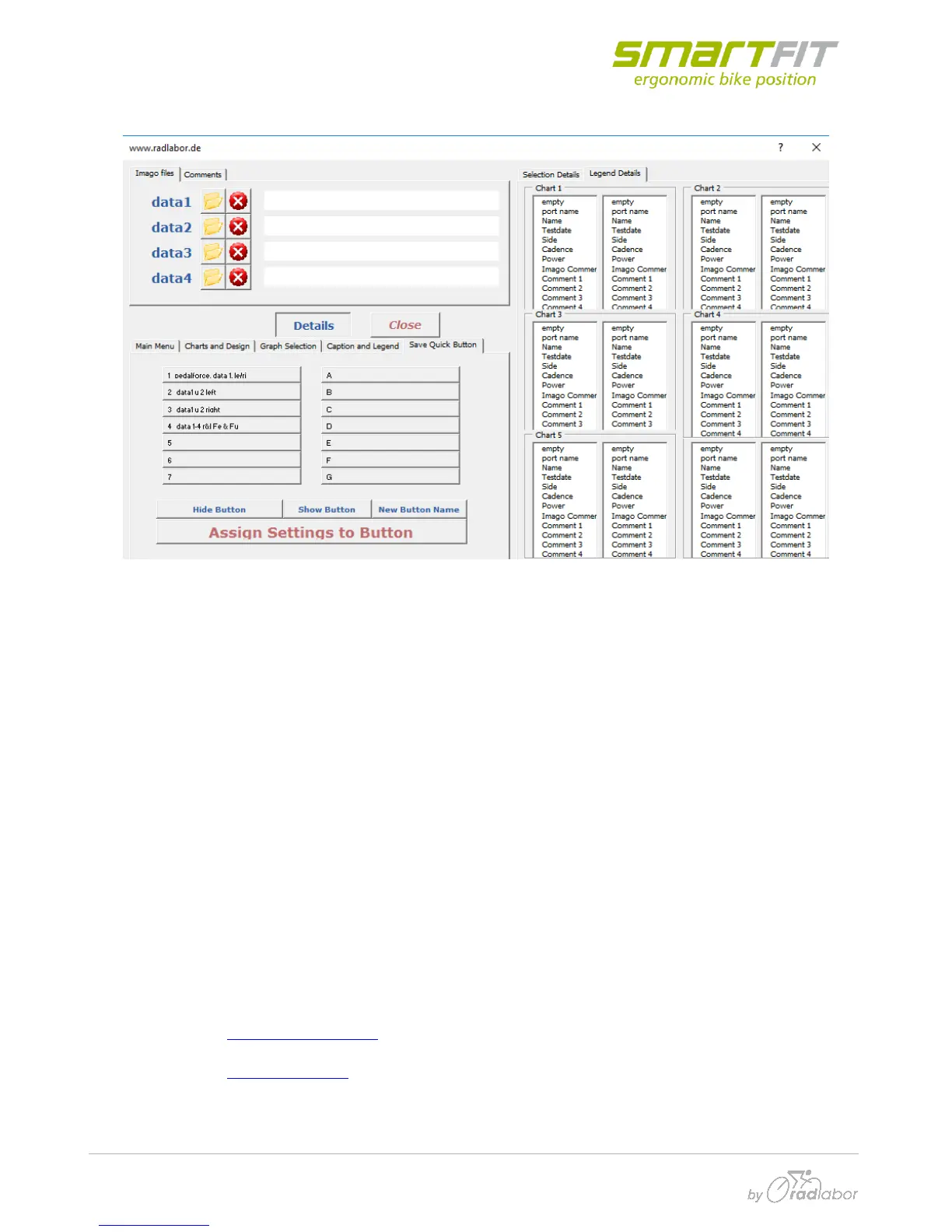
5.5 Save quick button
If you click on one or more than one of the Buttons, you can use the functions of the Buttons below
on the selection. These two tables correspond to the Quick Load Buttons in “Main Menu”
You can Hide and Show the Buttons in the “Main Menu”. This is simply a possibility to tidy up the
menu.
With the Button “assign settings to Button” all Indices of the current selection (charts, comments,
graphs, legends and header entries) are saved. Note that only the indices are saved. Meaning, that
if you have selected the second recorded channel of your file the second channel of the new selected
data you apply your settings to will be shown. There is no reference to the selected channel name.
By clicking on “New Button Name” you can change the name of the button without changing the
settings applied to it.
Radlabor GmbH
Heinrich-von-Stephan-Str. 5c
79100 Freiburg im Breisgau
Phone: + 49 (0)761 / 45 87 60 – 5
Fax + 49 (0)761 / 45 87 60 – 59
Email: support@radlabor.de
www.radlabor.eu
AGFreiburg, HRB 701437
CEO: Bjoern Stapelfeldt



 To Previous Page