12 • ENGLISH
SETTING DATE/TIME
IT IS NECESSARY TO SET THE DATE AND TIME FOR THE
UNIT EVERY TIME BATTERIES ARE INITIALLY INSTALLED OR
REPLACED
The date/time feature is on the top of the display screen. This unit stores the date
and time, including year allowing for a date/time stamp on all readings in the
memory recall function.
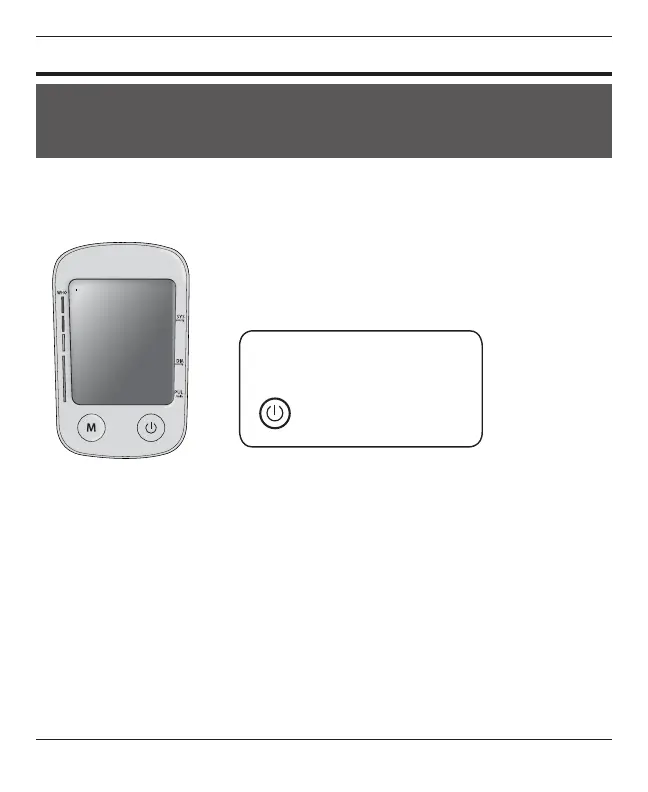
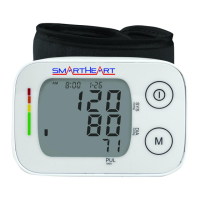
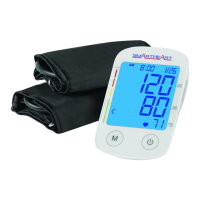
The M and POWER buttons are located
below the display.
M -Memory
button
-POWER button
1. When the batteries are rst installed, the device will automatically prompt you
to set the Date/Time feature.*
*NOTE: If the batteries have already been installed—when the unit is off (a
blank display screen), press and release the MEMORY & POWER button for
3-5 seconds to make the unit go into clock setting mode.
2. Military/ Standard Clock- When you rst enter into the clock setting
mode you have the option to choose between a 24 or 12 hour clock. Press the
M button to toggle between the two settings. Once a selection is made press
the POWER button to advance to the next step.
3. YEAR—next the year will ash on the display. Press the M button to advance
the display to the desired year, press the POWER button to conrm your
selection and advance to the date settings.





 To Next Page