16 • ENGLISH
TAKING YOUR BLOOD PRESSURE READING
Please read the preceding portions of this manual
prior to taking your rst reading.
Reminder, it is important to avoid smoking, eating,
taking medication, alcohol consumption or physical
activity 30 minutes prior to taking a reading.
1. Position the monitor on a at, stable surface
with the digital display in view. Be seated with
your feet at on the oor and legs uncrossed.
2. After applying the cuff insert the cuff tubing
connector into the port on the left side of your
monitor.
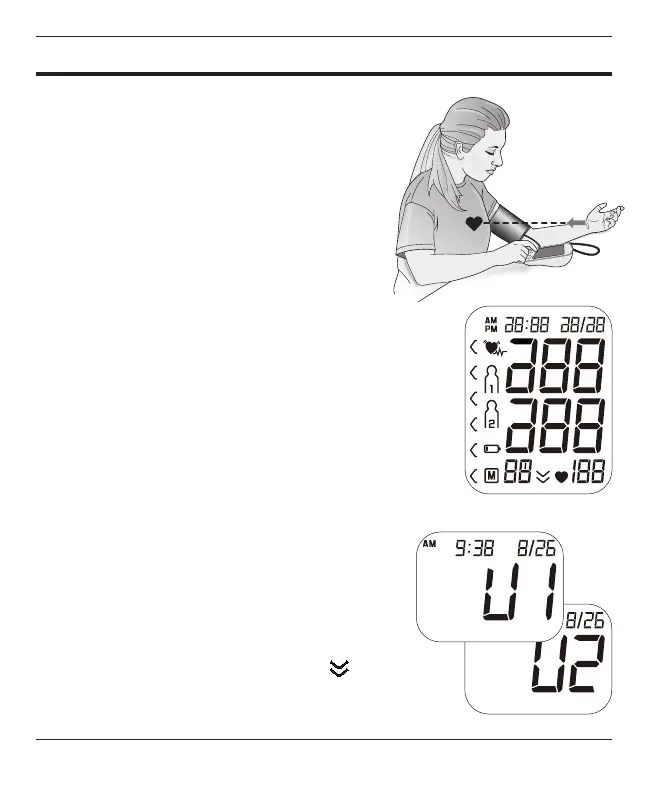
3. Rest your elbow on a solid surface with your
palm facing upward. Elevate your arm so that
the cuff is at the same level as your heart, Fig
1. Relax your left hand.
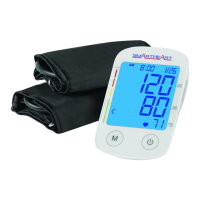
4. Press and release the POWER button to turn
the unit on; the unit will briey ash a self-test,
Fig 2.
5. The display will show the current memory bank
in use, U1 or U2, Fig 3. Press the M button to
select a different memory bank if desired. If no
selection is made, the unit will default to the
memory bank displayed.
6. The display will briey show a ‘0’ before the
measurement begins.
7. As the ination process begins, the display
may briey show a downward arrow
indicating the cuff is releasing any air
remaining in the cuff prior to measurement
ination.
Fig. 1
Fig. 2
Fig. 3



 To Next Page