English –
98
– English
This unit comes complete with 2 AAA batteries.
2
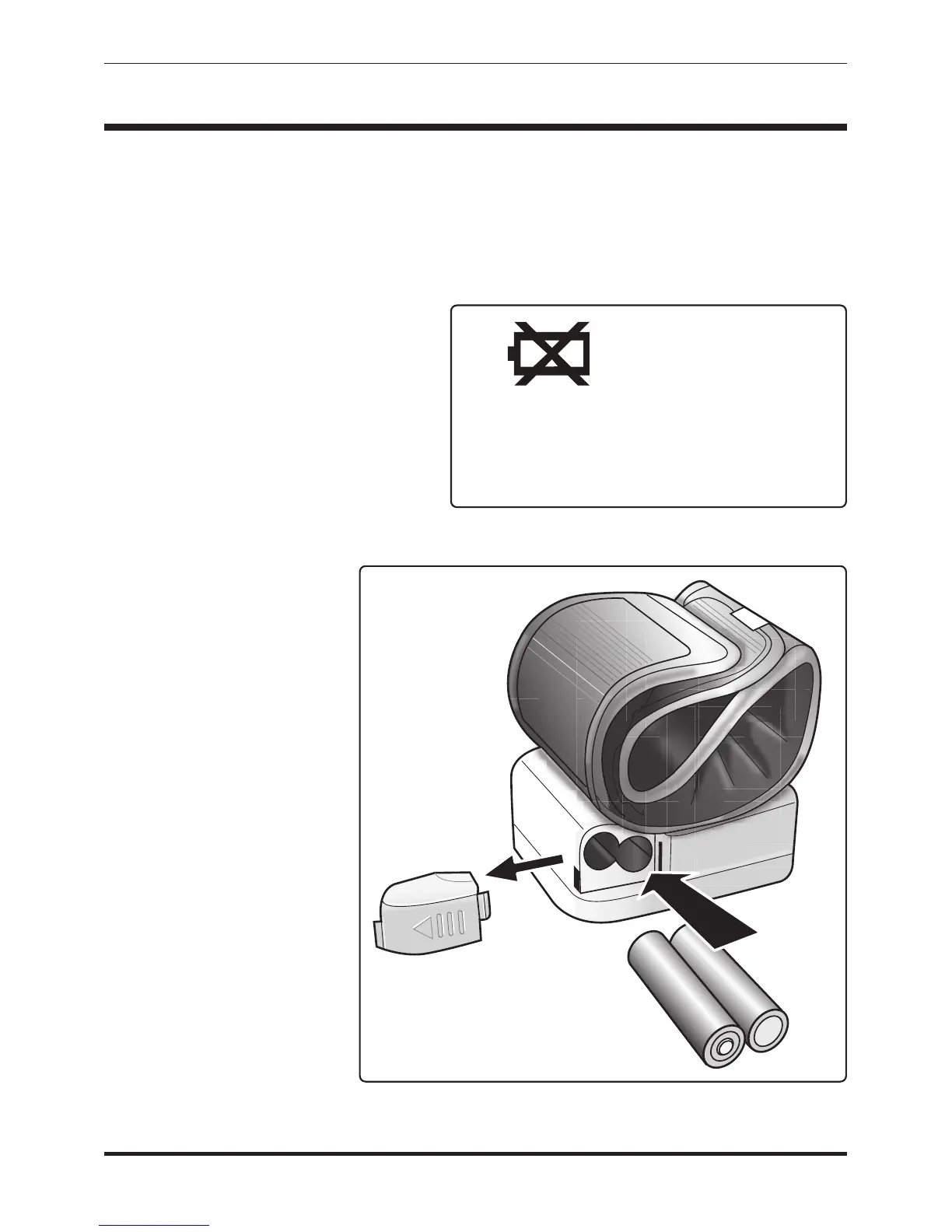
It is necessary to replace the batteries when the Low Battery symbol
appears on the display, Fig 1, or when the display does not turn on
after the START/STOP button is pressed.
The battery compartment is
located on the underside of this
monitor.
1. Slide the battery cover off of
the unit.
2. Insert or replace 2 AAA
batteries into the battery
compartment,
ensuring to match
the indicated
polarity symbols, Fig
2. Always use new
batteries.
3. Replace the battery
cover.
4. Dispose of batteries
according to local
disposal and
recycling
regulations.
It is recommended to
remove the batteries if
the unit will not be used
for an extended period
of time.
BATTERY INSTALLATION
Fig. 1
The ‘Low Battery’
symbol will
appear on the
upper left corner
of the display
Fig. 2



 To Next Page