16
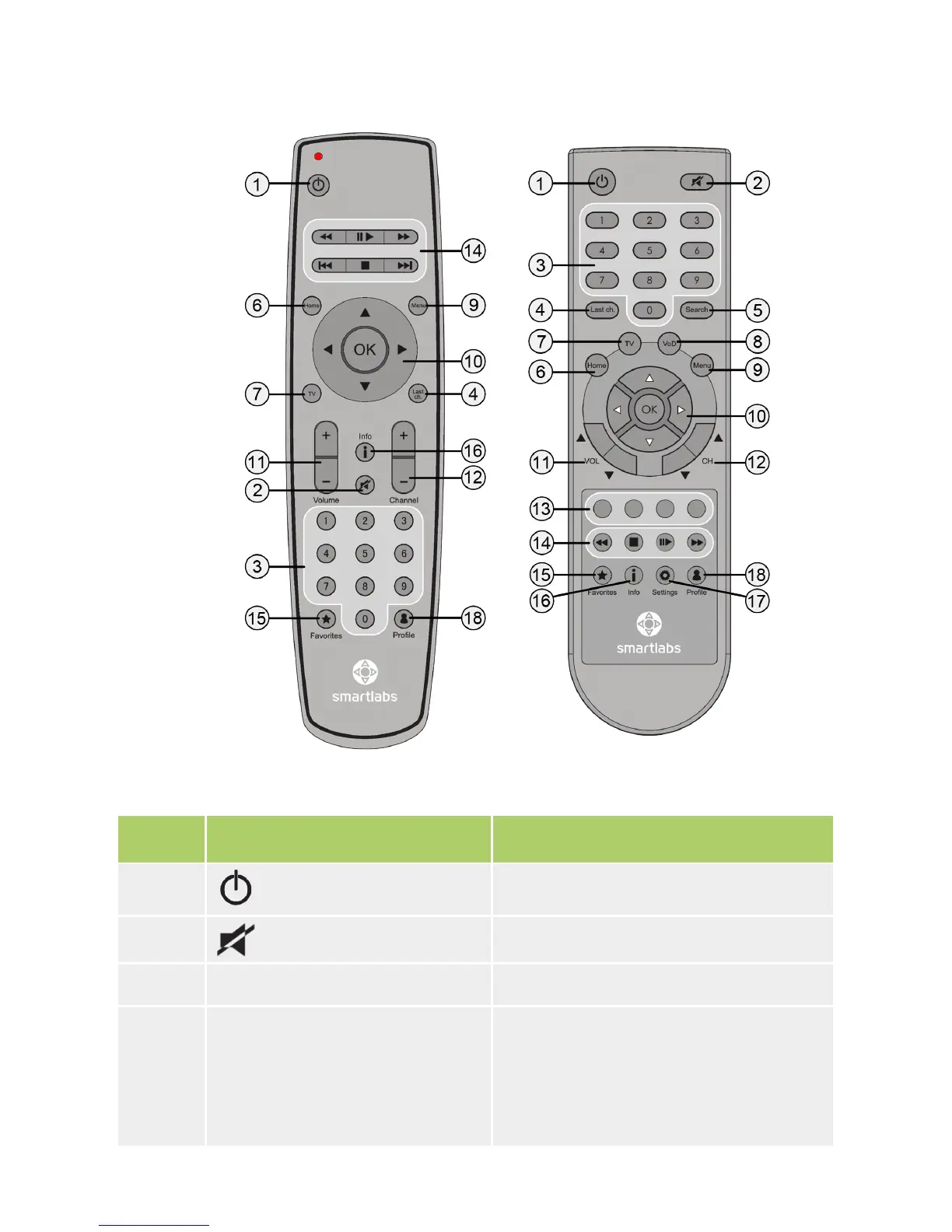
Namber IR/RF Remote Control Button Purpose
1 (Turn on/stand-by)
Switches the IPTV STB on or turns the
device into the stand-by mode.
2
(Mute)
Disables/Enables sound.
3 Numeric buttons Enter numbers, letters, symbols.
4 Last ch. (Last channel)
At the time of watching TV channels
switches the translation to the previous
viewed channel.
At the time of watching a move rewinds
for a few seconds back.
Remote Control Buttons Specication
RF Remote Control IR Remote Control


 To Next Page