18
Installation of the Hard Disk (HDD)
The SML-292 HD Premium model allows you to install an internal hard disk
into the device.
Hard disk is not included with the accessories. You can purchase the disk
separately.
HDD Requirements:
• Size 2.5’’
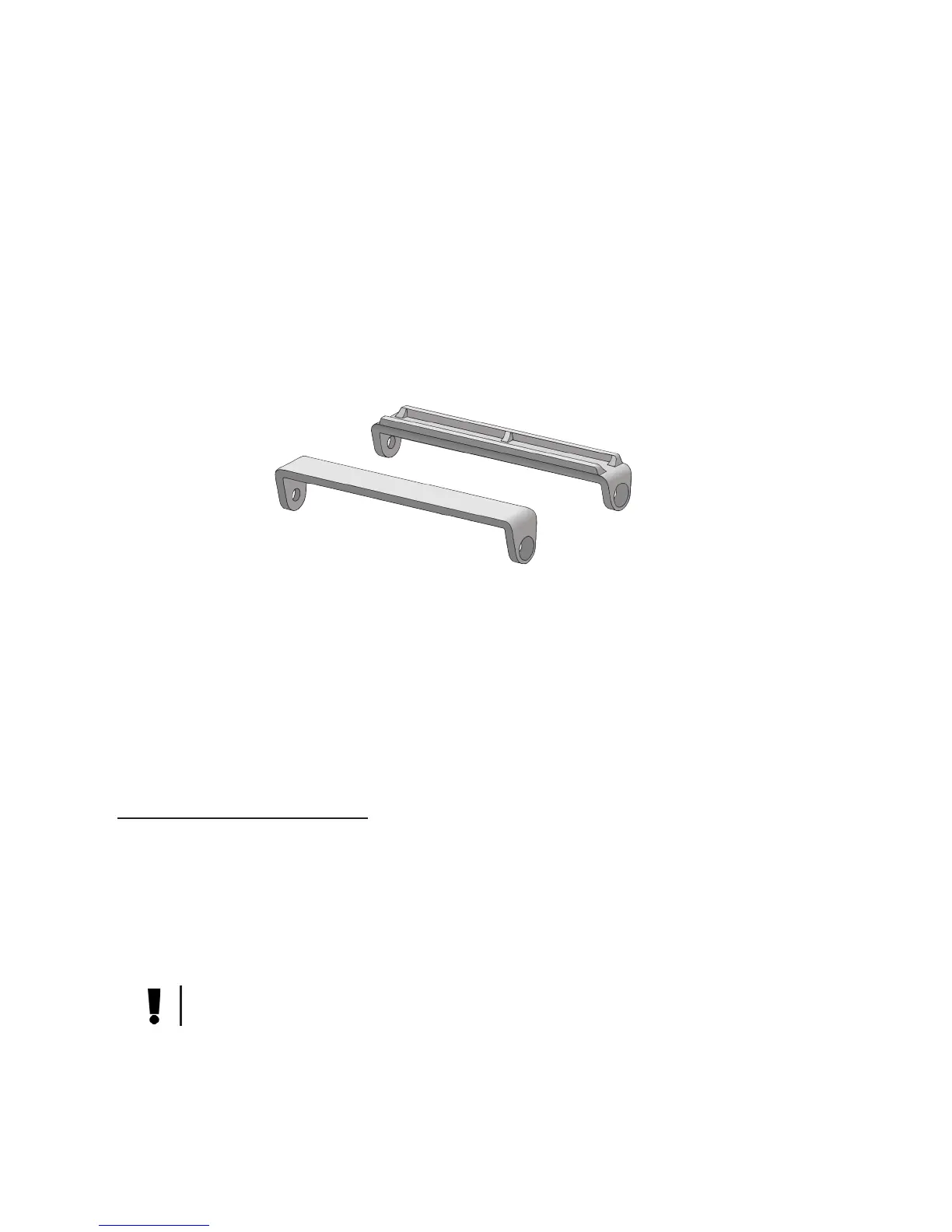
• Thickness 7, 9.5, 12 mm. To install 7 or 9.5 mm disk, use the appropriate
plastic handle shipped with the box
• SATA-300 connection slot and data transmission
• SATA COMBO connector type (SATA Data+SATA Power)
• Recommended rotation speed: 5400 rev/min
• Up to 1 TB volume
When choosing the HDD model for your IPTV STB you may use the recom-
mended HDD model list from the device manufacturer, which is available on the
web site:
www.smartlabs.tv/iptvstbdfg
The IPTB STB’s manufacturer does not recommend you to use HDD with more
than 5400 rev/min speed, because IPTV STB’s enclosure will overheat. If you
install HDD with more than 5400 rev/min speed, HDD will work out of the esti-
mated recommended temperature mode, which can decrease both the device
and HDD’s life time.
Install the disk as it is shown in the picture:
Attention! Before you install/remove HDD, switch off the device and discon-
nect it from power supply.
7 mm
9.5 mm


 To Next Page