User Manual
66
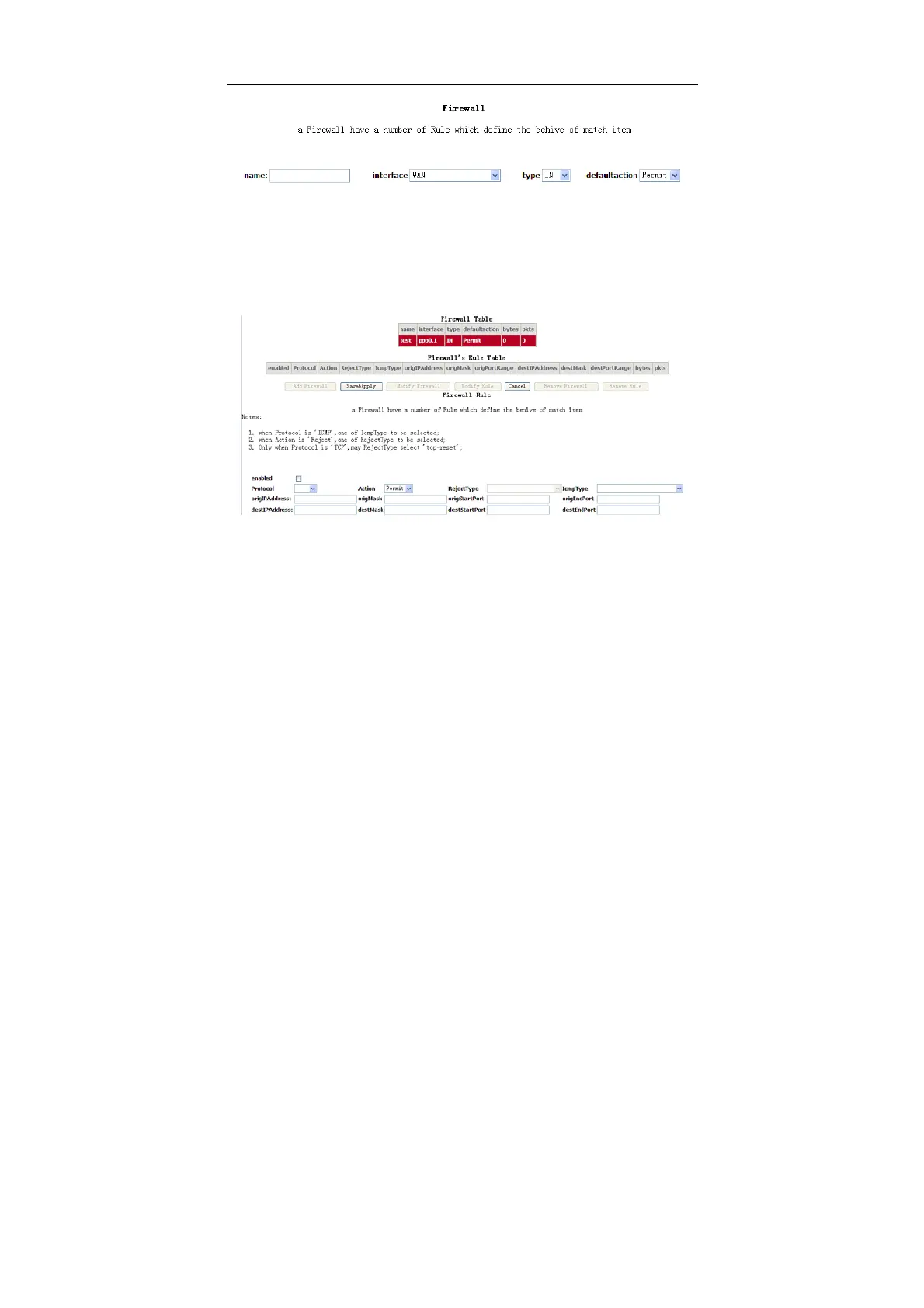
Click Add Firewall, and the following page appears.
name: The name of firewall.
interface: You can select LAN or WAN from the drop-down list.
type: You can select IN or OUT from the drop-down list.
defaultaction: You can select Permit or Drop from the drop-down list.
Click Add Rule, and the following page appears.
enabled: Select the check box to enable the firewall rule.
Protocol: You can select UDP, TCP, or ICMP from the drop-down list.
Action: You can select Permit, Drop, or Reject from the drop-down list.
RejectType: You can select the reject type, when you select Reject as the
action.
IcmpType: You can select the type of ICMP packet, when you select ICMP
as the protocol.
origIPAddress: The original IP address.
origMask: The original subnet mask.
origStartPort: The original start port.
origEndPort: The original end port.



 To Next Page