Use
121
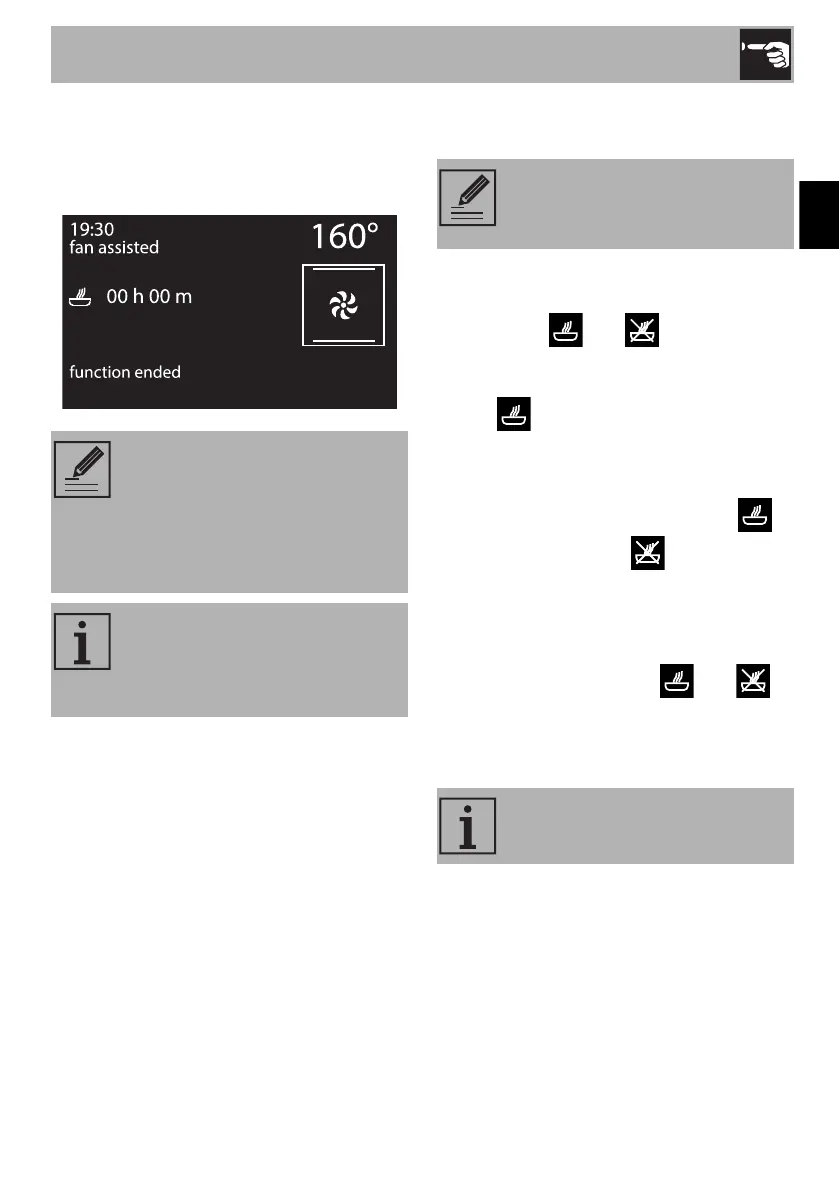
7. At the end of the cooking cycle,
“function ended” appears on the display
and a buzzer will sound that can be
deactivated by pressing the control knob.
Modifying the data set during
programmed cooking
During operation, it is possible to modify
programmed cooking duration:
1. When the and symbols are lit
steadily and the appliance is waiting for
cooking to start, press the control knob.
The symbol will start flashing.
2. Turn the control knob to alter the
previously set cooking time.
3. Press the control knob again. The
symbol turns off and starts flashing.
The display shows the cooking end time.
4. Turn the control knob to delay the
cooking end time.
5. After a few seconds the and
symbols stop flashing and programmed
cooking restarts its operation with the
new settings.
To extend the cooking time
manually, press the control knob
again. The appliance will resume
its normal operation with the
previously selected cooking
settings.
For safety reasons, it is not possible
to set the end of cooking time by
itself without setting the cooking
duration.
After modifying the cooking
duration, the end of cooking time
must be re-set.
If the cooking duration is changed,
the cooking end time is deleted.


 To Next Page