3D Printing
32 33
3.3.1 Leveling & Z Offset Calibration
L
L
R
R
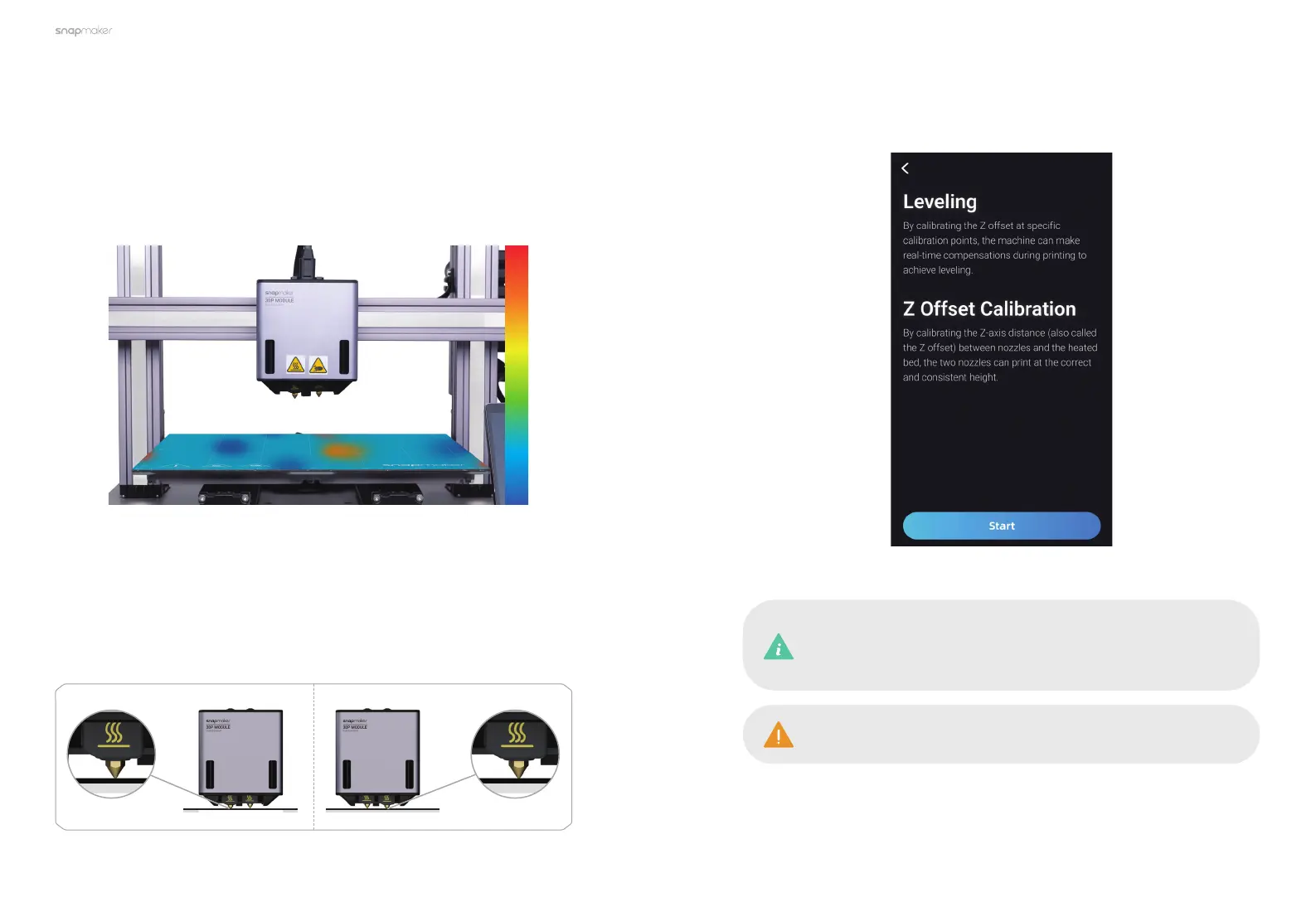
How It Works
In the Z Offset Calibration, the two nozzles will move in turn to obtain the Z-axis
height of the module when the nozzle just touches the build plate. Along with
the flatness data collected in the Leveling process, the machine will make
real-time compensation for the build plate undulations by adjusting the Z-axis
movements of the module during printing.
Brief Introduction
The Dual Extrusion Module features a smart sensor that can be used to
automatically level the build plate and adjust the distance between the two
nozzles and the build plate. In this way, the machine ensures both nozzles
always extrude at a proper and consistent height throughout the printing
process to avoid poor first-layer adhesion, build plate abrasion, and collision.
When Nozzle L Works When Nozzle R Works
High
(Build
Plate
Height)
Low
Before doing the Leveling and the Z Offset Calibration , ensure
that the surface of both the print sheet and the nozzles is clean.
1. Tap Start, and the machine will run the Heated Leveling in Auto Mode by
default.
In Heated Leveling mode, to simulate realistic print conditions for
better leveling results, the Heated Bed will be heated to the target
temperature before performing leveling.



 To Next Page