3D Printing
34 35
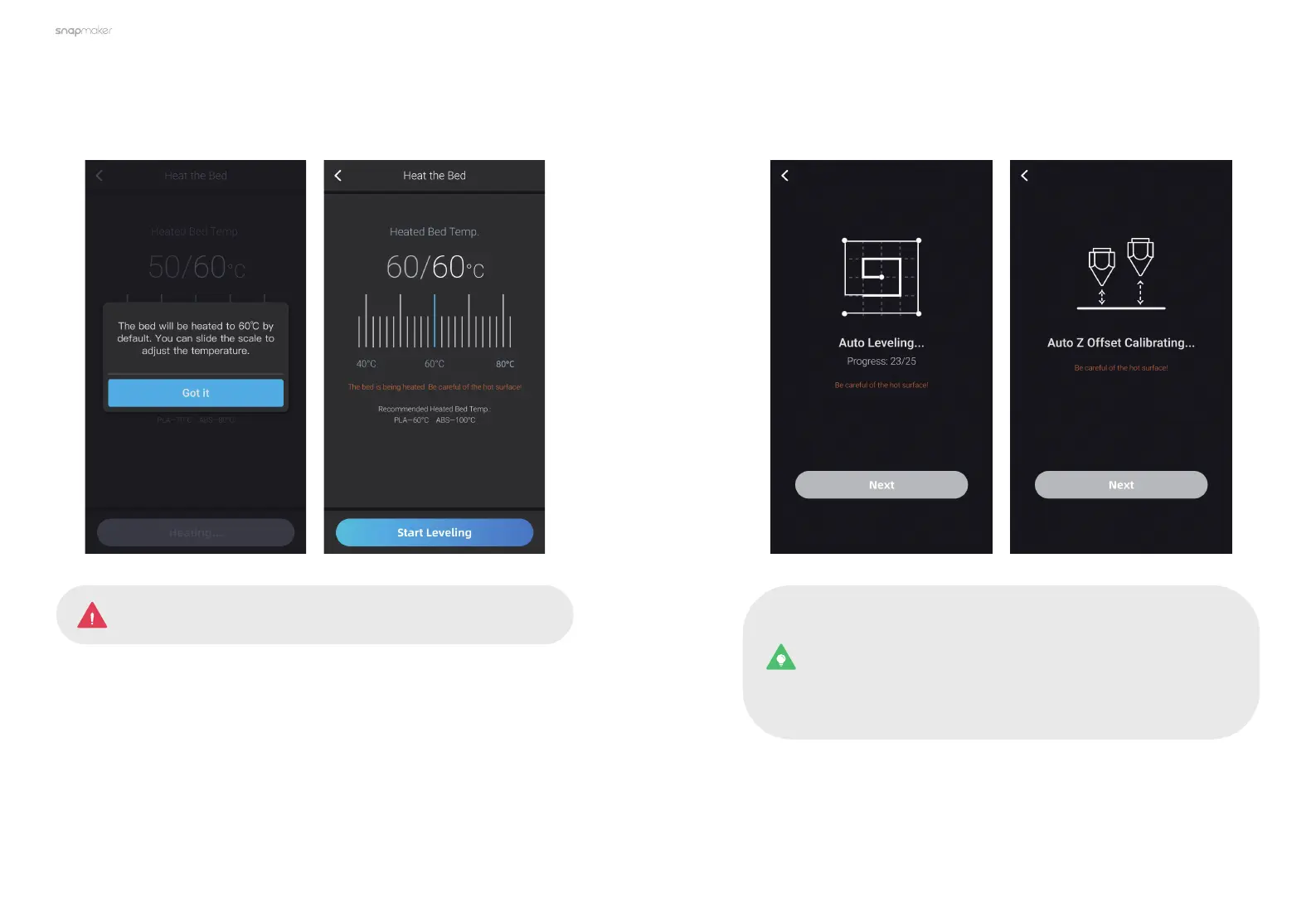
2. Tap Got it to start heating. After the temperature of the Heated Bed reaches
the target temperature, tap Start Leveling.
Do NOT touch the Heated Bed with bare hands while using the
Heated Leveling mode.
3. Wait for the machine to finish Leveling, and then it will automatically enter the
Z Offset Calibration process.
Every time after you have reassembled the module or machine,
redo the Leveling and Z Offset Calibration: swipe left on the Home
Screen > tap Calibration > Leveling or Z Offset Calibration.
Every time after you have replaced the hot end, redo the XY Offset
Calibration and Z Offset Calibration.



 To Next Page