Machine Assembly
16 17
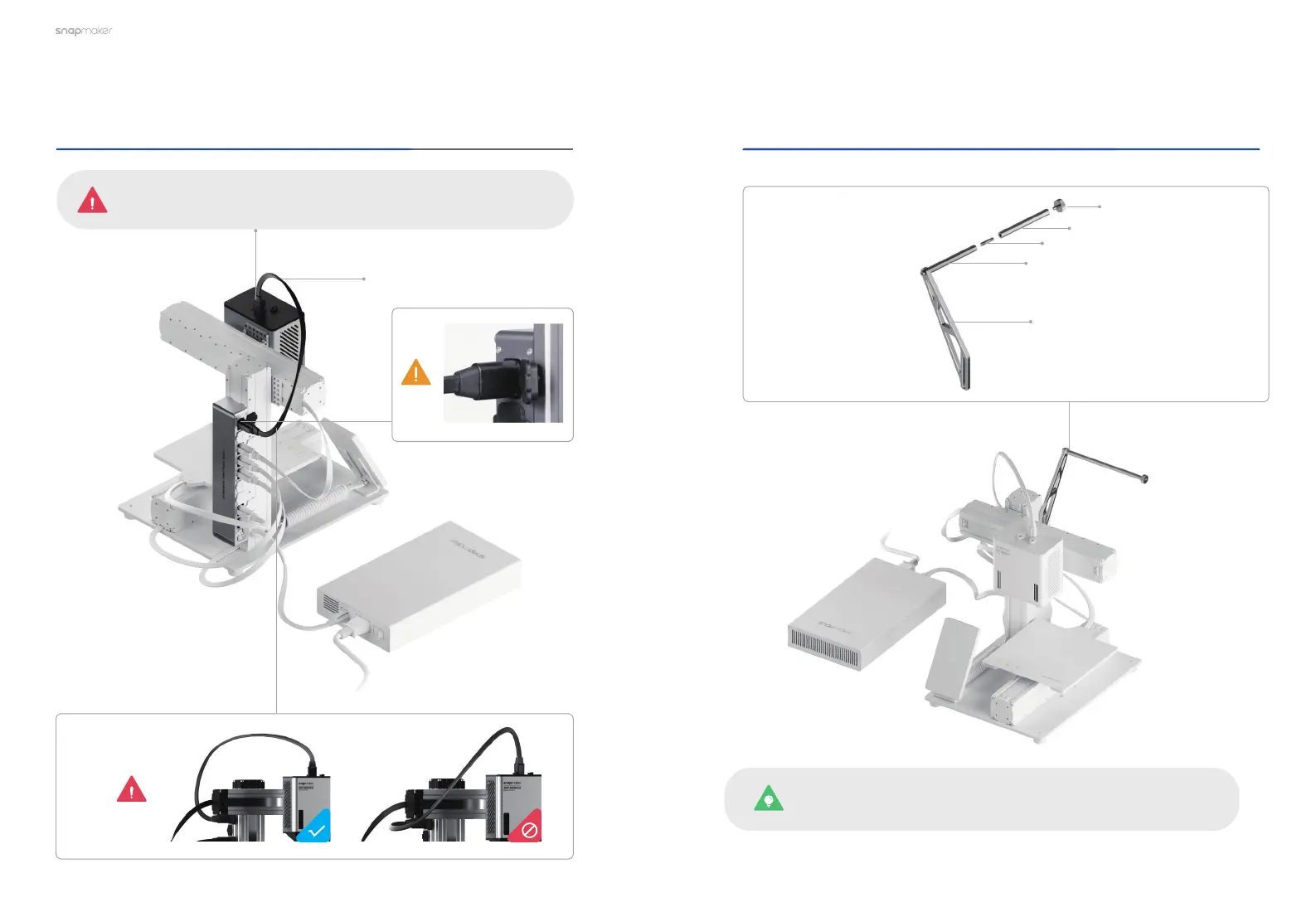
Connect the Dual Extrusion Module with the controller.
02
/03
03
/03
Toolhead Cable
×1
Extend the Filament Holder Tube on the basis of the
original Filament Holder.
Filament Holder Tube
×1
Double End Studs
×1
Original Thumb Screw
×1
Original Filament Holder Tube
×1
Original Filament Holder Sheet
×1
There is no need to detach the original Filament Holder Sheet
already installed on the machine.
Make sure the connector is in the right direction.



 To Next Page