22
D120 User Manual Getting to Know Your Phone
Alphanumeric keypad
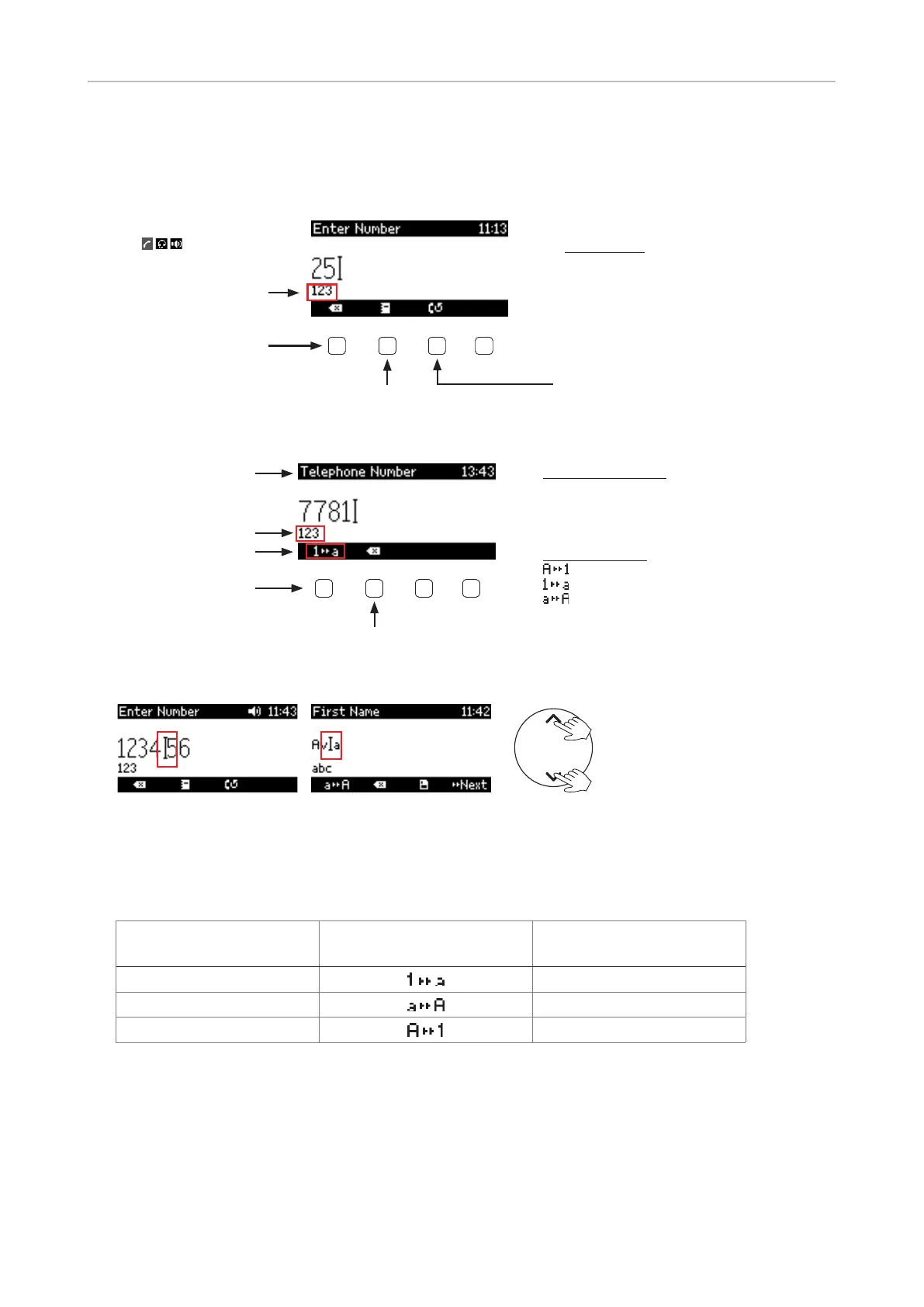
Input modes and navigation
Pool: Directory,
LDAP, call lists
Input modes:
Numerals
Lower case
Upper case
letters
Input mode: numerals
Current audio mode
(
, ,
Delete character to
the left of the cursor
Redial
Fig. 1
Current input mode:
Numerals
Lower case
Upper case
letters
Next input mode:
Numerals
Lower case
Upper case
letters
Delete character to
the left of the cursor
Current input mode
Status info
Next input mode
Changing input mode
Fig. 2
Fig. 3
Text underneath cursor
= current input mode
Press function key to
switch to next input mode
Next input mode
123
abc
abc
ABC
ABC
123
Moving the cursor to the left and right
◦
◦



 To Next Page