EasyManua.ls Logo

Snom D120 - Function Key Settings on the Web Interface

Snom D120
96 pages
Print Icon
To Next Page IconTo Next Page
To Previous Page IconTo Previous Page
Loading...
61
D120 User Manual Conguring the Function Keys
14.  Key x Function menu.
15.  Key x  
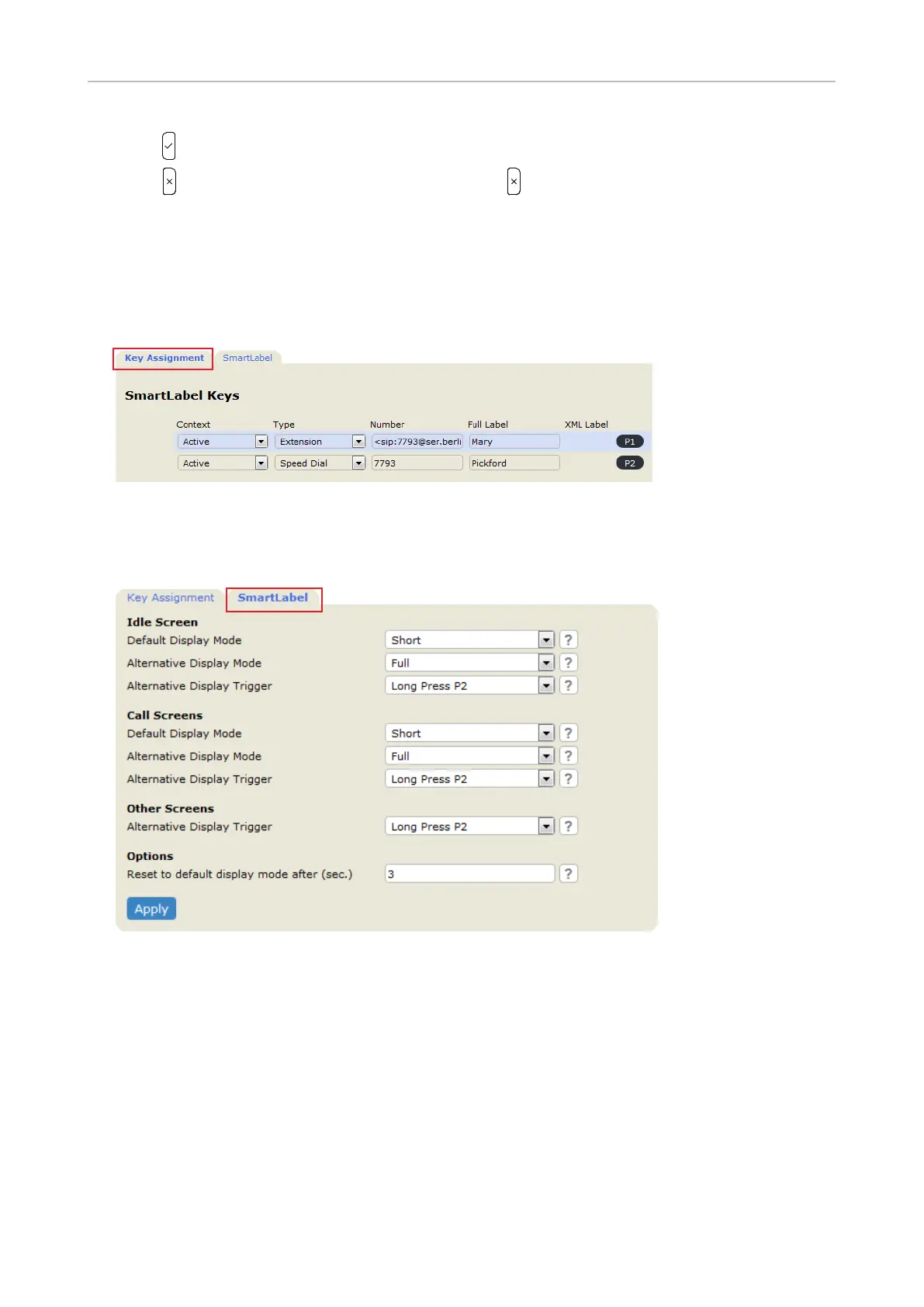
Function key settings on the web interface
1. Function Keys
opened, the Key Assignmentbold

Fig. 1
2. Click the SmartLabel

Fig. 2
3. Apply


4. Apply, the button Save 



Table of Contents

Other manuals for Snom D120

Related product manuals