EasyManua.ls Logo

Snom D120 - Display Backlight and Contrast Settings

Snom D120
96 pages
Print Icon
To Next Page IconTo Next Page
To Previous Page IconTo Previous Page
Loading...
29
D120 User Manual Getting to Know Your Phone
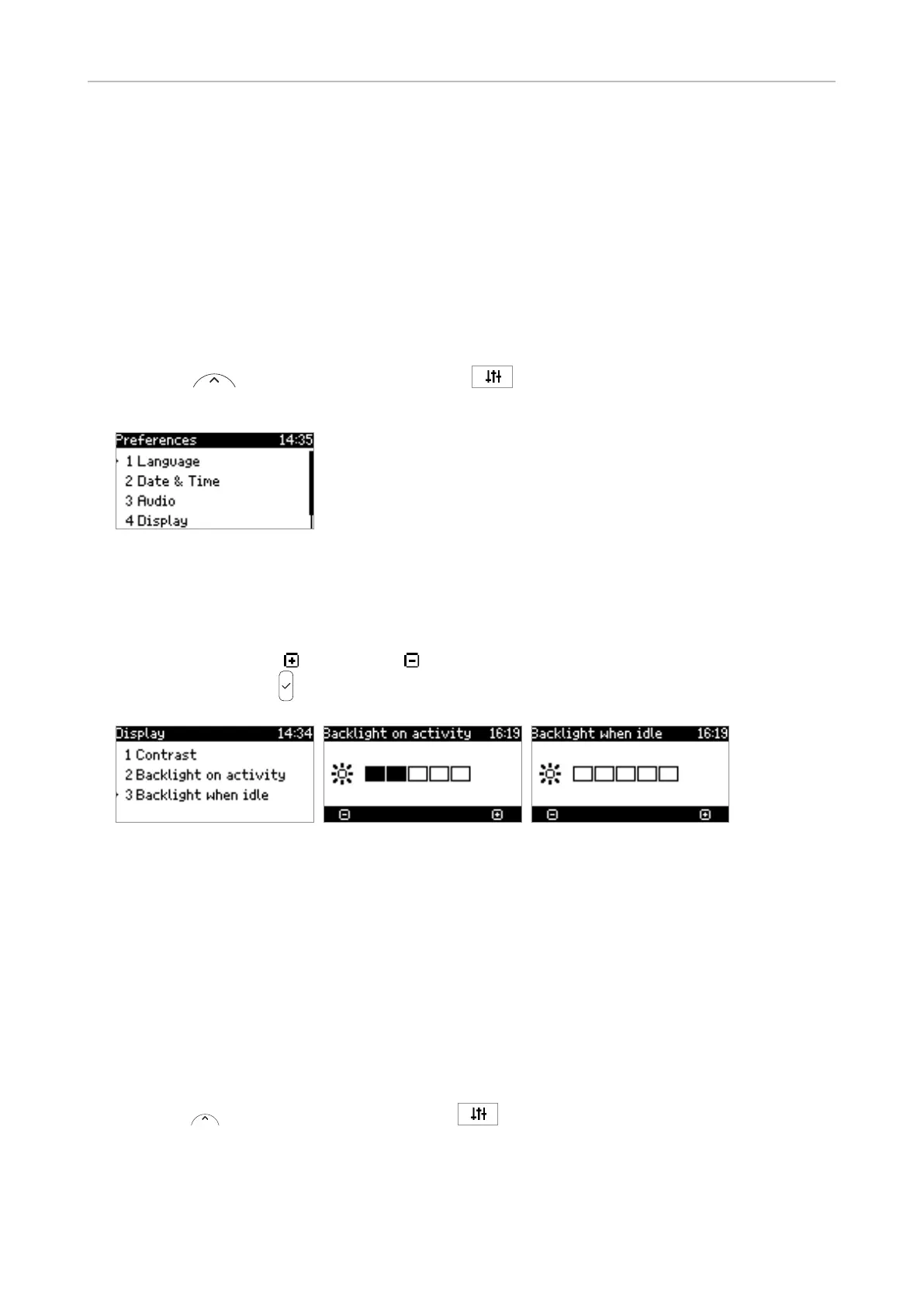
Display backlight and contrast settings



NOTE: 


Intensity of backlight
1.  

2. Preferences.
Fig. 1
3. Display.
4. Backlight on activity or Backlight when idle
5. 
  
6.  Display
Fig. 2 Fig. 3 Fig. 4
Period of inactivity

1. 
2. Click on Preferences
3. General
Information
4. Click on "Apply" and "Save".
Contrast
1.  

2. Preferences
3. Display.

Table of Contents

Other manuals for Snom D120

Related product manuals