EasyManua.ls Logo

Snom D120 - Timer Setting for Returning Display Mode to Default; Settings on the Web Interface

Snom D120
96 pages
Print Icon
To Next Page IconTo Next Page
To Previous Page IconTo Previous Page
Loading...
67
D120 User Manual Conguring the Function Keys
Timer setting for returning display mode to default
9. In the SmartLabel optionsReturn to default mode  

10. 
 
SmartLabel options menu.
Note: 
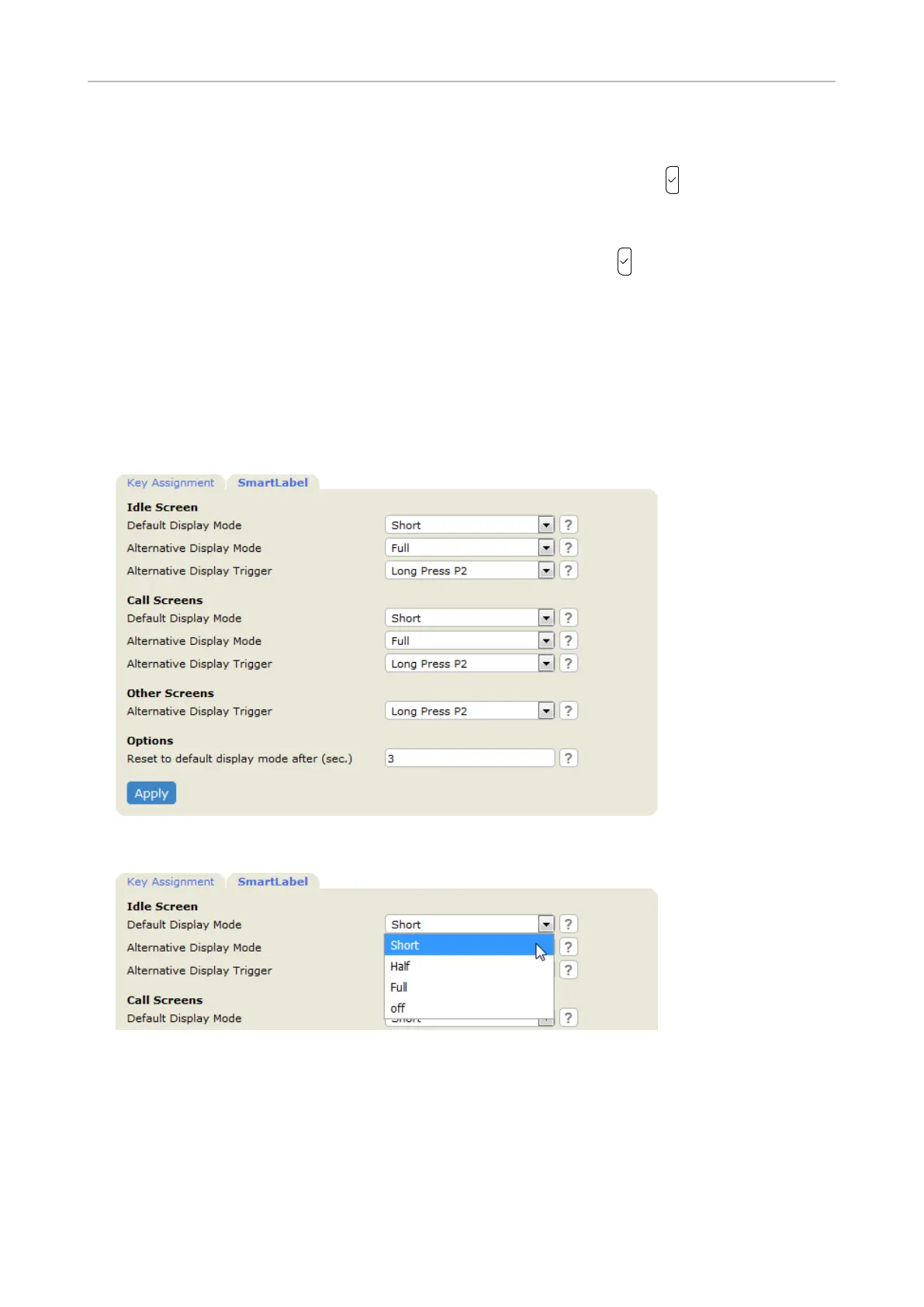
Settings on the web interface
1. Function Keys
2. Click the SmartLabel tab.
3. 
4. 
Options
Note: 
5. Click Apply and Save 


Table of Contents

Other manuals for Snom D120

Related product manuals