EasyManua.ls Logo

Snom D120 - Programming the Function Keys; Function Key Settings on the Phone

Snom D120
96 pages
Print Icon
To Next Page IconTo Next Page
To Previous Page IconTo Previous Page
Loading...
59
D120 User Manual Conguring the Function Keys
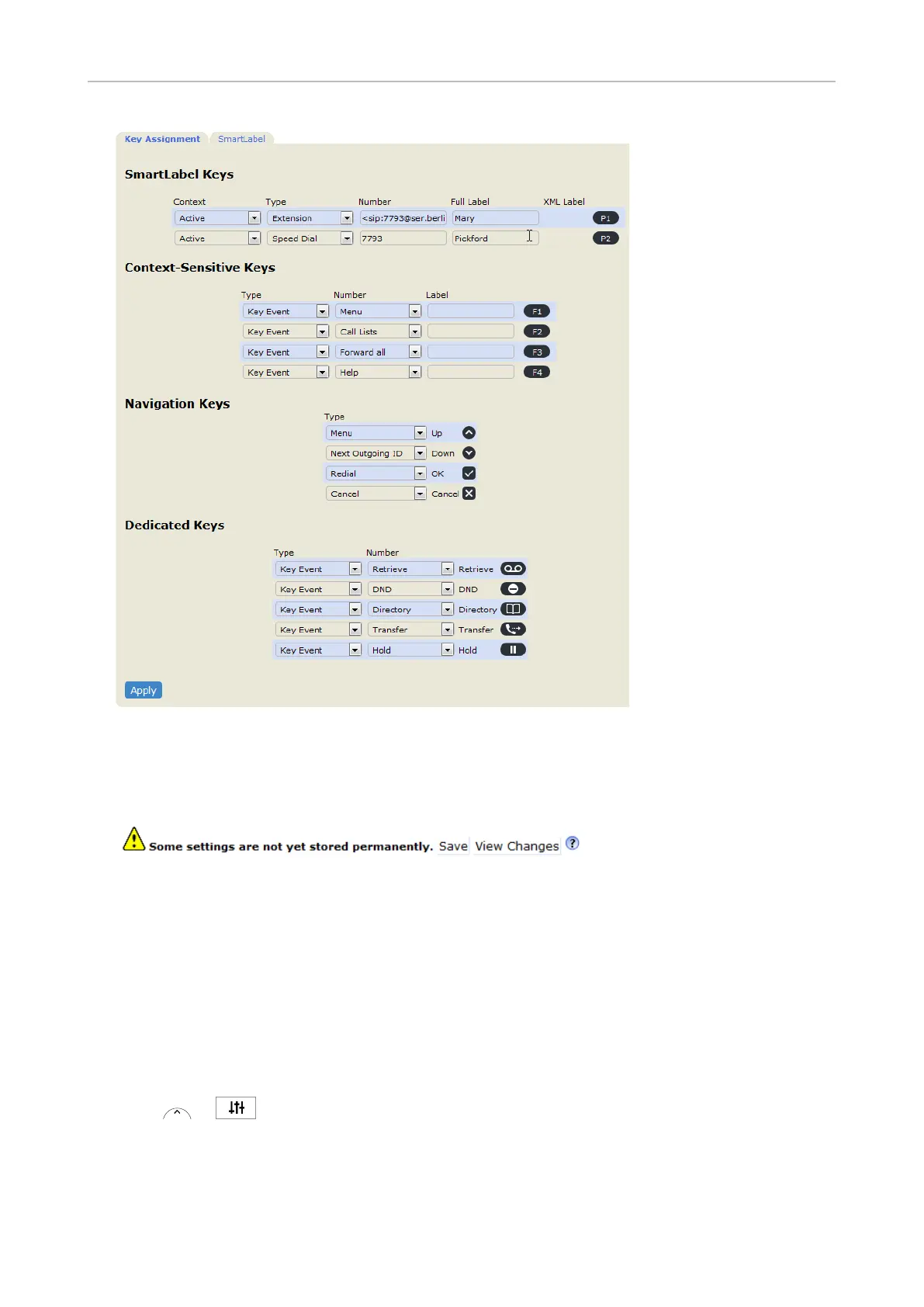
Fig. 2
Apply, the SaveSave to prevent


Programming the function keys



Function key settings on the phone
1.  or
to open the Settings menu.
2. Select Preferences.
3. Select Function keys.
4. Select SmartLabel Keys.


Table of Contents

Other manuals for Snom D120

Related product manuals