14
D315 | D305 User Manual Setting up the Phone
Connecting a V2.0 Expansion Module
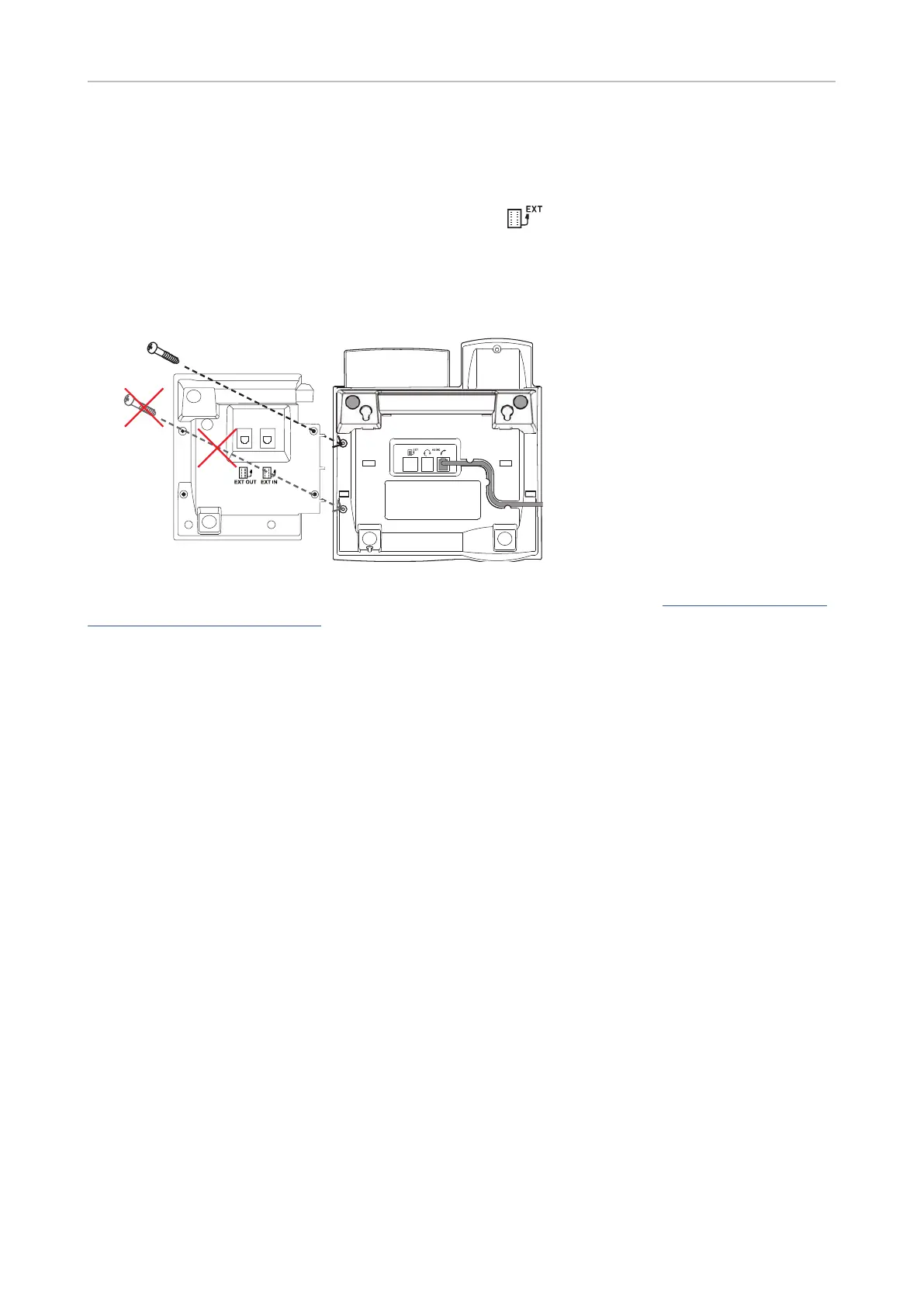
If you have an Expansion Module V2.0 (discontinued product), you can use it with the D315 and D305
phones by connecting it to the phone‘s connector labeled
, but please note and heed the following
warning:
Warning: Attach the module to the phone with one screw only, using the top hole.
Using a screw in the bottom hole will damage the phone‘s PCB!
The Quick Start Guide Snom Expansion Module V2.0 can be downloaded here: http://wiki.snom.com/
Accessories/Expansion_Module.
Initializing and registering the phone
Prerequisites
To be able to use VoIP, you or your company must have:
• A broadband internet connection.
• Access to the internet via a router. This could be a separate device available in various versions
from many dierent manufacturers or in the form of a router on a server or a PC.
• Account information provided by your network administrator or a VoIP account with a VoIP service
provider who supports the VoIP SIP standard. The phone supports up to 4 VoIP accounts with one
or more VoIP providers.
The registration information received from your Internet service provider or your network
administrator may dier and may contain required and optional data. The required data normally
includes:
• Account (usually the phone number). On Snom phones, an account is called an "identity".
• Registrar
• Password
User name, authentication name, and outbound proxy may also be required. These are settings that
can only be configured on the web interface of the phone after it has been successfully registered. If



 To Next Page