29
D315 | D305 User Manual Getting to Know Your Phone
Display settings
Backlight and contrast on the display of the phone and on the displays of any connected expansion
modules can be adjusted separately for the times when the phone is active and when the phone is
idle. Lowering backlight intensity lowers the energy consumption of the devices. The backlight when
idle can be reduced to zero vertical bars.
NOTE: When the phone has been inactive for a specified number of seconds it will
switch the backlight to idle mode. This setting is available only on the phone's web
user interface, not on the phone itself. The phone setting is applied to all D3 extension
modules connected to the phone, as well.
Adjusting backlight and contrast on the phone's display
• Intensity of backlight
1. Press
or the function key underneath
, if the symbol is available.
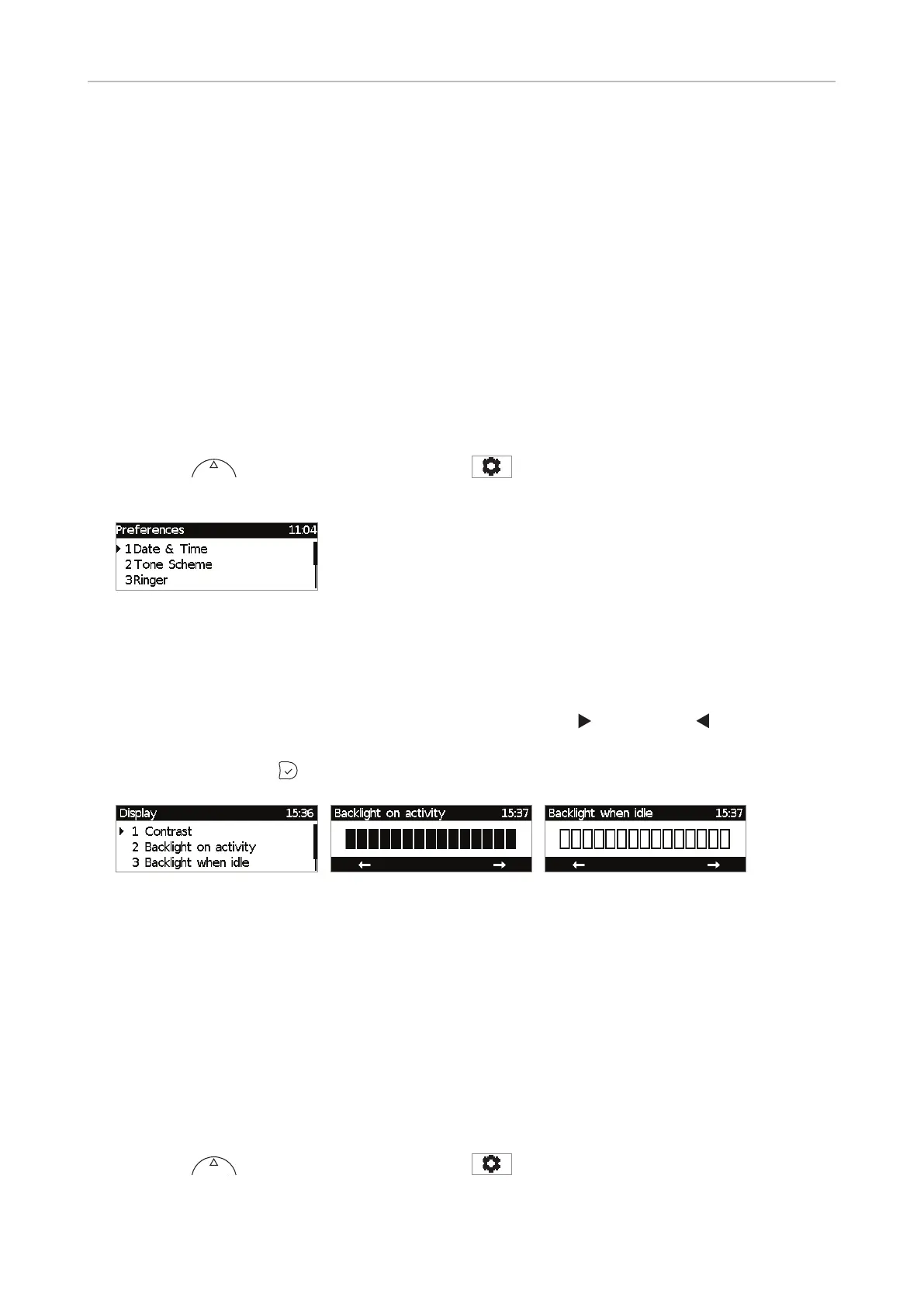
2. Press 1 Preferences.
Fig. 1
3. Press 5 Display.
4. Press 2 Backlight on activity or 3 Backlight when idle (Fig. 2).
5. Press the right or left arrow on the navigation key or the function key underneath the right or
left arrow in the function key line (Fig. 3 and 4) to increase (
) or decrease ( ) the backlight's
intensity.
6. When done, press
to save and return to the Display menu (Fig. 2).
Fig. 2 Fig. 3 Fig. 4
• Period of inactivity. The number of seconds after which the phone will switch from activity to idle
backlight can be set on the phone's web interface only.
1. Open the phone's web interface (see "Opening the web interface" on page 33).
2. Click on Preferences (see "How the web interface works" on page 34).
3. Enter the number of seconds in the text field of "Dim after (in seconds)" (in the General
Information section. The default is 20 seconds.
4. Click on "Apply" and "Save".
• Contrast
1. Press
or the function key underneath
, if the symbol is available.
2. Press 1 Preferences (see Fig. 1, above).



 To Next Page