22
D315 | D305 User Manual Getting to Know Your Phone
Preprogrammed, variably programmable function keys
The factory default settings are printed on the paper insert; see "At a glance" on page 22. Other
functionalities can be programmed onto them. See "Configuring the function keys" on page 61 for
more information.
Phone directory. See "Directory" on page 37 for further information.
Transfer key. See "Transferring calls" on page 53 for further information.
Muting and unmuting the microphone when in a call.
MWI Key
Message key. The key's LED is lit when a new message is waiting on the mailbox. Press
the key to retrieve messages.
Audio Control Keys
Press the right or left edge of the key to adjust the volume
• of the ringer when the phone is idle or ringing
• of microphone/loudspeaker when in call
• Toggling between handsfree and handset mode
• Dialing numbers on speakerphone
• Accepting calls on speakersphone
Toggling between headset and handset modes.
Note: Handset mode overrides headset mode. When the handset is picked up, the
headset symbol in the status line will be replaced by the handset symbol, indicating
that you can now use only the handset for the call. The phone will return to headset
mode when the handset is placed in the cradle, and the headset symbol will reappear
in the status line.
Alphanumeric Keypad
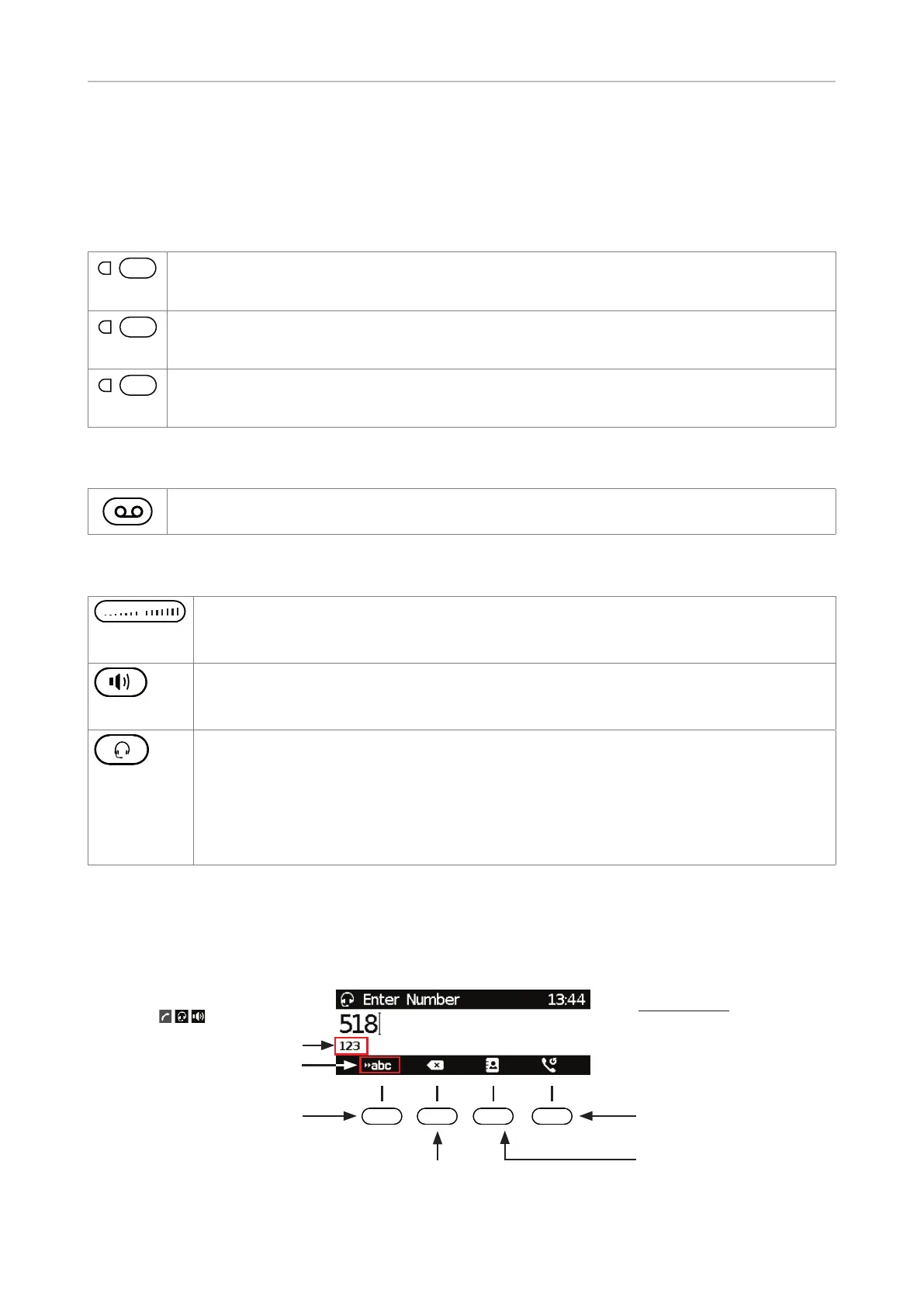
Input modes and navigation
Pool: Directory,
LDAP, call lists
Input modes:
123: Numerals
abc: Lower case
ABC: Upper case
letters
Delete character to
the left of the cursor
Current input mode
Current audio mode
(
, , )
Next input mode
Redial
Move cursor to the left
Move cursor to the right
Changing input mode
Directory
Transfer
Mute



 To Next Page