61
D315 | D305 User Manual Configuring the Function Keys
Configuring the function keys
See "Opening the web interface" on page 33 on how to open the phone’s web interface. See "How
the web interface works" on page 34 on the mechanics of navigating in the windows and changing
the settings.
Any changes you make will not take eect until you press "Apply" and "Save". Changes will be lost if
you open another page of the web interface without first pressing "Apply"/"Save".
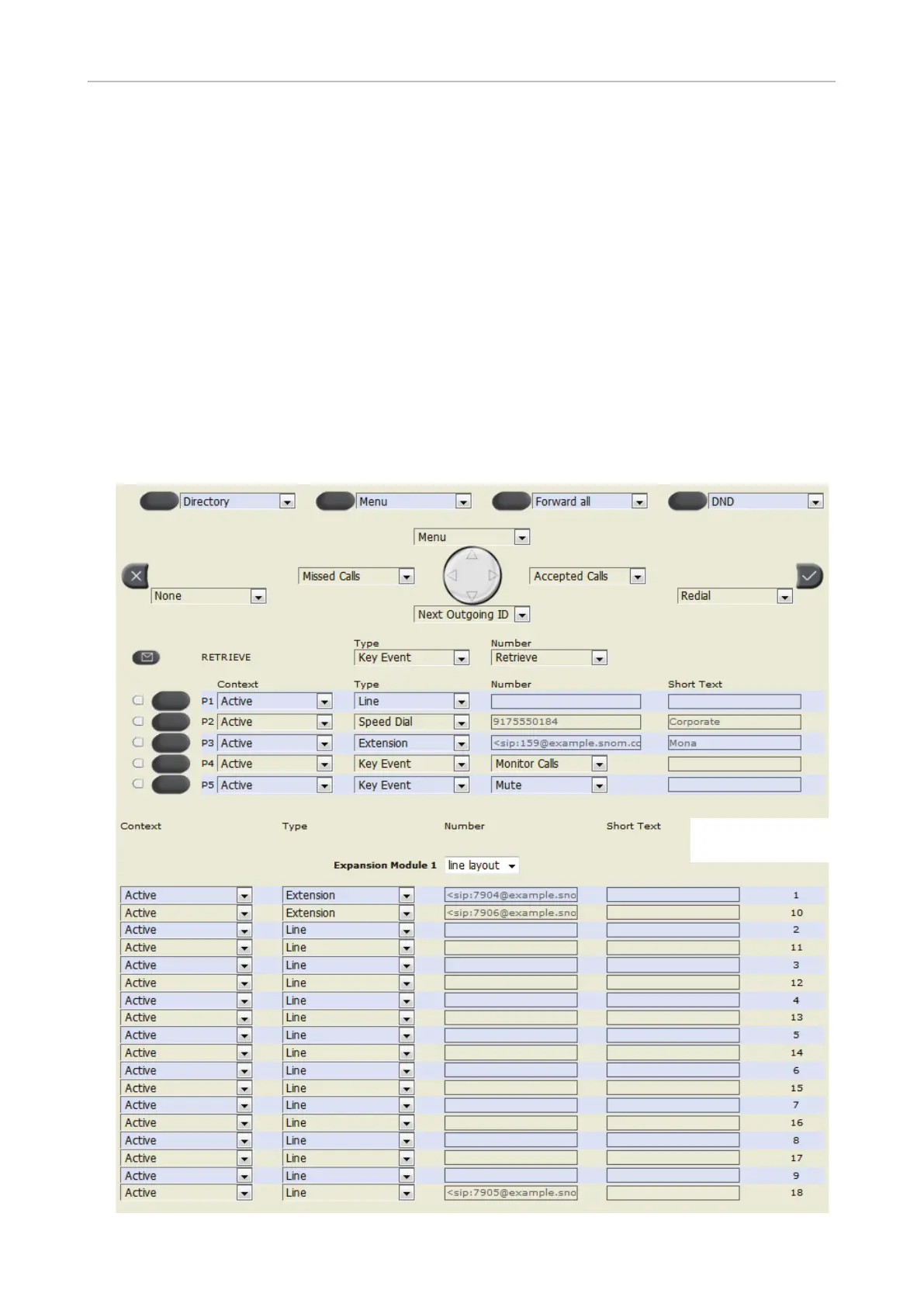
Note: The function keys on Snom's expansion modules D3 and V2.0 are freely
programmable function keys. When an expansion module is connected to the phone,
its function keys are added to the Function Keys page of the web user interface of the
phone. The content of the page may dier, depending on phone type and firmware
version and on the type and number of expansion modules connected to the phone.
D315 with one connected
D3 expansion module



 To Next Page