19
D315 | D305 User Manual Getting to Know Your Phone
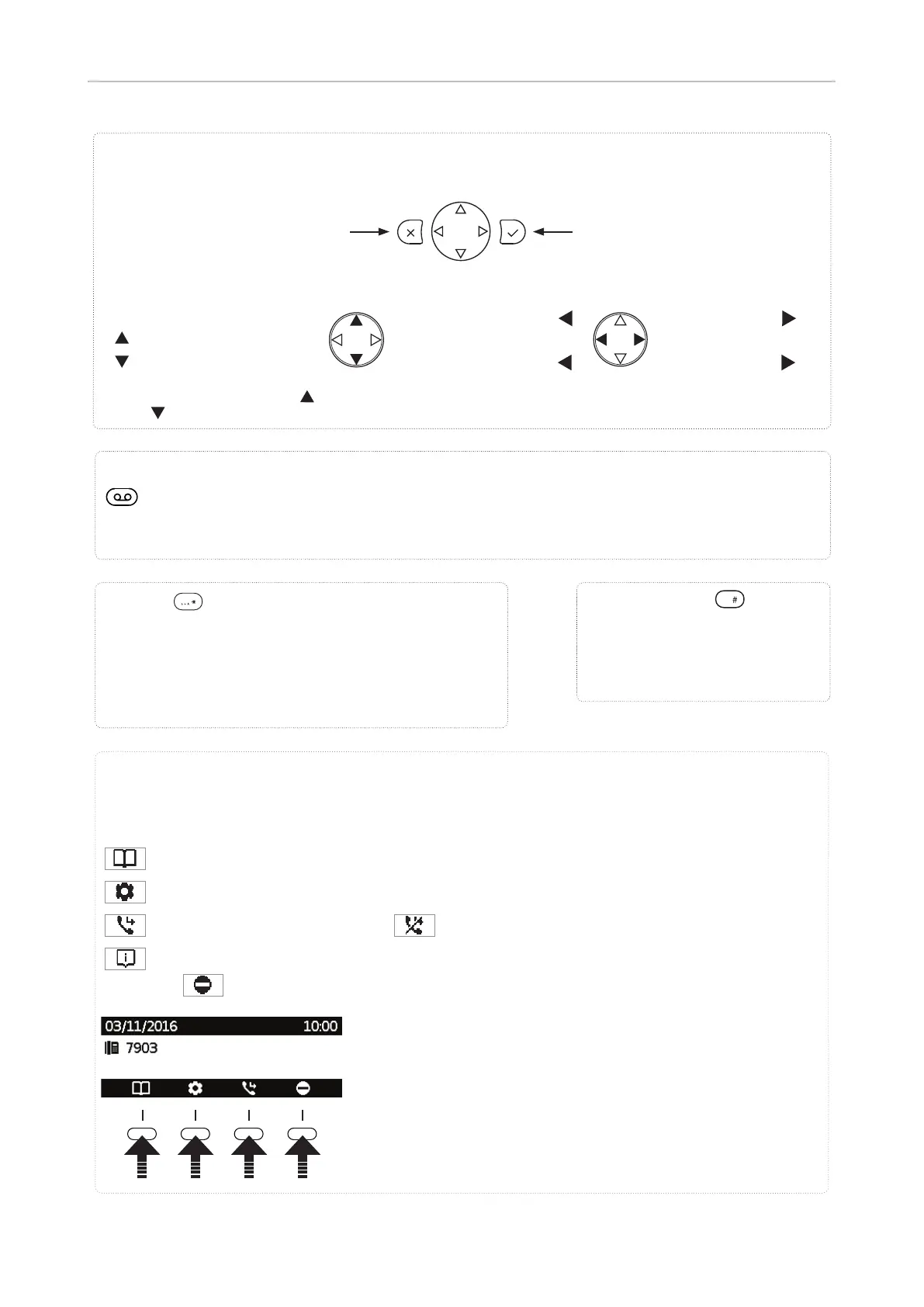
Star key
• In editing mode:
◦ Press for one second to change input mode (numerals >
lower case > upper case)
◦ Press briefl y to type *
• On idle screen: Press for 3 seconds to lock/unlock the keypad
Pound (hash) key
• I n editing mode:
Press briefl y to type #
• Confi rming, saving actions & input,
and returning to previous screen
• Accepting calls on speakerphone and
in headset mode
• From idle screen: Dialed calls
(redial)
• Canceling actions & input, and retur-
ning to previous screen
• Terminating calls on speakerphone
and in headset & handset modes
• Turning o call LED after missed call
• From idle screen.
Settings menu
Selecting identity for outgoing
calls
• In other contexts: Navigate up
/
down (settings, lists)
• From idle screen
:
Missed calls
• In other contexts
:
Navigate/space left
• From idle screen
:
Received calls
• In other contexts
:
Navigate/space right
Navigation keys
MWI key with LED
◦ LED is lit when message is waiting on mailbox (if mailbox supplied on PBX)
◦ Press key to listen to message(s)
Dedicated, customizable function key
Context-sensitive, programmable function symbols and function keys
Functions available on idle screen. Default settings and icons depend on fi rmware installed on phone.
Internal phone directory
Settings menu
Forwarding all calls (turning CFwd on) /
(turning CFwd o )
Status information (call forwarding active, passwords not set, missed calls, etc.) or, if no status info,
Turning Do not Disturb (DND) on and o
Press the function key underneath the display symbol to
activate the function, open the list etc. depicted by the symbol
above the key.



 To Next Page