44
D715/snom 715 User Manual Using the Phone
Calling emergency numbers
Numbers specified as emergency numbers can be dialled even when the keyboard is locked! See
"Emergency numbers" on page 70 on how to set emergency numbers. Several numbers (911, 112, 110,
999) have been preconfigured.
• On an unlocked keyboard: Enter the number and press
to dial.
• On a locked keyboard: Enter the number. The phone dials the number as soon as you have
entered all the digits.
Call completion
On snom phones call completion means that when a called number is busy or not available, your phone
will notify you as soon as the dialed number is not busy anymore or available again. When a dialed
number is busy or when a dialed number is ringing and not picked up, the call completion symbol or
text button will appear in the function key line. Pressing the function key will activate call completion for
this call.
When the dialed number is not busy anymore, your phone will ring and ask you whether it should
dial the number again. Similarly, when your phone detects activity on the phone that was not picked
up, your phone will wait until the activity has ceased, then ring and ask you whether it should dial the
number again.
Note: This function depends on whether it is available in your network or not.
The factory default setting is "off". Changing the setting to turn on call completion : See "Call
completion" on page 72.
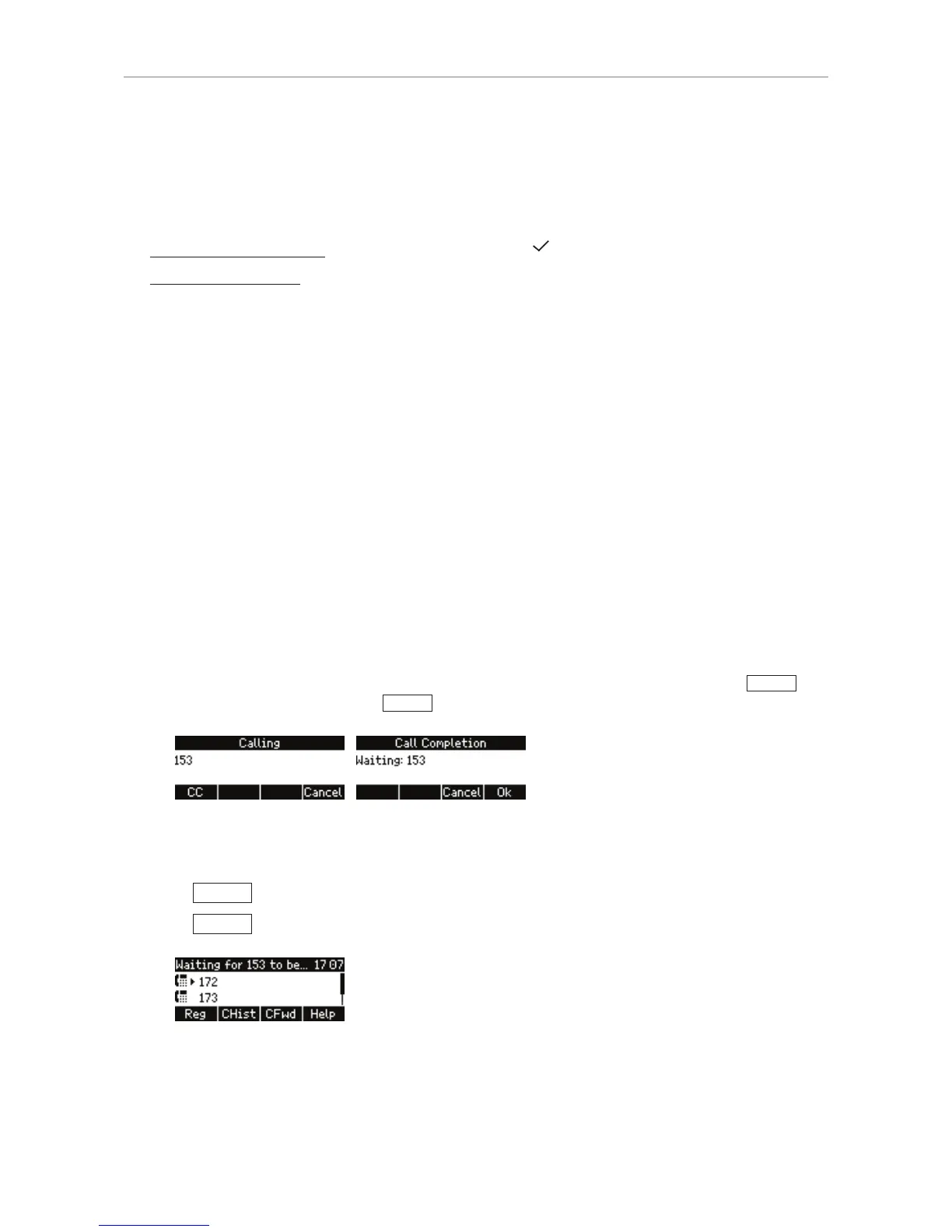
When call completion is enabled and a dialed number is busy or ringing and not picked up,
CC
will
appear in the function key line. Press
CC
to activate call completion for this call.
You can now dial another number, receive calls, or hang up the handset to return to the idle screen.
Call completion will not interfere with the normal operation of your phone.
• Press
Cancel
to turn off call completion for this call.
• Press
Ok
if you wish to dial another number while waiting for call completion.
When the number becomes available, you will see it announced on the display and hear a single long
beep.



 To Next Page