81
Appendix 1 - Display Symbols
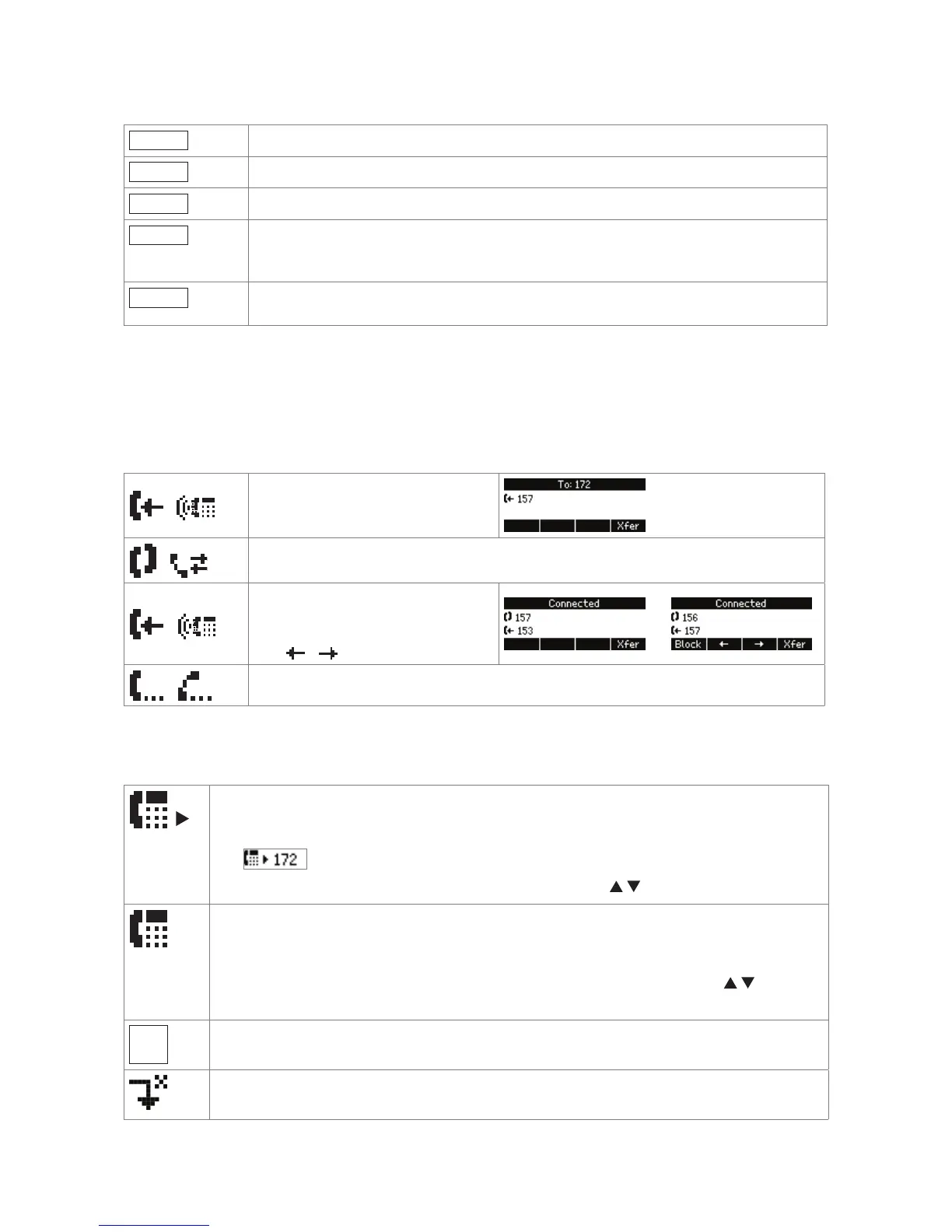
Xfer
Call transfer
+Spkr
Turning on the casing speaker
-Spkr
Turning off the casing speaker
Calls
On active screen (i.e., in call etc.): Monitoring calls on other extensions (see
Extension Monitoring). The button will only be displayed when there are ongoing
calls. Press to show details of calls on monitored extensions.
Info
Available status messages like firmware update available, reboot required, call
completion pending, call forward activated, etc.
Display indications
On activity
/
First line in context area:
Incoming call ringing
/
Connected (single connection or conference)
/
Second line in context area:
Call waiting. If there is more than
one call waiting, view and select
with / .
/
Call(s) on hold
On idle screen
Outgoing identity
• The current outgoing identity is indicated by the right arrow pointing towards it:
. When you call someone, this is your identity for the call.
• Select a different identity for the next call by pressing
on the navigation key.
Active identity
• Can be called
• Can be selected as the outgoing identity for making calls by pressing
on the
navigation key.
Identity not properly registered
Forwarding all incoming calls



 To Next Page