57
D715/snom 715 User Manual Configuring the Function Keys
◦ Type
Select the type of functionality from the drop-down list. If you select "Key Event", a drop-down
list with the available key events will replace the text field under "Number". The default setting is
"line".
◦ Number
Enter one phone number or value for the function or, if the function is key event, select an event
from the drop-down list. Enter phone numbers exactly the way they need to be dialed, i.e, type
the number without spaces or punctuation marks between the digits. For example, a number
with an area code that might conventionally be notated as (916) 555-1234 should be entered
as 9165551234.
◦ Short Text
This entry is optional. It can be used to enter the name associated with the phone number or
other descriptive text.
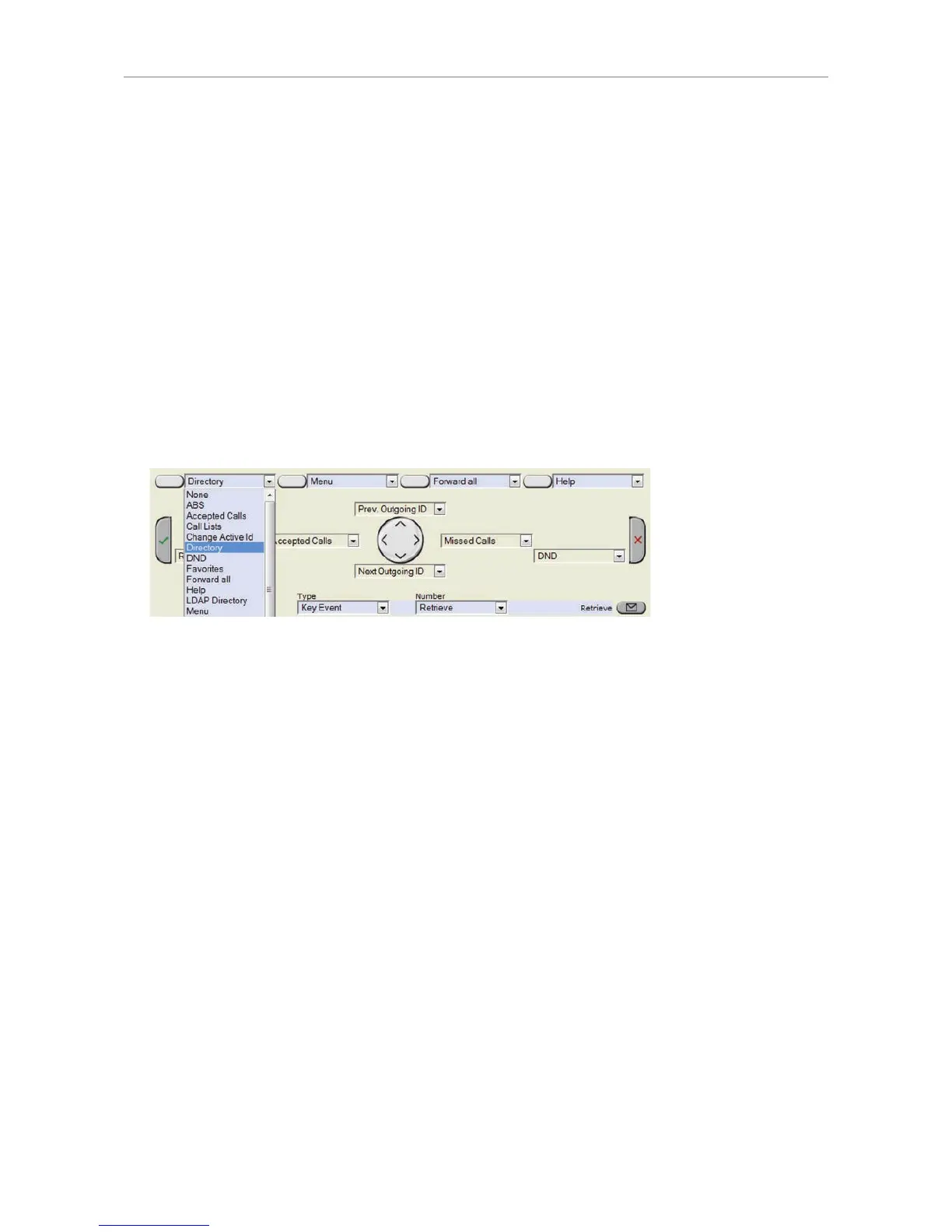
• Context-sensitive, programmable function keys. For the default settings, see "At a glance" on page
18. Other key events can be programmed onto these keys.
•
Note: These programmable key events are available when the phone is idle. You cannot change
the functions that are available when there is activity on the phone. For example: When you are
dialing, the available function keys are input mode selection, backspace, directory access, and
redial.
• Navigation, confirmation, and cancel keys. For the default settings, see "At a glance" on page 18.
Other key events can be programmed onto these keys.
Note: These programmable key events are available when the phone is idle. You cannot change
the functions that are available when there is activity on the phone. For example: When you are
dialing, the available function keys are input mode selection, backspace, directory access, and
redial.
• Message key. Other key events and a selected number of other functionalities can be programmed
onto the message key.
Programming the function keys
The following four examples demonstrate how you can customize function key settings to your needs
and preferences:
• First example: Extension monitoring and call pickup via a freely programmable function key with
LED
• Second example: Monitoring calls on-screen
• Third example: Speed dialing with a freely programmable function key with LED
• Fourth example: Programming a context-sensitive, programmable function key



 To Next Page