23
D 725 | snom 720 User Manual Getting to Know Your Phone
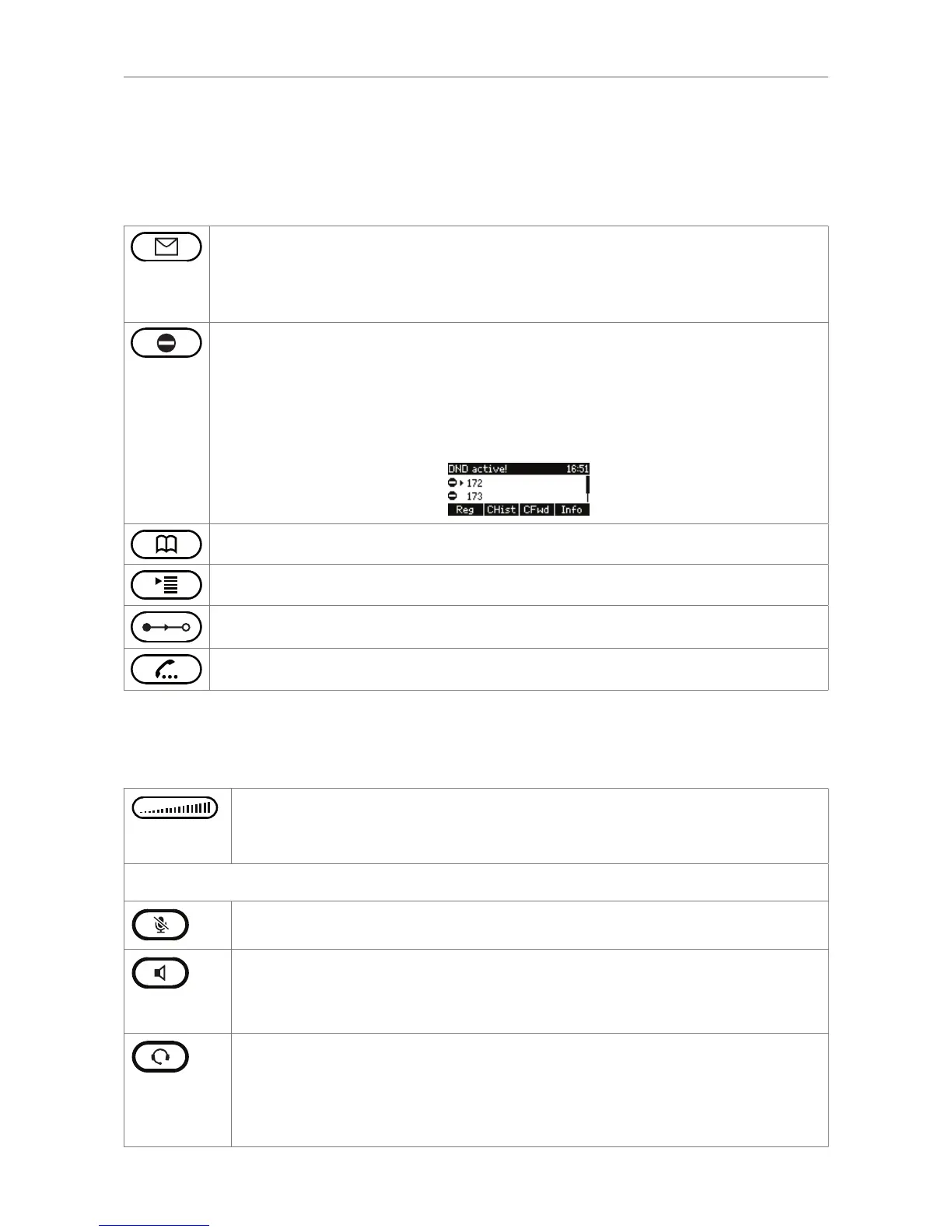
Preprogrammed, variably programmable function keys
The factory settings for these keys are printed on the phone's casing. Other functionalities can be
programmed onto them. See "Configuring the function keys" on page 59. Factory settings:
Message key with LED
• Lit when new message is waiting on mailbox
• Press to retrieve messages
Turn "do not disturb" (DND) mode on and off. In DND mode incoming calls do not ring;
callers hear the busy signal.
Exception: Phone numbers on your directory's VIP list (see Contact Types)
Press key to turn DND on and off. When it is on, the display will say "DND activated"
and the DND symbol replaces the phone symbol that normally precedes the identity .
Phone directory - see "Directories" on page 36
Opens the settings menu of the phone - see "Settings" on page 28
Transfer key - see "Transferring calls" on page 52
Hold key - see "Hold" on page 49
Audio Control Keys
Press the right or left edge of the key to adjust the volume
◦ of the ringer when the phone is idle or ringing
◦ of microphone/loudspeaker when in call
Keys with LEDs. The key lights up when the function is activated:
Muting and unmuting the microphone
• Toggling between handsfree and handset mode
• Dialing numbers on speakerphone
• Accepting calls on speakersphone
Toggling between headset and handset modes.
Note: Handset mode overrides headset mode. When the handset is picked up, the
LED of the headset key will turn off, indicating that you can now use only the handset
for the call. The phone will return to headset mode when the handset is placed in the
cradle; the LED lights up again.



 To Next Page