83
Appendix 3 - Labeling Function Keys P1-P18
You will find an interactive PDF in snom's Wiki (http://wiki.snom.com/Snom720/Documentation) in the
section "Function Key Label Template".
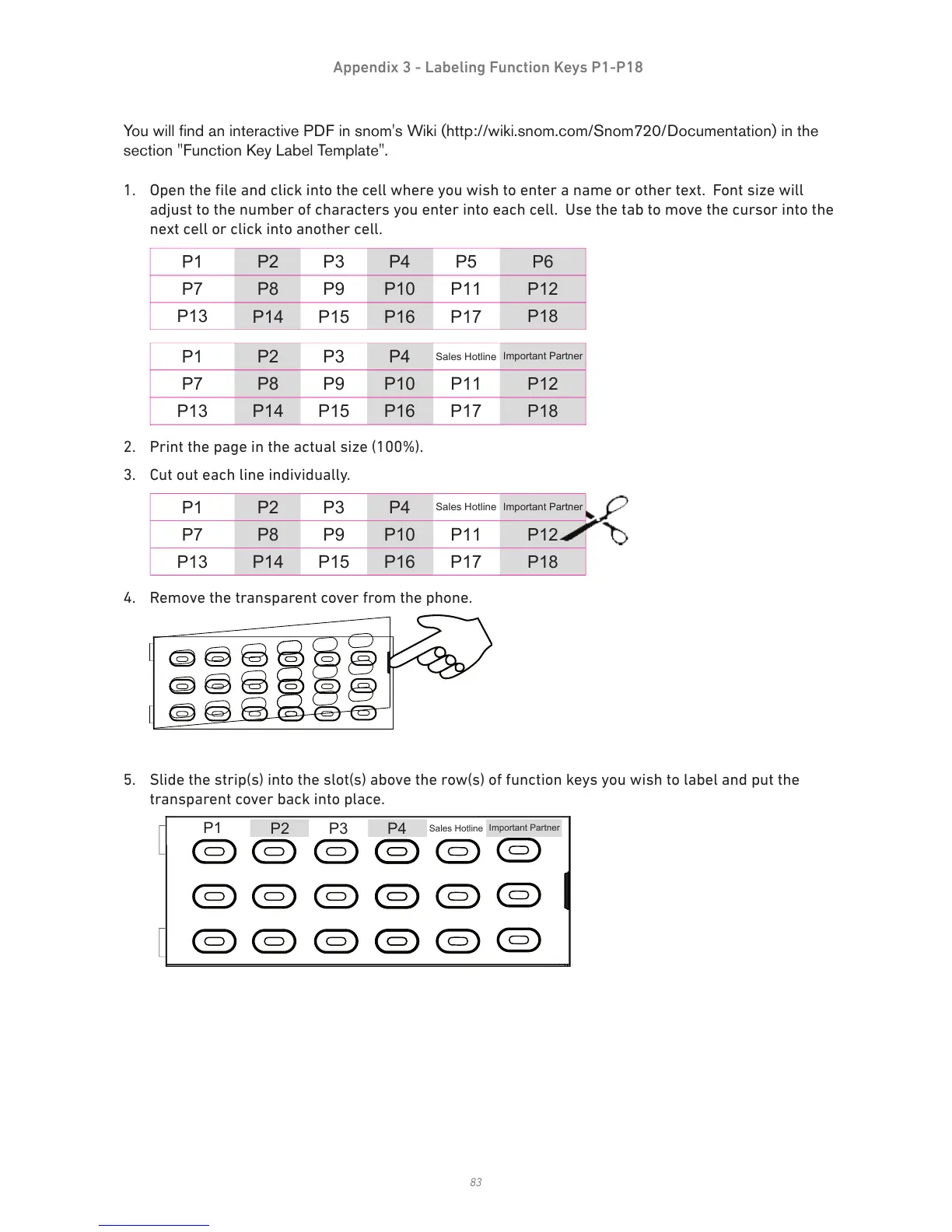
1. Open the file and click into the cell where you wish to enter a name or other text. Font size will
adjust to the number of characters you enter into each cell. Use the tab to move the cursor into the
next cell or click into another cell.
4. Remove the transparent cover from the phone.
5. Slide the strip(s) into the slot(s) above the row(s) of function keys you wish to label and put the
transparent cover back into place.



 To Next Page