31
D785 / D785N User Manual Getting to Know Your Phone
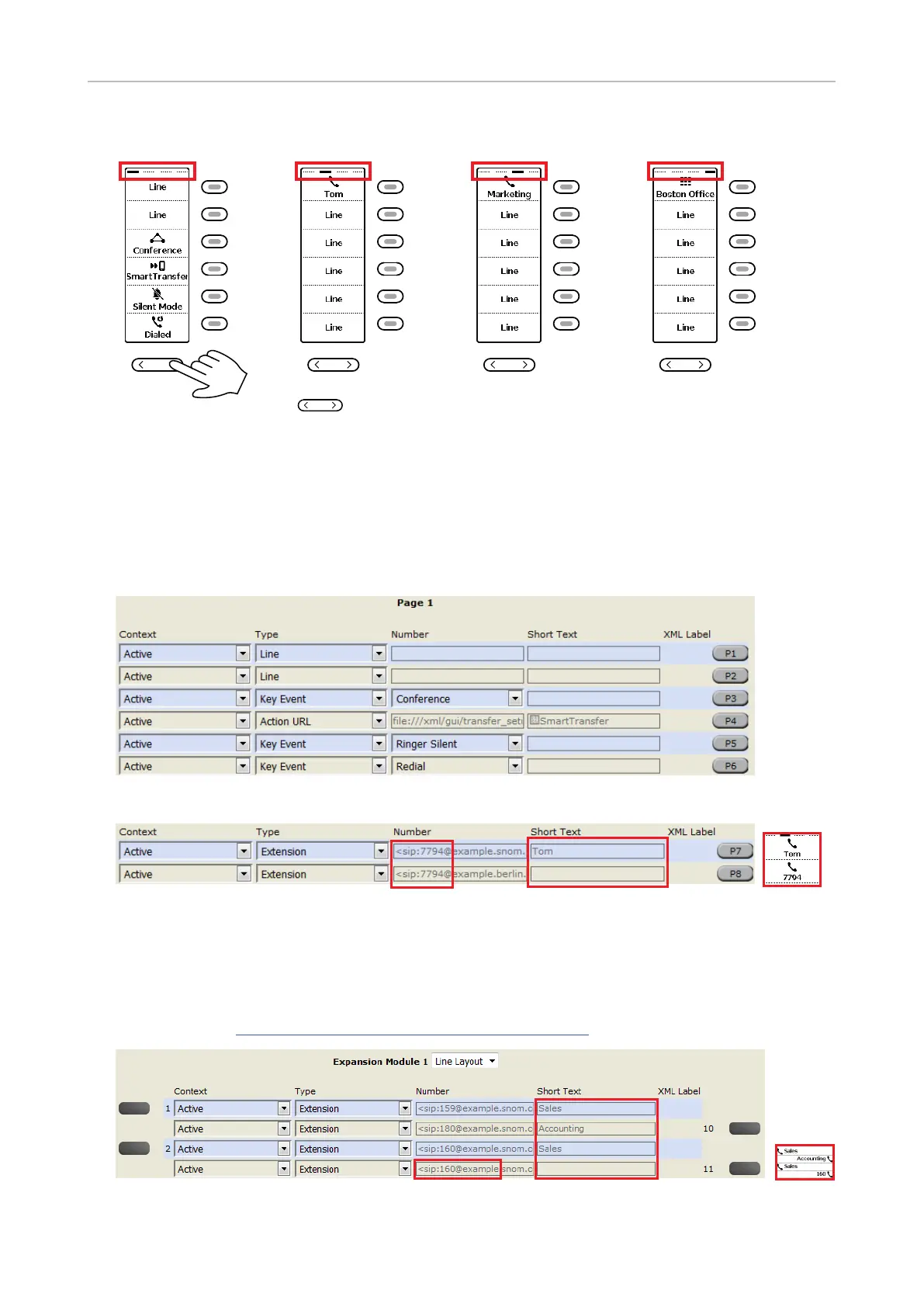
Page key - press right or left edge to change page
Page 1 Page 2 Page 3 Page 4
P1
P2
P3
P4
P5
P6
P7
P8
P9
P10
P11
P12
P13
P14
P15
P16
P17
P18
P19
P20
P21
P22
P23
P24
Fig. 1
Function key page of phone's web interface
.
Fig. 2 - Page 1 keys on phone's web interface
Fig. 3 - Labels on display with and without "Short Text" setting
Apply button. Their
"Example
.
Fig. 4 - Function keys of connected D7 expansion module



 To Next Page