37
D785 / D785N User Manual Getting to Know Your Phone
Text options menu.
alignment with Text options menu.
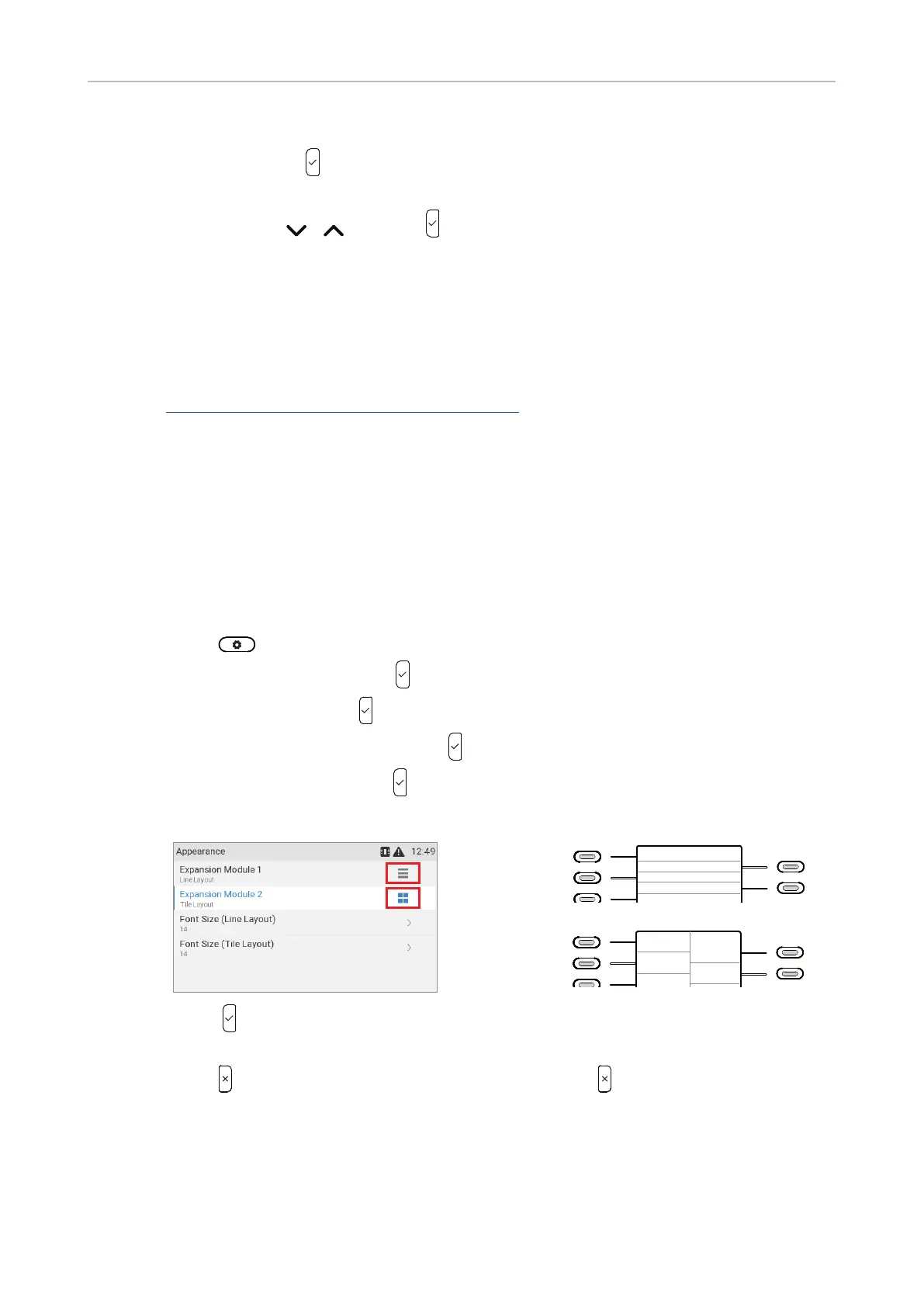
Adjusting display settings for connected D7s
manual at .
Note:
35
• Appearance.
◦ Layout
1. .
2. Select Preferences .
3. Select Display .
4. Select Expansion Modules .
5. Select Appearance .
6. Select Expandion Module 1, 2, or 3.
1
2
10
11
12
13
14
15
16
17
18
1
2
3
4
5
6
7
8
9
10
11
12
13
14
15
16
17
18
1
2
3
4
5
6
7
8
9
10
11
12
13
14
15
16
17
18
1
2
10
11
7.
8. to return to the Expansion modules
◦ Font size.
Line layout
Tile layout



 To Next Page