11
Snom D7C User Manual Getting to know your D7C
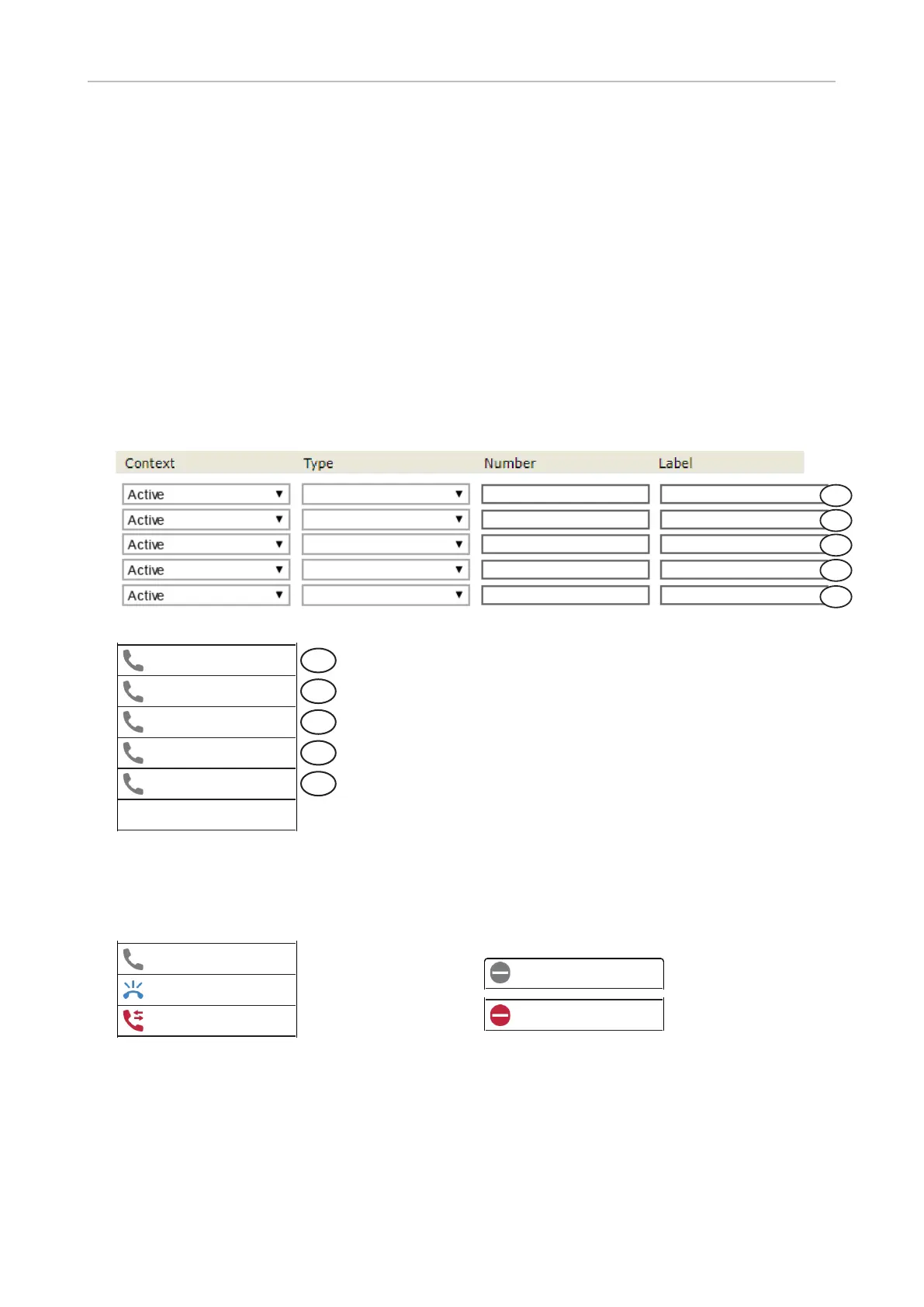
SmartLabels
In the default setting, icon and name of the function type are shown in the label area (Fig. 1 and 2,
example 1).
◦ When no text has been entered in the Label eld and the Number eld is empty, the label area on
the display shows the function type (example 1).
◦ When a text is entered in the Label eld, it is displayed instead of the function type (example 2, 4,
and 5).
◦ When a value is entered in the Number eld and the Label eld is empty, the value is added as
a second line to the function type in the top line (example 3).
◦ If you want two lines of character strings to be displayed, for example a name and a phone
number for an extension setting, enter them in the Label eld with the <br> tag between them
(example 5).
Extension
Extension
Extension
Joe Miller
1236@example.com
1236@example.com
Joe Miller<br>1236
Extension
Extension
Joe Miller
1236@example.com
1
2
3
4
5
Fig. 1
DND
O
DND
On
Extension
Joe Miller
Extension
1236
Joe Miller
Joe Miller
1236
Line
Free
Extension
1234
Extension
1234
Extension
1234
Extension
1234
Free
Line
Free
Line
Free
Line
Free
1
2
3
4
5
Fig. 2
Depending on the function mapped onto the key, its allocated display area will show the context
information when the key event occurs or when the key is pressed; it will revert to the idle content
when the key event has ended or when the key is pressed again.
Extension idle
Extension ringing
Extension busy
DND
O
DND
On
Extension
Joe Miller
Extension
1236
Joe Miller
Joe Miller
1236
Line
Free
Extension
1234
Extension
1234
Extension
1234
Extension
1234
Free
Line
Free
Line
Free
Line
Free
Fig. 3
Function key LEDs
Depending on the function mapped onto the key, the LEDs on the key will light up when the key event
occurs or when the key is pressed; they will go out when the key event has ended or when the key is
pressed again.
Note: The label is a convenience for the user. It has no
eect on the functioning of the key. Examples 1 and 2
are not valid extension settings because no Number
value has been set.
DND
O
DND
On
Extension
Joe Miller
Extension
1236
Joe Miller
Joe Miller
1236
Line
Free
Extension
1234
Extension
1234
Extension
1234
Extension
1234
Free
Line
Free
Line
Free
Line
Free
DND
O
DND
On
Extension
Joe Miller
Extension
1236
Joe Miller
Joe Miller
1236
Line
Free
Extension
1234
Extension
1234
Extension
1234
Extension
1234
Free
Line
Free
Line
Free
Line
Free



 To Next Page