17
Snom D7C User Manual Conguring the function keys
9.12.2020 D7C_config_1.png
https://mail.google.com/mail/u/0/#inbox/CllgCHrdkvGJQplKkpgwkjKZwnJTKkDbnwtQkXxJfmXVKFcshldksCQkTCLJhhBBkhphQbjjTNB?projector=1&messagePartId=0.1 1/2
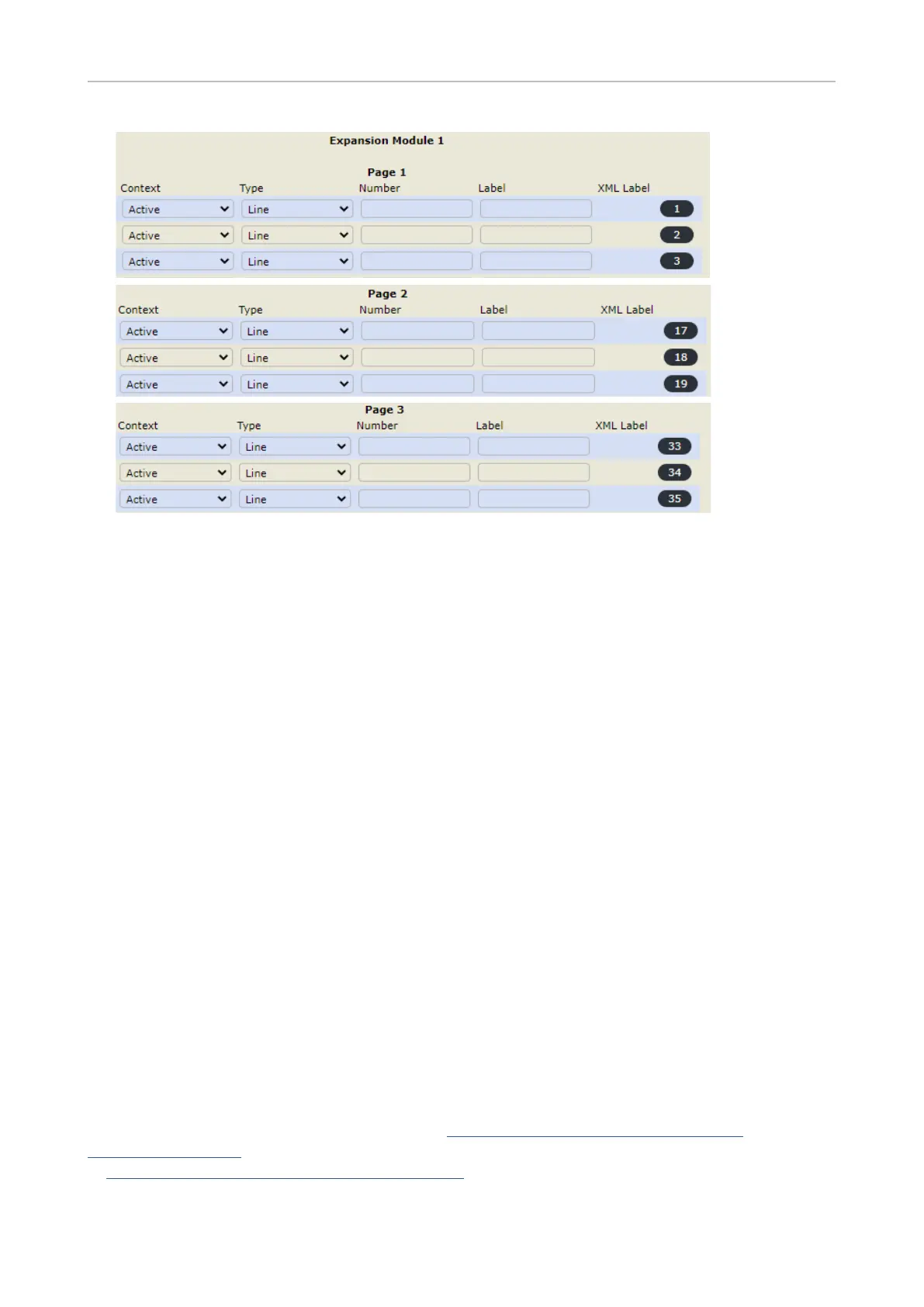
3. Click the Key Assignment tab, if necessary.
4. Scroll down to Expansion Keys and the expansion module you want to congure.
5. Under Context of the key you want to congure, select "Active" or one of the congured identities
from the drop-down list. The default is "Active", i.e., the congured key is available for all
congured identities on the phone.
6. Under Type, select "Extension" from the drop-down list.
7. In the Number text eld, enter the phone number whose calls you want to monitor and pick up.
8. Optional: In the Label text eld, enter a name or descriptive text. See "SmartLabels" on page 11
for more information.
9. Click Apply and Save.
XML provisioning of settings
The XML tags of the function keys are an exception from the general rules for XML mass provisioning
of settings for Snom phones because the tag for each key species the exact settings for that
particular key. The format is as follows:
<fkey idx="n" context="active" label="x" default_text="$name $state" perm="">argument</fkey>
Example:
<fkey idx="33" context="active" short_label_mode="text" short_label="" short_default_
text="!!$(::)!!$(generate_via_conditional_label_short)" label_mode="icon_text" icon_type="" reg_
label_mode="icon_text" label="" lp="on" default_text="!!$(::)!!$(generate_via_conditional_label_full)"
perm="" c="1" cslm="1" clm="1">dest <sip:14147356@192.168.10.60;user=phone></fkey>
For more information on function key types, see https://service.snom.com/display/wiki/
Function+Key+Types. For more information on valid values and defaults, see the individual settings
at https://service.snom.com/display/wiki/Settings.



 To Next Page