32 • UK
Return to contents
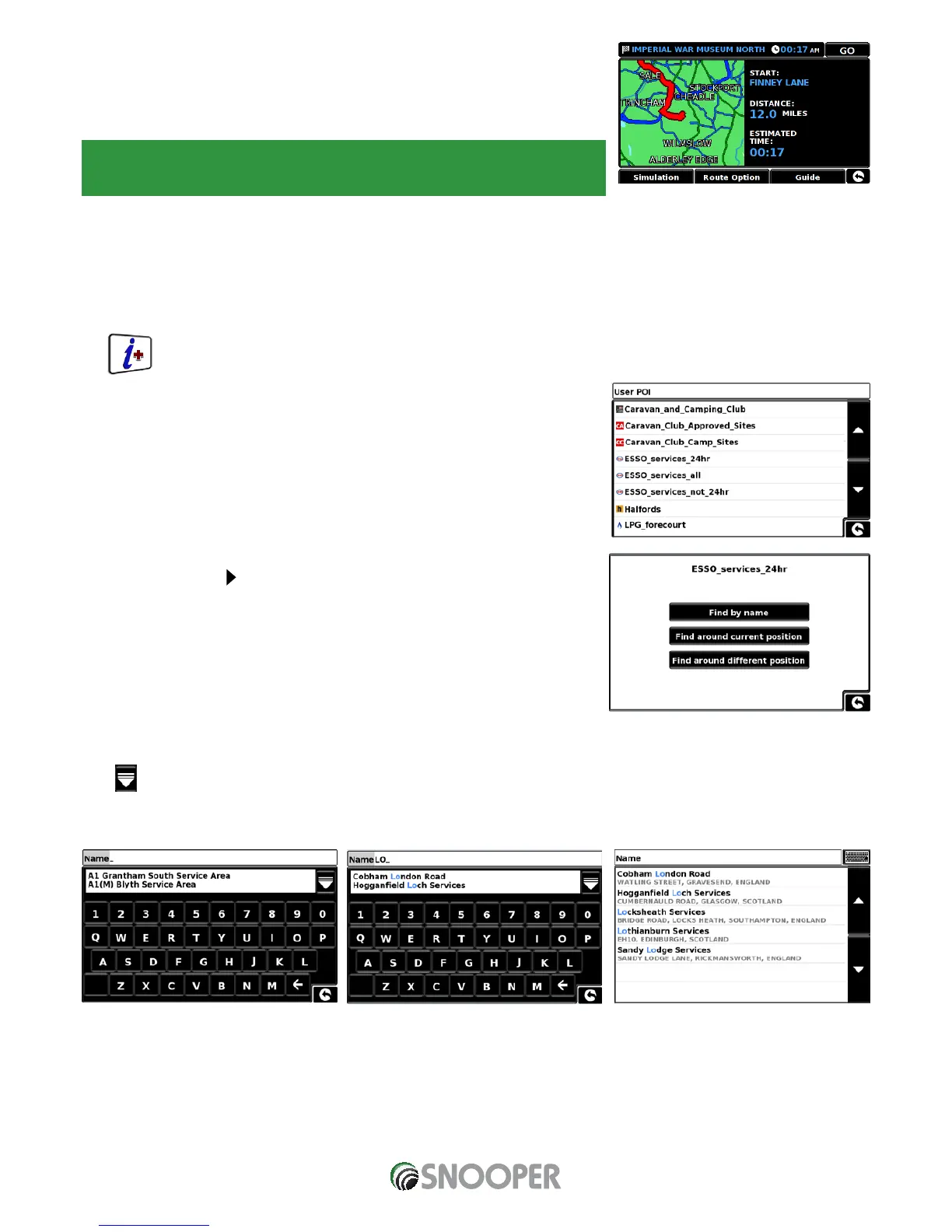
Once the calculation is complete you can either press ‘Go’ to start navigation,
‘Simulation’ to see the actual route that will be taken, ‘Route Option’ to change the
parameters of the route or ‘Guide’ which will list the turn by turn instructions of the
journey. The ‘Summary Screen’ will tell you the distance to your destination, estimated
time of arrival and the estimated time it will take to complete your journey.
Please note: The summary screen is only displayed for approximately 10 seconds
before the unit automatically begins to provide you with turn-by-turn instructions.
3.10.3 To navigate using ‘Along Route’
Choose to search from our extensive list of Point’s of Interest using our new ’Corridor Search’ facility. The ‘‘Corridor Search’ search
function enables you to search specifically along your pre-programmed route.
The instructions to use this facility are the same as above (see Section 3.10.2) but select ‘Along Route’ to open the search.
3.11 User POI
The S7000 comes pre loaded with a number of ‘User POI’s’. You can add additional POI
(Points Of Interest) by downloading them to the device via a PC. The User POI Updater
program can be downloaded from: https://www.snooperneo.co.uk/Software.cfm. Once
the program is installed it will be possible to select additional POI lists for the S7000.
To navigate using User POI:
Press the centre of the screen to enter the ‘Navigate to’ menu.
Press the black arrow
once.
Press the User POI’ icon.
A list of installed User POI’s will appear, select the one you want to navigate to by
pressing the name.
The option to:
Find around current position
Find around different position will be displayed.
3.11.1 Find by name
If you know the name of the POI you are looking for select ‘Find by name’ and then type the name of the POI.
Press to reveal more locations


 To Next Page