5 • UK
Return to contents
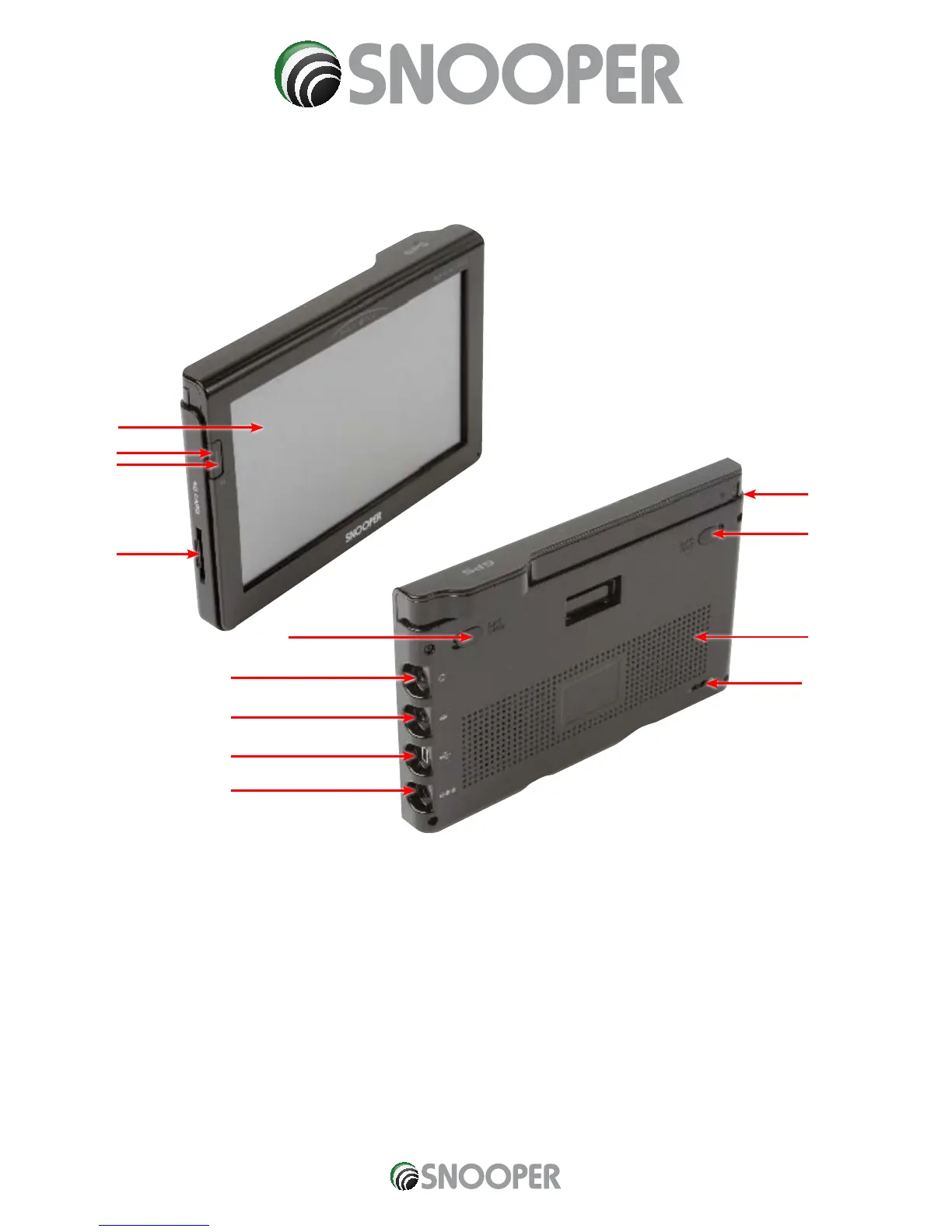
Overview
1. Power/MENU Button
Press and hold to switch on or off. Press and release to
switch between functions.
2. LED Power indicator
Green LED indicates power on using the built-in battery.
Red LED indicates power on using the AC adaptor and
charging. LED will turn green once the battery is fully
charged.
3 Touch screen LCD
4. SD Card Slot
5. TMC or Earphone Jack
6. Video In socket
Can be used for attaching a rear camera – sold separately
7. USB socket
8. External Power socket
9. DVB-T Antenna
Extend antenna when watching DVB-T
digital TV
10. External DVB-T Antenna socket – antenna sold separately
11. External GPS Antenna socket – antenna sold separately
12. Speaker
13. Battery on/off switch
1
2
4
3
10
12
9
13
5
6
7
8
11
S7000


 To Next Page