Chapter 9 – Operation
S2646E/S3246E – 0410051 35
two degrees side-to-side or four degrees front-to-rear, plat-
form raise and drive functions are disabled and an alarm
sounds when those controls are activated.
If the drive/lift level sensor interlock shuts off the platform
raise and drive functions, lower the platform and drive to a
level surface.
Platform raise and drive functions may also be disabled
by the pothole protection interlock.
Steering
The steer control switch is located on the joystick (refer
to Figure 9.2). Use the following procedure to steer the
aerial platform using the upper controls.
1. Squeeze and hold the interlock switch against the
joystick.
• To turn to the left, tap lightly on the left side of the
steer switch.
• To turn to the right, tap lightly on the right side of
the steer switch.
Note
Holding the steer switch down too long may result in a
sharp turn. This is especially true when driving and steer-
ing at the same time. It may be easier to turn the wheels
in small increments using a series of quick taps on the
steer switch.
2. Set the steer wheels straight ahead after completing
a turn. The steering wheels are not self-centering.
Platform
Use care when entering and exiting the platform to avoid
slipping and/or falling. Make certain the entry gate is prop-
erly pinned in position. Properly fasten the entry chain so
it spans the gate opening when the platform is occupied.
Raising and Lowering
The raise speed is proportional to the joystick position.
The farther the joystick is moved, the faster the platform
raises. There is only one lowering speed.
1. Place the drive/lift selector switch (refer to Figure 9.2)
in the lift position.
2. Squeeze and hold the interlock switch against the
joystick.
• To raise the platform, slowly pull the joystick back
until the desired speed is reached.
• To lower the platform, slowly push the joystick
forward.
Extending
The platform can be extended and securely locked into
position. Use the following procedure to extend or retract
the platform to full or half extension.
Caution
The extension deck is free to move when the pins
are disengaged. Personal injury may result from
extending the platform deck while the aerial plat-
form is on a slope. Do not attempt to extend or re-
tract the platform unless the aerial platform is on a
level surface.
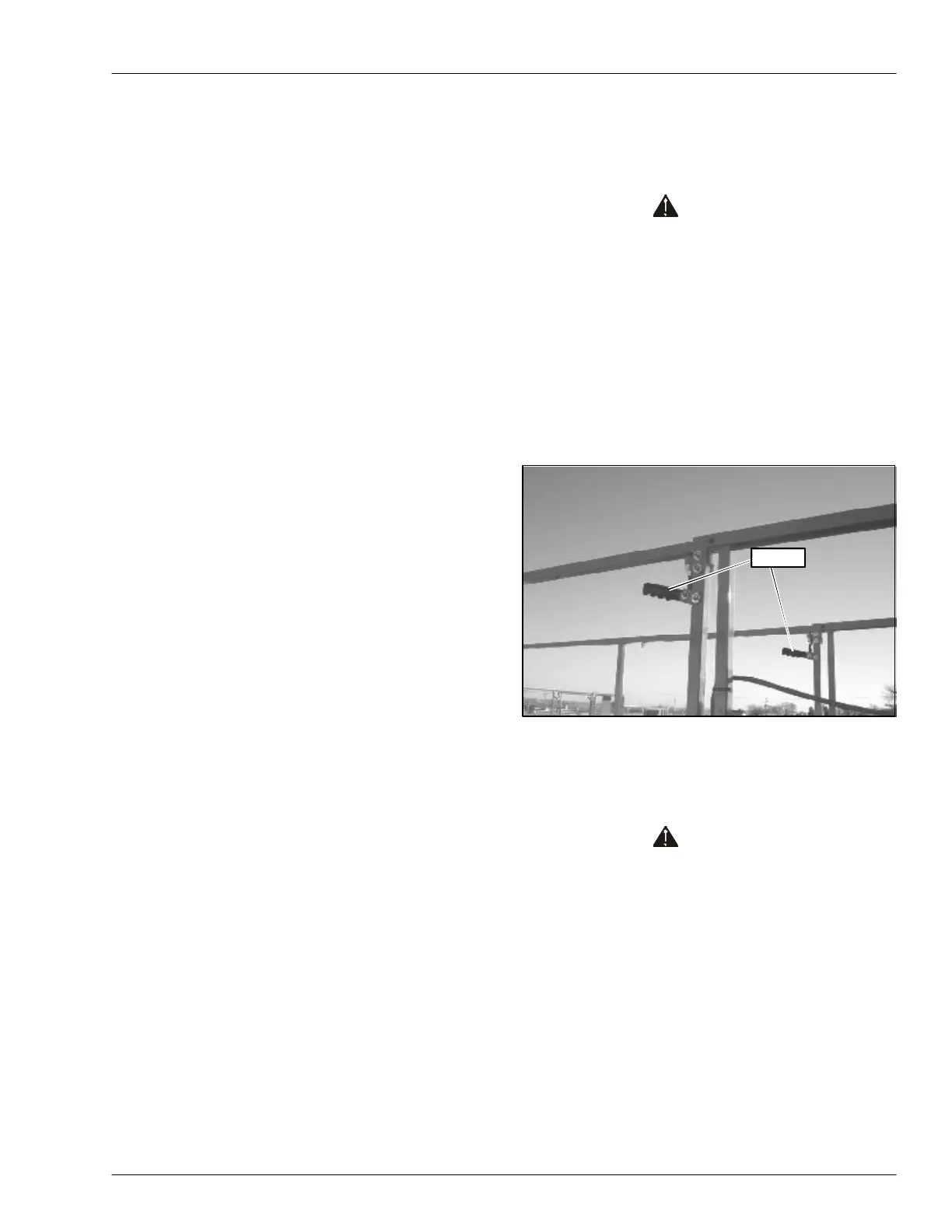
1. Push down on the handle on each side of the front of
the platform (refer to Figure 9.3).
2. Stand on the main deck of the platform, facing the
front of the platform, and push forward while holding
the handles down to extend the deck.
Figure 9.3 – Platform
3. Release the handles and make sure the pins are
engaged in the holes when the platform is extended
to lock it in place.
Caution
The extension deck is free to move when the pins
are disengaged. Make certain the pin is engaged
when the deck is extended in the working position
and when it is stowed.
4. Try to move the rails back and forth to make sure the
platform extension deck is locked in position. The
handle should angle upward when the extension deck
is locked in position.
Handle


 To Next Page