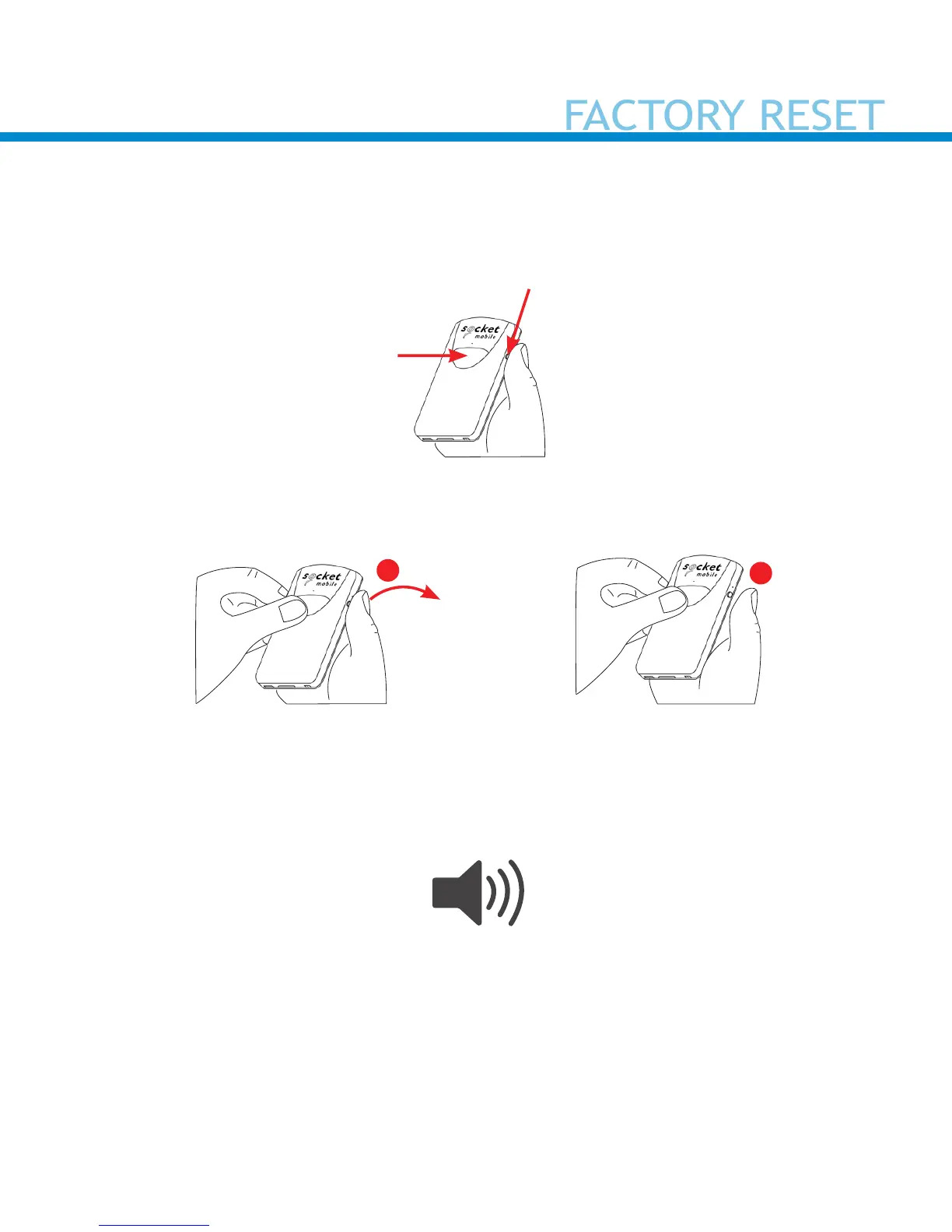
Factory Reset will restore the scanner to Factory Default settings
(congured as shipped). If your scanner cannot scan the Factory Default
barcode on page 35, then Follow this Factory Reset (button) sequence:
1. Turn ON the scanner.
2. Press and hold the trigger button
1
, then quickly press and release
the power button
2
, while continuing to hold the trigger button.
3.
4. Let go of trigger button after the scanner beeps once (after 15
seconds). Five conrmation tones will sound from high to low tones
and then the scanner will turn OFF.
Note: If you follow this sequence, but release the trigger button too
early (before 15 seconds and the beep) the Factory Reset will have
failed.
22
Quickly press
and release the
power button
1
2
Power Button
Trigger Button















 To Next Page