10
EN
ATySController A15 - 549779A - SOCOMEC
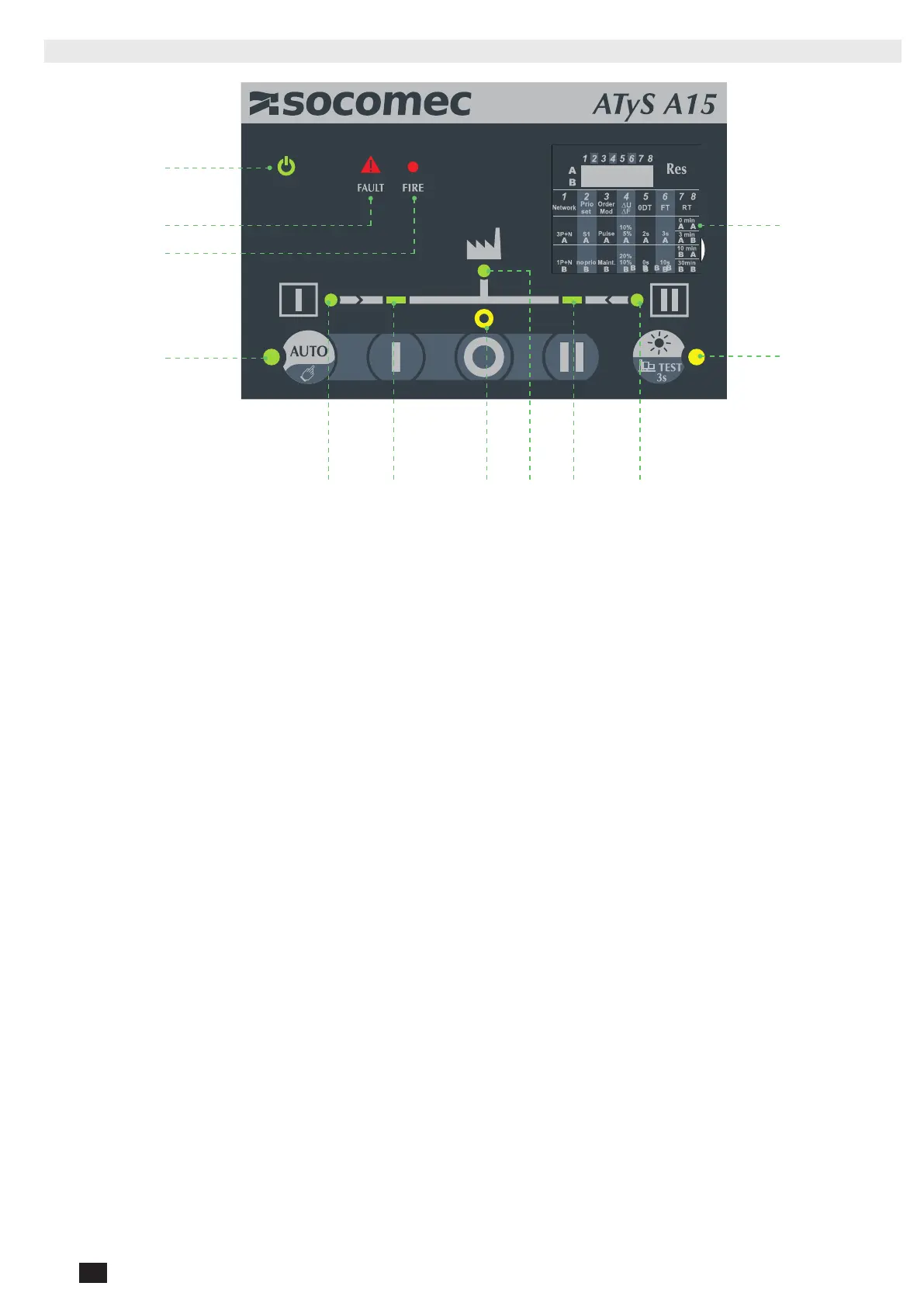
6.2. CONTROLLER HMI
1 2 3 54 6
8
9
12
10
7
11
1. Source 1 availability information (Green xed when source 1 is present and available within threshold limits, green blinking
when source 1 is present but outside of threshold limits, off when under 50VAC).
2. Switch 1 LED position indication (Green xed when in position 1).
3. Zero position LED indication (Yellow when in position 0).
4. Load supplied information (Green xed when load is supplied by an available source)
5. Switch 2 LED position indications (Green xed when in position 2).
6. Source 2 availability information (Green xed when source 2 is present and available within threshold limits, green blinking
when source 2 is present but outside of threshold limits, off when under 50VAC).
7. Auto LED indication (Green xed when in automatic, blinking when a transfer is ongoing, off when in manual mode or inhi-
bited or fault is ongoing).
8. Test LED (Yellow xed when test on load is ongoing).
9. Congurations dip switches (8 dip switches with 2 positions A and B see chapter X.X page X for conguration details).
10. Run LED (Green when product is powered).
11. Fault LED (Red blinking – long blink when fault or product in inhibited, fast blink when a dip switch parameter has been
changed and needs validation).
12. Fire (Red when re input is activated).
See Annex I page 29 for more details on the LED indicators



 To Next Page
 Loading...




